




MoveTheWheels
Control Tower Dashboard
The desk's home screen: a live map of moving freight, on-time KPIs and a short list of exception alerts, fed by the tracking events FluidGrids delivers.
Industry solution
Run freight by exception, from the dock door to proof of delivery
Shipments, fleets, docks, crews and freight spend on one governed workspace, designed to surface exceptions before the customer calls.

The problem
Carrier updates arrive by portal and email, detention is argued weeks later, reefer alarms surface when a driver calls, and every quarterly review starts with four spreadsheets. The network is visible only after something has gone wrong.
Freight moves between parties who do not share a system. Shippers book in their own ERP, carriers report status through portals, telematics feeds and emailed updates, warehouses run their own software, and the 3PL in the middle stitches it together by hand. Customer service spends the morning refreshing carrier portals, and the first sign of a missed appointment is often the receiver's phone call.
The cost hides in the gaps: detention and layover charges nobody can prove or disprove, reefer units that drift out of range overnight, tractors that were overdue for service because the odometer lived in another tool, drivers whose medical certificate lapsed without anyone noticing, and accessorials approved because checking them takes longer than paying them. Margins are thin, and peak season does not wait for a cleanup project.
Shippers now expect more from their providers: OTIF scorecards, live status on the channels they use, and emissions data for their own reporting. The answer is not another portal. It is connecting the systems that already hold the facts, so exceptions surface on their own and the evidence travels with the load.
VP or Director of Operations at a 3PL
One picture of every shipper's freight, fewer surprises on the morning call, and a network that grows without adding a dispatcher per lane.
Transportation and dispatch manager
Knowing which loads are at risk, which drivers and tractors are really available, and re-powering a load before the appointment is lost.
Distribution center manager
Dock doors that match appointments, crews staffed for the inbound wave, and dwell that is measured rather than argued.
Fleet maintenance manager
Preventive maintenance that follows the odometer, reefer units that report before they fail, and work orders tied to the load they affect.
Freight audit and finance lead
Carrier invoices and accessorials checked against the rate, proof of delivery and dock timestamps before anyone approves payment.
Shipper logistics or sustainability lead
An OTIF and carrier scorecard they can open themselves, and per-lane emissions figures with the method shown.
A day in the life
It is the second week of October and the retail peak is building. Imani Castillo runs operations for Larkfield Freight & Fulfillment, which moves grocery, consumer goods and retail replenishment for a dozen shippers. Her team is good. Her tools are a transportation system, a warehouse system, a maintenance spreadsheet, four carrier portals and a shared inbox. This is one week of that, and how the same week is designed to run when the products work together.
Monday, 6:40 a.m.
A grocery DC calls to ask where the 7:00 inbound is. Customer service opens three carrier portals and an inbox of status emails; the brokered carrier last updated the load from a truck stop at midnight. By the time the driver answers his phone the appointment is gone, and the receiver has pushed Larkfield to tomorrow afternoon. Nobody ignored a message. The message never reached a place anyone was watching.
How this is solved: Status chasing instead of exception managementMonday, 2:45 p.m.
At the Riverside DC, door 7's leveler is down, the afternoon unload crew is two people short, and five inbound trucks are waiting in the yard. Two drivers are already past their two hours of free time. The gate log is on a clipboard. Three weeks from now the detention invoices will arrive, and Larkfield will not be able to show whether the delay was an early arrival or its own dock.
How this is solved: Dock congestion, dwell and detention nobody can proveTuesday, 2:10 a.m.
Trailer R-214, loaded with dairy for a grocery customer, reports return-air temperature climbing. The reefer portal logs it; nobody watches that portal at 2 a.m. The driver notices at a fuel stop and calls the night dispatcher, who needs a spare reefer trailer and a tractor to take it out for a trailer swap, and finds that tractor T-118, the only one close enough, is overdue for preventive maintenance. Its odometer lives in a spreadsheet the shop updates on Fridays.
How this is solved: Reefer alarms and overdue maintenance take units off the roadWednesday, 11:00 a.m.
A retail shipper confirms its holiday volume is up from last year. Imani needs six more dock workers per shift and every driver she has. HR keeps the agency contacts, the safety coordinator keeps a binder of license copies, and dispatch keeps a whiteboard. Two agency workers are due to start Monday without forklift certification on file, and a regular driver's medical certificate expires on Friday, which dispatch learns after a load is already on his route.
How this is solved: Peak season with too few qualified drivers and dock crewsThursday, 4:30 p.m.
Finance has a stack of carrier invoices to approve for Friday's payment run, many with detention, lumper and layover lines. Next week Larkfield's largest shipper holds its quarterly business review and wants on-time-in-full by lane and a carrier report card. An analyst spends two days exporting from four systems into a spreadsheet, and the shipper's first question in the meeting is why its numbers do not match the ones it calculated itself.
How this is solved: Freight invoices and shipper scorecards reconciled by handFriday, 10:00 a.m.
A consumer-goods shipper's sustainability team asks for the transport emissions of every load Larkfield moved for them last quarter, by lane and mode, with the method explained. Larkfield has fuel totals for its own trucks and nothing for brokered loads. Imani forwards the questionnaire to the one person who understands emission factors, who is on leave until November.
How this is solved: Per-shipment emissions data that shippers now ask forNone of these moments needs another portal. Each needs the right fact to reach the right person in time, with the evidence attached. The challenges below walk through how seven Burdenoff products are designed to pass that fact to one another.
Challenges and how they are solved
Each challenge shows the problem as it happens, how the products are designed to hand work to each other, and the concepts that illustrate it. Share any challenge on its own.
Answers are in plain business terms. Choose Technical, or open any technical detail, to see how it works under the hood.
Challenge 1 of 6
Status arrives in every format: portal milestones, telematics pings, emailed updates and drivers' texts. None of it lands on the shipment record the desk works from. Customer service spends its best hours checking loads that are fine and hears about the ones that are not from the receiver, usually after the appointment is already lost.
Missed appointments roll to the next day, receivers lose patience, customer service capacity goes to status checks, and shippers hear about problems before their 3PL does.
FluidGrids is designed to gather carrier updates, from carrier systems or by email, and pin each one to its load in MoveTheWheels, which checks each load against its appointment and shows the desk only loads running late, sitting too long or at risk. When a shipper asks where a load is, a Botlit assistant answers in the shipper's chat, names its source and passes anything unusual to the desk.
Technical detail
FluidGrids is the intake layer. Webhook triggers receive status pushes from carriers that send them, scheduled workflows call carrier APIs with an HTTP step and read emailed updates from a connected inbox, and each message is matched to its load. Those updates are designed to land in MoveTheWheels as tracking events on the shipment timeline. MoveTheWheels then does the watching: the control tower compares each load's latest event and estimated arrival with its appointment and surfaces only the late, dwelling and at-risk loads as exceptions. For the routine 'where is my load' question, a Botlit agent on the shipper's channel is designed to trigger a FluidGrids lookup workflow, answer with the latest tracking event cited, and hand anything unusual to a person on the desk.
The desk is designed to start the day from a ranked exception list instead of a wall of portals, with routine status questions answered on the shipper's channel and the source attached.
MoveTheWheels
The desk's home screen: a live map of moving freight, on-time KPIs and a short list of exception alerts, fed by the tracking events FluidGrids delivers.
FluidGrids
Webhook and schedule triggers that receive carrier status pushes and call carrier APIs on a cadence, with retries when a carrier feed misbehaves.
Botlit
An agent that answers shipper status questions from approved sources, shows what it used, and says so plainly instead of guessing an arrival time.
Challenge 2 of 6
At each DC, appointments live in a shared calendar, gate times on a clipboard and door status in the maintenance lead's head. When a leveler fails or a crew runs short, nothing moves the affected appointments, and nobody records when each truck arrived, got a door and was released. Weeks later, when the detention invoice arrives, the evidence that would show an early arrival, a late dock or a paperwork hold is gone.
Detention and layover get paid or disputed on instinct, carriers start pricing the facility's delays into their rates, and drivers lose hours of their working day waiting in the yard.
MoveTheWheels is designed to record when each truck arrives and gets a door, run a free-time clock on the carrier's terms, and keep those times as proof for any detention bill. FluidGrids can warn the shipper and carrier as a truck nears its limit. A broken leveler logged in AssetHandler takes its door off the schedule so appointments move to working doors, and CrewFoundry shows who is on shift.
Technical detail
MoveTheWheels is designed to run the dock as part of the shipment record: each appointment carries its door, gate-in time, door-assigned time and a free-time clock that follows the terms agreed with the carrier. As a truck nears its limit, a FluidGrids workflow can send the shipper and carrier a timestamped notice, so detention is flagged while it is happening instead of argued later, and the detention event is kept on the load for freight audit. AssetHandler owns the dock equipment: an open work order on a failed leveler is designed to mark that door out of service on the dock board until the technician closes it, so appointments move to working doors. The unload crew on shift is designed to appear from CrewFoundry's shift roster beside the doors, so the supervisor can see whether the constraint is doors or people.
Dwell is designed to be measured per appointment, detention to be flagged with evidence while the truck is still in the yard, and a broken door to move appointments instead of stranding them.
MoveTheWheels
A dock board of appointments by door with gate-in and door times and a live free-time clock per truck, where every detention event keeps the timestamps behind it.
Works with AssetHandler, CrewFoundry, FluidGrids
AssetHandler
The work queue where the leveler repair is raised, assigned and closed, and whose open status is designed to block that door on the dock schedule.
CrewFoundry
The shift-coverage heatmap by dock, designed to sit beside the dock board so a supervisor sees a short unload crew before the inbound wave arrives, not after.
Works with MoveTheWheels
Challenge 3 of 6
Reefer temperature readings sit in the unit maker's portal, which nobody watches overnight. Preventive maintenance is tracked in a spreadsheet the shop updates once a week. Temperature drift gets noticed by drivers at fuel stops, and dispatch keeps assigning tractors that are past their service interval because odometer readings never reach the dispatch board.
A temperature excursion becomes a rejected load or a strained customer relationship, roadside breakdowns replace planned shop visits, and dispatch keeps assigning equipment it should not.
AssetHandler keeps every tractor, trailer and reefer unit on one record, with service due by mileage and engine hours. If a reefer drifts out of the range set for its load, FluidGrids is designed to flag the load in MoveTheWheels and alert the on-call technician with the temperature history. Units that are overdue or have an open defect show as unavailable, so dispatch does not assign them.
Technical detail
AssetHandler is the system of record for tractors, trailers and reefer units. Reefer controllers and telematics are designed to report into its connected-device records, and preventive maintenance runs on usage meters such as odometer and engine hours as well as the calendar. When a reading leaves the range set for the load, a FluidGrids workflow is designed to open an exception on the affected shipment in MoveTheWheels and page the on-call technician, with the reading history attached. Units that are overdue or carry an open defect are flagged in AssetHandler, and MoveTheWheels is designed to show them as unavailable on the fleet board so dispatch does not assign them. Dispatch plans the roadside repair or the trailer swap in MoveTheWheels with a cleared tractor, and the decision about the product stays with the shipper's quality team, who can see the full reading history.
Reefer drift is designed to reach a person while there is still time to act, and units that are due for service to drop off the dispatch board before anyone assigns them.
AssetHandler
One board for tractors, trailers and reefer units: set-point against return-air readings, meter-based maintenance due, open defects and the load each unit is on.
MoveTheWheels
Where the reefer alarm and the breakdown appear as exceptions beside delays and failed deliveries, so the night dispatcher works from one list.
Challenge 4 of 6
Readiness is kept in three places: agency contacts with HR, license and medical-card copies in the safety coordinator's binder, and availability on the dispatch whiteboard. Nothing counts down to an expiry. A lapsed medical card is found after a load is already on the driver's route, and agency temps reach the dock before their forklift sign-off is on file. Peak plans are built on headcount, not on who is cleared.
Loads get assigned to drivers whose credentials have lapsed, temporary crews reach equipment before their training is signed off, and peak weeks are planned on headcount rather than on who is actually cleared.
CrewFoundry is designed to keep each driver, dock worker and agency temp on one record with their license, medical certificate, forklift sign-off and training, counting down to every expiry weeks ahead. New temps finish the site induction before day one. When a credential lapses, MoveTheWheels shows that driver as not dispatchable until it is renewed, and shift gaps can be filled from vetted contract crews in CrewFoundry's marketplace.
Technical detail
CrewFoundry is designed to keep every driver, dock associate and agency temp on one people record with the credentials the work depends on: license class and endorsements, medical certificate and forklift certification dates, and completed training. Learning paths take each new temp through the site induction and scanner basics before the first shift, and certificates land on the profile when they finish. The readiness roster is designed to count down to each expiry weeks ahead and show shift coverage by dock. That status is designed to hand off to MoveTheWheels, so a driver whose credential lapses shows as not dispatchable on the driver board until it is renewed, and a shift gap can be filled from vetted contract crews in the CrewFoundry marketplace.
Expiries are designed to surface weeks ahead, new temps to arrive with their induction complete, and dispatch to see only cleared drivers as available.
CrewFoundry
A readiness roster for drivers and dock crews with credential expiry countdowns, shift coverage by dock, and a dispatchable status designed to reach MoveTheWheels.
Works with MoveTheWheels
CrewFoundry
The learning-path builder, shown here with office-role tracks, where a site-induction, powered-equipment and scanner-basics track is designed to be set up, with each earned certificate kept on the worker's profile.
MoveTheWheels
The fleet and driver board dispatch works from, where the drivers and trucks shown as available are designed to be only the ones cleared to run.
Challenge 5 of 6
Carrier invoices arrive with detention, lumper, layover and fuel-surcharge lines that are not on the rate confirmation. Checking one means finding the proof of delivery, the dock times and the agreed rate in three systems, so most get approved as billed. Quarterly reviews are built by hand from exports, and the shipper's own figures rarely match.
Overbilled accessorials slip through, disputes are lost for lack of evidence, and quarterly reviews turn into arguments about whose spreadsheet is right.
MoveTheWheels is designed to check each carrier invoice against the agreed rate, the proof of delivery and the dock and arrival times, flagging anything that does not match for someone to accept or dispute. FluidGrids then passes settled loads to BigConsole, which builds an on-time, in-full report card by lane and carrier. Each shipper gets its own view of only its loads, so both sides read the same numbers.
Technical detail
MoveTheWheels is designed to reconcile each carrier invoice against the shipment it bills: the agreed rate, the proof of delivery, the dock timestamps from its detention clock at Larkfield's own DCs, and the arrival and departure tracking events at customer facilities, with variances flagged for a person to dispute or accept. Once loads are settled, FluidGrids workflows are designed to pull them from MoveTheWheels and push shipments, exceptions and invoice outcomes into BigConsole data sinks on a schedule. BigConsole turns those sinks into an OTIF and carrier scorecard console with drill-down to the loads behind each figure, and each shipper is designed to receive its own shared view with row-level security, so it sees its lanes and never another customer's. Larkfield and the shipper then read the same numbers from the same source.
Accessorials are designed to be approved or disputed with the evidence attached, and quarterly reviews to start from one set of figures both sides can open.
MoveTheWheels
Freight spend and fuel cost at a glance, plus a reconciliation view designed to check carrier invoices against the shipment, agreed rate and proof of delivery, with a flag-for-dispute action.
FluidGrids
A scheduled workflow that ends in a datasink node and pushes settled shipment, exception and invoice rows into BigConsole.
BigConsole
A shared console of on-time, in-full, dwell and accessorial spend by lane and carrier, scoped to one shipper, with every figure drilling down to its loads.
Works with MoveTheWheels, FluidGrids
Challenge 6 of 6
Shippers now ask for transport emissions per load, by lane and mode, with the method shown. Operators hold fuel totals for their own trucks, nothing for brokered loads, and no way to allocate either to a customer. Emission-factor knowledge usually sits with one person, and the shipper's reporting deadline does not move when that person is away.
Emissions questions go unanswered or get rough estimates nobody can defend, and a sustainability request becomes a reason for a shipper to compare providers.
Each quarter, FluidGrids is designed to carry every load's lane, distance, weight and transport mode from MoveTheWheels into EcoImpactHub, which turns each load into an emissions line with its method shown. Own-fleet loads can use actual fuel recorded in AssetHandler; brokered loads use a clearly labeled estimate from distance and weight. EcoImpactHub totals them by shipper and lane for the questionnaire, with each figure traceable to its loads.
Technical detail
MoveTheWheels already knows each load's lane, distance, weight, mode and whether it ran on a Larkfield truck or with a brokered carrier. A quarterly FluidGrids workflow is designed to carry that activity into EcoImpactHub, where each load becomes a carbon entry with its emission factor, method and a status that moves from draft to verified. For Larkfield's own fleet, AssetHandler records energy use per vehicle on EcoImpactHub metrics, so own-fleet loads can draw on actual fuel while brokered loads use a clearly labeled distance-and-weight factor. Own-fleet lines are designed to sit in Larkfield's Scope 1 and brokered lines in its Scope 3 upstream transportation. EcoImpactHub is designed to roll the entries up by shipper and lane for the questionnaire, with every figure traceable to its loads and factor, ready for the shipper's own Scope 3 reporting.
Shippers are designed to receive emissions figures by lane with the method and scope visible, so the 3PL answers from its own records instead of from estimates.
EcoImpactHub
A freight view of the carbon ledger that allocates each load to its shipper, lane and mode, shows the factor and method on every line, and exports the shipper's figures.
Works with MoveTheWheels, FluidGrids, AssetHandler
AssetHandler
Energy and emissions per asset for the operator's own tractors and reefer units, kept on shared EcoImpactHub metrics rather than a separate spreadsheet.
How it fits together
One load, followed from the morning readiness check to the shipper's quarterly figures. Each step shows one product doing one job and the record it is designed to hand to the next.
To MoveTheWheels: Which units are fit to run, and which have open defects
To MoveTheWheels: Each shipment's latest status, in one consistent form
To FluidGrids: Settled loads with dock times, proof of delivery and invoice check result
To BigConsole: One record per load, labeled by shipper, lane and carrier
To Botlit: Report card figures Botlit can look up when a shipper asks
To FluidGrids: A request to prepare that shipper's emissions for the quarter
To EcoImpactHub: Each load's lane, distance, weight and mode, beside own-fleet fuel on file
Step 1 of 8: Clear the equipment
Technical detail
Products in this solution
Control tower, dispatch, dock and freight settlement
It keeps each shipment's orders, loads, routes, drivers, tracking and proof of delivery in one place. Dock appointments and invoice checks are designed to join that same record, so late loads, detention proof and freight bill checks all use the same facts.
Technical detail
The shipment spine: orders, loads, routes, drivers, tracking events and proof of delivery on one record. Dock appointments and carrier-invoice checks are designed to join that record, so exceptions, detention evidence and freight audit all read the same facts.
Fleet and dock equipment uptime
It tracks tractors, trailers, reefer units, forklifts and dock levelers, their repair jobs, and service due by mileage and engine hours. Live readings from the equipment are designed to help decide what is fit to go out.
Technical detail
Tractors, trailers, reefer units, forklifts and dock levelers as assets, with meter-based preventive maintenance and work orders, and connected-device readings designed to decide what is fit to dispatch.
Driver and dock crew readiness
Drivers, warehouse staff and agency temps are kept on one record, with their training certificates on file today. License and certificate expiry countdowns and shift coverage are designed to be added, so peak planning starts from who is actually cleared to work.
Technical detail
One record for drivers, warehouse associates and agency temps, with training certificates today and credential expiries and shift coverage designed on top, so peak planning starts from who is actually cleared to work.
Carrier updates and hand-offs between products
It moves information from carriers and between the other products: collecting carrier updates, sending detention notices, routing reefer alarms and passing settled loads to BigConsole. A quarterly hand-off to EcoImpactHub for emissions is designed to be added.
Technical detail
Webhook and scheduled workflows that ingest carrier status, send detention notices, route reefer alarms and push settled data into BigConsole data sinks, with a quarterly hand-off to EcoImpactHub designed on top.
Shipper on-time, in-full and carrier report cards
It turns load records from FluidGrids into report cards where every figure opens up to the loads behind it. Sharing is designed to give each shipper a view of only its own loads, so both sides read one set of numbers.
Technical detail
Governed consoles over FluidGrids data sinks, with drill-down to the load and per-shipper sharing designed around row-level security, so both sides read one set of numbers.
Shipper-facing status agent
Botlit assistants work in chat apps such as Teams, Slack or WhatsApp. They answer only from approved sources, can look up report figures and start follow-up tasks, and say plainly when they do not know.
Technical detail
Agents on chat channels such as Teams, Slack or WhatsApp, grounded in approved sources, able to query dashboards and trigger workflows, and plain about what they do not know.
Freight emissions ledger
It keeps a carbon record for each load with the emission factor used, where that factor came from and whether it has been checked. Entries are designed to add up by shipper and lane for the emissions questionnaires shippers now send.
Technical detail
Scoped carbon entries with sourced emission factors and verification status, designed to roll up by shipper and lane for the emissions questionnaires shippers now send.

All seven products are built on Burdenoff Workspaces: one sign-on for dispatchers, technicians, dock crews and shippers, role-based access designed to keep each shipper to its own loads, one audit trail across dispatch, maintenance and settlement, and one bill.
Concept gallery
15 concepts from 7 products. Each one links to its own page on the product's website, and every view has a link you can share.
MoveTheWheels
The desk's home screen: a live map of moving freight, on-time KPIs and a short list of exception alerts, fed by the tracking events FluidGrids delivers.
FluidGrids
Webhook and schedule triggers that receive carrier status pushes and call carrier APIs on a cadence, with retries when a carrier feed misbehaves.
Botlit
An agent that answers shipper status questions from approved sources, shows what it used, and says so plainly instead of guessing an arrival time.
MoveTheWheels
A dock board of appointments by door with gate-in and door times and a live free-time clock per truck, where every detention event keeps the timestamps behind it.
Works with AssetHandler, CrewFoundry, FluidGrids
AssetHandler
The work queue where the leveler repair is raised, assigned and closed, and whose open status is designed to block that door on the dock schedule.
CrewFoundry
The shift-coverage heatmap by dock, designed to sit beside the dock board so a supervisor sees a short unload crew before the inbound wave arrives, not after.
Works with MoveTheWheels
AssetHandler
One board for tractors, trailers and reefer units: set-point against return-air readings, meter-based maintenance due, open defects and the load each unit is on.
MoveTheWheels
Where the reefer alarm and the breakdown appear as exceptions beside delays and failed deliveries, so the night dispatcher works from one list.
CrewFoundry
The learning-path builder, shown here with office-role tracks, where a site-induction, powered-equipment and scanner-basics track is designed to be set up, with each earned certificate kept on the worker's profile.
MoveTheWheels
The fleet and driver board dispatch works from, where the drivers and trucks shown as available are designed to be only the ones cleared to run.
MoveTheWheels
Freight spend and fuel cost at a glance, plus a reconciliation view designed to check carrier invoices against the shipment, agreed rate and proof of delivery, with a flag-for-dispute action.
FluidGrids
A scheduled workflow that ends in a datasink node and pushes settled shipment, exception and invoice rows into BigConsole.
BigConsole
A shared console of on-time, in-full, dwell and accessorial spend by lane and carrier, scoped to one shipper, with every figure drilling down to its loads.
Works with MoveTheWheels, FluidGrids
EcoImpactHub
A freight view of the carbon ledger that allocates each load to its shipper, lane and mode, shows the factor and method on every line, and exports the shipper's figures.
Works with MoveTheWheels, FluidGrids, AssetHandler
AssetHandler
Energy and emissions per asset for the operator's own tractors and reefer units, kept on shared EcoImpactHub metrics rather than a separate spreadsheet.
Pitch kit
Regional 3PLs and carriers run freight across carrier portals, a warehouse system, a maintenance spreadsheet and an inbox. Burdenoff brings MoveTheWheels, AssetHandler, CrewFoundry, FluidGrids, BigConsole, Botlit and EcoImpactHub together in a solution concept designed so that carrier status, equipment health, crew readiness and freight spend reach one control tower, exceptions surface before the customer calls, and every detention charge, report card and emissions figure carries its evidence.
Questions
No. The solution is designed to start where the pain is: FluidGrids can bring in carrier status, orders and warehouse updates from the systems you already run, and MoveTheWheels can begin as the control tower and dock board. You decide later how much of your order, dispatch and warehouse work moves onto MoveTheWheels.
Technical detail
No. The solution is designed to start where the pain is. FluidGrids can bring carrier status, orders and warehouse events in from the systems you already run, and MoveTheWheels can begin as the control tower and dock board over that data. You can decide later how much of order, dispatch and warehouse management should move onto the MoveTheWheels record.
FluidGrids is built for the mix: it can receive updates carriers send directly, check carrier systems on a schedule, and read updates from an email inbox. Each update is designed to be matched to its load in MoveTheWheels. Failed attempts are recorded and can be retried, so a broken carrier link shows up as a problem, not silence.
Technical detail
FluidGrids workflows are built for the mix: webhook triggers for carriers that push status, scheduled workflows with an HTTP step for carriers with an API, and a connected Gmail inbox for those that still email updates. Each update is designed to be matched to its load and handed to MoveTheWheels as a tracking event. Failed runs are logged and can be retried node by node, so a broken feed shows up as a feed problem rather than as silence.
Yes, that is the design. Every product follows the same access settings from Burdenoff Workspaces, and BigConsole is designed to give each shipper a report card with only its own lanes and loads, never another customer's. Botlit assistants answer only from the sources and data their role allows.
Technical detail
That is the design. Every product inherits role-based access from Burdenoff Workspaces, and BigConsole consoles are designed to be shared per shipper with row-level security, so a shipper's scorecard shows its lanes and loads and nothing of another customer's. Botlit agents answer only from the sources and data their role allows.
No, not all of it. This page describes a solution concept: most of the products, including MoveTheWheels, AssetHandler, CrewFoundry and EcoImpactHub, have not launched yet, and some pieces, such as the dock free-time clock and several hand-offs between products, are plans rather than finished features. We are glad to walk you through what exists today and what is planned.
Technical detail
This page describes a solution concept. The products are early-stage: most of them, including MoveTheWheels, AssetHandler, CrewFoundry and EcoImpactHub, are pre-launch, and some capabilities described here, such as the dock free-time clock and several of the cross-product hand-offs, are design intent rather than shipped features. We are glad to walk through what exists today and what is on each product's roadmap.
No. No product can promise that. EcoImpactHub is designed to give you and your shippers a traceable calculation, with the distance, weight, emission factor and method behind each load, and whether it has been checked. What you disclose, and under which framework, remains your sustainability and legal advisers' decision.
Technical detail
No product can promise that. EcoImpactHub is designed to give your team and your shippers a traceable calculation: each load becomes a carbon entry with its activity data, emission factor, method and verification status. What you disclose, and under which framework, remains a decision for your own sustainability and legal advisers.
Yes. The core of this page fits any freight that moves through docks and fleets. Resource companies moving energy or minerals under long-term supply contracts can add TheGlobalFuel for contract-linked shipments and chain of custody, and local merchants with their own delivery staff can add Kadaikodi for rosters and delivery dispatch, both on the same workspace.
Technical detail
The core of this page applies to any freight that moves through docks and fleets. For resource companies moving energy or minerals against offtake contracts, TheGlobalFuel adds contract-linked shipments and chain of custody. For local merchants running their own delivery staff, Kadaikodi covers the worker roster and delivery task dispatch at the storefront. Both can sit beside MoveTheWheels on the same workspace.
Related domains
 Finance & Business
Challenges solved
How Kadaikodi, MoveTheWheels, CoolAndLovely, HeadshotMarketing, Subscriber Bot, Botlit, FluidGrids and BigConsole combine for direct-to-consumer (D2C) brands, marketplaces and omnichannel retailers.
 Industry & Operations
Challenges solved
A solution concept for discrete and batch plants: ManufacturedOps with AssetHandler, CrewFoundry, MoveTheWheels and EcoImpactHub, connected by automation and analytics.
 Industry & Operations
Challenges solved
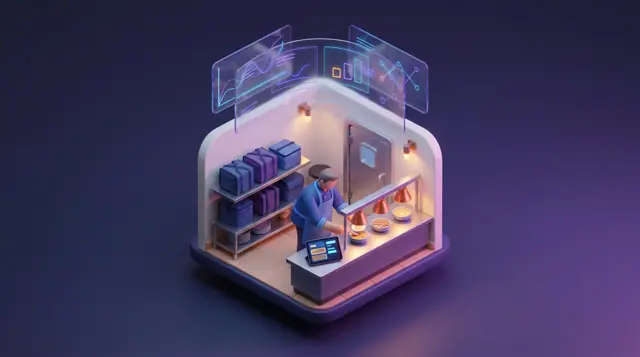
A solution concept for multi-unit restaurants, delivery-only kitchens and commissaries: one kitchen board, demand-shaped rosters, cold-holding watch, lot-to-store recall and daily prime cost.
Tell us about your setup. We will walk you through the products involved and scope a pilot around the challenge that hurts most.
This is a solution concept: it shows how Burdenoff products are designed to work together in this industry. The images are illustrations of the concepts, not screenshots of the actual products, and every name and figure in them is sample data.

