



BigConsole
Restaurant Food Cost Variance Console
Sets theoretical food cost from recipes and item mix against actual cost from invoices and counts, per store, and ranks the menu items behind each gap.
Works with FluidGrids, Kadaikodi, CrewFoundry
Industry solution
From grower lot to kitchen pass to prime cost, one operating picture
How eight Burdenoff products work together for restaurant groups, cloud kitchens and commissaries, from order to prime cost.
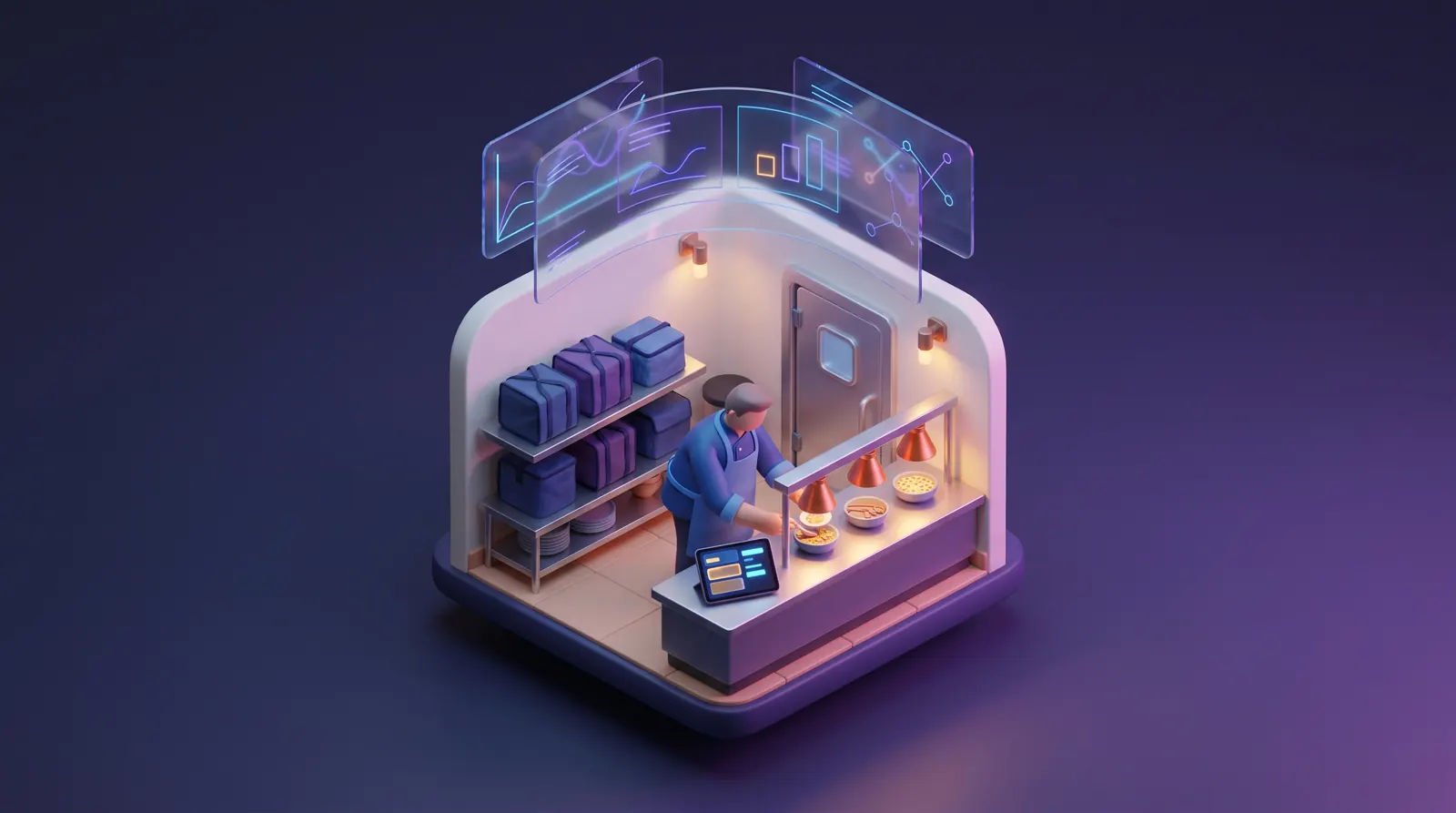
The problem
Prime cost is decided by hundreds of small moments across stores, kitchens and a commissary, but orders, rosters, temperatures, lots and invoices each live in a different tool, so problems surface at month end.
A multi-unit restaurant group is a small manufacturing, logistics and retail business running on hourly crews in dozens of kitchens at once. Prime cost, food plus labor, decides whether a location makes money, and it moves every day with portioning, waste, supplier prices, comps and how well the roster matched the rush. The inputs sit in different places: sales in the POS and on delivery-app tablets, invoices in email and the accounting system, hours in the timeclock, counts and temperatures on clipboards.
Off-premise has added layers. Delivery-only kitchens run several virtual brands across several delivery channels, each with its own tablet, menu and rating. A commissary that preps sauces, dressings and salad kits for every store is effectively a small food plant, with supplier lots, batch production, use-by dates, delivery runs and the same recall exposure. Food safety still rests on trained people, accurate logs and coolers that hold temperature overnight when nobody is in the building.
Hourly turnover means hiring, onboarding and certification never stop, and rosters are often rebuilt each week with little link to expected demand. Each of these pressures has its own point tool. What most groups lack is the thread between them: the order history that should shape the roster, the cooler failure that should pause a dish, the supplier lot that should trace to a store's walk-in, and the invoice that should explain yesterday's food cost.
VP or Director of Operations, multi-unit group
Prime cost by location every morning, consistent execution across stores, and fewer surprises when the monthly P&L lands.
Area and district managers
Knowing which store is drifting on food cost, labor or ticket times this week, and why, before the next store visit.
Commissary and culinary leads
Planning batches from real store orders and grower supply, and answering a recall with a scoped list instead of clipboards.
Food safety and quality managers
A continuous temperature record per unit, documented hold decisions, current food handler certificates and a fast recall trail.
Off-premise and cloud kitchen managers
One queue across virtual brands and delivery channels, ticket times that hold, and sold-out items paused everywhere at once.
Finance leads and restaurant controllers
Theoretical against actual food cost and labor against sales, reconciled daily from invoices, orders and approved hours.
A day in the life
Adaeze Okafor runs operations for Fernhill Kitchen Co., a fictional group of 32 fast-casual restaurants, three delivery-only kitchens running two virtual brands, and one central commissary that preps sauces, dressings and salad kits for every store. Her week is a string of small emergencies, and each one lives in a different tool: a P&L in a spreadsheet, temperatures on a clipboard, orders on four tablets, rosters in a group chat. This is one week, and how the pieces could line up instead.
Monday, 7:40 a.m.
Adaeze opens the monthly P&L with her first coffee. Food cost at Riverside and Eastgate ran well over plan, and labor at Old Mill crept up after the dinner rush. On the morning call, Hana Sato, the area manager, suspects portioning on the grain bowls; the Riverside general manager blames avocado prices. Adaeze has store visits on Thursday and no way to tell which of them is right before she walks in.
How this is solved: Prime cost that arrives three weeks too lateTuesday, 6:20 a.m.
Adaeze's phone buzzes at 6:20. Tomás Reyes, the Riverside general manager, has opened the back door to a walk-in far above temperature, and nobody can say for how long. She tells him to set product aside under the group's plan and get the refrigeration contractor out. At 11 a.m., checking the direct-ordering site from her desk, she finds Riverside still selling the two salads it cannot make.
How this is solved: A walk-in cooler that fails while the store is darkWednesday, 9:40 a.m.
Priya Natarajan, the commissary manager, calls Adaeze at 9:40. The produce distributor has forwarded a grower's recall notice for whole-head romaine, and that lot came into the commissary on Monday. Priya is fairly sure it went into Tuesday's salad mix. She is not sure which trucks carried it or which of the 32 stores still have it, and lunch service starts in ninety minutes.
How this is solved: A supplier recall and 32 stores to check before lunchThursday, 3:00 p.m.
Adaeze spends Thursday afternoon at the commissary. Two stores have not sent Friday's orders, so Priya's team preps dressings to last week's numbers. The tomato grower's truck has just come in light, and nobody saw it coming. On the way out, Adaeze takes a call from a north-side store manager asking, again, why his delivery arrives just before lunch.
How this is solved: Store orders, commissary batches and grower supply out of stepFriday, 7:15 p.m.
On her way home Adaeze stops at the Eastside delivery-only kitchen. Marcus Bell, the kitchen lead, is expediting two virtual brands from three delivery-app tablets and the direct-order screen. The short rib ran out at 7:05 but is still live on two apps, and those orders keep landing. Couriers crowd the pickup shelf, and by the end of the night one brand's rating has slipped.
How this is solved: Friday rush across three delivery apps and two virtual brandsSaturday, 7:30 a.m.
Hana texts Adaeze at 7:30: two line cooks have called out at Riverside ninety minutes before brunch. The only person who answered the store chat is a new hire whose food handler card lapsed last week. It is sunny, the patio is open, and the roster was built for a slow day. By noon tickets are running long and two cooks are heading into overtime.
How this is solved: Rosters built on habit, call-outs and lapsed food handler cardsNone of these moments is unusual for a restaurant group. What changes in this picture is that each one is designed to leave a record the next team can use: the kitchen board's ticket times shape the roster, the cooler's excursion lands on the asset and in the prime cost view, and the recall trail runs from grower lot to back door. Adaeze would start next Monday looking at last week's variance, not last month's.
Challenges and how they are solved
Each challenge shows the problem as it happens, how the products are designed to hand work to each other, and the concepts that illustrate it. Share any challenge on its own.
Challenge 1 of 6
The controller closes the books on the tenth business day and sends the monthly P&L. Two stores are well over plan on food cost, and a third shows labor creeping up after the dinner rush. The area manager has store visits on Thursday and three theories to test: portions drifting on the busiest bowl, a mid-month price increase on avocados, or waste written on the sheet taped to the walk-in door and never keyed in. Each theory needs a different report, and the only person who can stitch them together is the analyst already working on next month's close. By the time anyone knows, the store has run another three weeks the same way.
Margins are thin, and a variance found three weeks late has already been paid for through a month of service. Area managers debate the numbers instead of fixing the cause in the store.
FluidGrids does the collecting. Scheduled and webhook-triggered workflows pull POS item sales, delivery-channel orders and supplier invoices each night, and are designed to pull CrewFoundry's approved hours as well; each store submits its weekly inventory counts through a FluidGrids form. Every feed ends in a BigConsole data sink keyed by location and day. BigConsole is designed to join them into a portfolio console (prime, food and labor cost, waste and sales per labor hour by location and daypart) and a food cost variance console that sets theoretical cost from recipes and item mix against actual cost from invoices and counts. Each general manager is designed to see only their own store, area managers their region. When a store's variance widens, the console is designed to name the items and drivers behind it, and the area manager takes that list into the week's store visit.
Area managers are designed to see yesterday's prime cost by store each morning, with the items and drivers behind any variance, so a portioning or pricing problem is caught in its first week.
BigConsole
Sets theoretical food cost from recipes and item mix against actual cost from invoices and counts, per store, and ranks the menu items behind each gap.
Works with FluidGrids, Kadaikodi, CrewFoundry
BigConsole
Gives the portfolio view: prime, food and labor cost, waste, sales per labor hour and a daypart heatmap across every location, refreshed daily.
FluidGrids
Ends each nightly feed of POS sales, delivery orders, supplier invoices, counts and approved hours in a keyed BigConsole data sink, so the consoles refresh on schedule.
CrewFoundry
Keeps each crew member's weekly timesheet with an approved or pending status; the approved hours are designed to feed the labor half of prime cost.
Challenge 2 of 6
At 1:50 a.m. the compressor on a store's walk-in starts short-cycling and the box begins to warm. Nothing in the building notices. The only temperature record is a paper log initialed at close, so when the opener arrives there are no overnight readings to show when product crossed its limit or for how long, which is exactly what the food safety plan needs before anything is kept or discarded. The repair call waits for the contractor's office to open, and nothing links the greens now on hold to the dishes still for sale online.
Lost product, a slow opening, dishes sold that cannot be made, and a gap in the temperature record at exactly the moment an inspector or insurer would ask to see it.
AssetHandler registers every walk-in, reach-in, prep cooler and freezer as an asset with its service history, and its sensor-connected monitoring is designed to track each unit's probe against its setpoint and alert limit. When a unit stays above its limit, AssetHandler is designed to open a corrective work order and hand the event to a FluidGrids workflow, which can page the on-call refrigeration technician and is designed to alert the managers on shift from the CrewFoundry roster. When the manager records a product hold under the group's own food safety plan, the same workflow can switch the affected dishes off in Kadaikodi's catalog, so direct orders stop until the kitchen can make them again. The readings, the hold decision and the repair stay on the unit's record for audits and the next preventive visit.
An excursion is designed to reach a technician and a manager while the store is still dark, with a continuous temperature record, a documented hold decision and paused dishes attached to the unit.
AssetHandler
Watches each cooler's probe against its setpoint and alert limit, shows the excursion timeline, and records the manager's hold decision on the unit.
Works with FluidGrids, Kadaikodi, CrewFoundry
AssetHandler
Queues the corrective work order for the failed walk-in alongside every other job, and keeps it on the unit's service history.
Kadaikodi
Switches the dishes that depend on held product to unavailable, so direct orders stop until the kitchen can make them again.
Challenge 3 of 6
The notice names a grower's lot code, a harvest date and a pack date for whole-head romaine. At the commissary that romaine was cored, chopped and blended on Tuesday into salad mix and chop kits, and some batches combined it with a second lot. The receiving log has the lot code, but the batch sheets list only romaine, and the delivery manifests count cases by product, not by batch. To answer which stores hold affected cases, the team rebuilds the trail from three paper records and starts calling stores one by one.
Every minute spent rebuilding the trail is a minute the product could be served. Pulling everything to be safe throws away good food across the chain, and missing a store is not an option.
ManufacturedOps records each supplier lot received at the commissary as a material lot and ties it to the production batches that consume it. Where the grower runs on Healthy Bowl, its GS1 lot code and best-before date are designed to travel with the case, so the lot on the recall notice matches the receiving record without re-keying. MoveTheWheels keeps each commissary delivery's status timeline through to delivered, and those records are designed to link back to the cases on board. ManufacturedOps' forward genealogy, in progress for the product, is designed to follow the lot from receiving through batches and cases to the stores that received them, with quantities and times. The commissary manager is then designed to send a hold instruction to each store and track confirmations on the same page. The team still decides what to pull; the products assemble the scope and the record.
A recall notice is designed to become a scoped list of batches, cases and stores within minutes, with every store's hold confirmation on record.
ManufacturedOps
Traces a recalled supplier lot through commissary batches and delivered cases to the stores holding it, and tracks each store's hold confirmation.
Works with Healthy Bowl, MoveTheWheels
Healthy Bowl
Gives grower batches standard GS1 identifiers, lot codes and best-before dates, so the lot on a recall notice can be matched to the one received at the commissary.
MoveTheWheels
Keeps each commissary delivery's status timeline from picked up to delivered, the record that ties affected cases to a store's back door.
Challenge 4 of 6
The commissary's cut-off for next-day store orders is 3 p.m. Orders arrive as texts, photos of clipboards and a shared spreadsheet, in cases, in quarts or as same as last week. The planner converts them by hand, subtracts what is already in the walk-in and works out batches of dressing and salsa from recipe cards, so an ingredient shortage shows up halfway through prep. A contracted tomato grower running behind on volume is only noticed when the truck is light at the dock. Delivery routes follow a fixed sequence set years ago, so a store with an early receiving window can be the last stop of the morning.
Over-prep becomes waste at the commissary, under-prep becomes sold-out items at the store, and short deliveries push store managers into expensive local buying.
Each store submits tomorrow's order through a FluidGrids form, built from its par levels and on-hand counts, and a FluidGrids workflow can post it to ManufacturedOps as demand. ManufacturedOps explodes recipes into ingredients, nets them against lots on hand and suggests the day's commissary batches, so a shortage shows before prep starts. For produce, where the grower runs on Healthy Bowl, its contract view shows committed against delivered volume and the next delivery window for each contracted farm, so a grower running behind is designed to reach the commissary planner as a risk, not a surprise at the dock. Once batches are set, MoveTheWheels is designed to sequence the delivery runs around each store's receiving window, with distance, time and fuel cost in view and a driver and vehicle assigned to each route.
The commissary is designed to plan from real store orders and real grower supply, see shortages before prep starts, and send trucks on routes built around each store's receiving window.
ManufacturedOps
Turns tomorrow's store orders into suggested commissary batches, exploding recipes into ingredients and netting them against lots on hand.
Healthy Bowl
Shows each contracted grower's committed against delivered volume and the next delivery window, so a grower running behind is visible early.
MoveTheWheels
Lays out each delivery run as ordered stops with distance, time and fuel cost in view and a driver and vehicle assigned, designed to be sequenced around store receiving windows.
Challenge 5 of 6
Friday dinner at a delivery-only kitchen running two virtual brands. Each delivery app has its own tablet on the pass, each names the same dish slightly differently, and the expeditor reads tickets aloud and re-keys them for the line. When an item runs out, someone has to pause it on every tablet in turn, and the one that gets missed keeps taking orders. Couriers arrive for orders that have not been fired, and the kitchen lead works four screens while apologizing to riders.
Slow ticket times and cancellations pull a virtual brand down in delivery-app listings, sold-out items turn into refunds and poor ratings, and the busiest hour of labor goes to re-keying.
FluidGrids can receive each delivery channel's order webhook, map it to the group's menu and place it as a Kadaikodi order tagged with brand, channel and promised pickup time; direct orders arrive in Kadaikodi natively. Kadaikodi's kitchen board is designed to show all of them in one queue by station, with ticket timers against each brand's target and the courier's arrival time, and to move each order from preparing to ready to handed off. When an item is 86'd, one control is designed to pause it across every brand that uses it, and FluidGrids can carry the change to each channel it is connected to. The board is designed to show the crew on each station from the CrewFoundry roster, and the night's ticket times are designed to inform next week's roster.
The kitchen is designed to work one queue instead of four tablets, pause an 86'd item everywhere in one step, and see ticket times slip while there is still time to act.
Kadaikodi
Puts every order from every brand and channel in one queue by station, with ticket timers, courier arrival and one 86 control across brands.
Works with FluidGrids, CrewFoundry
FluidGrids
Receives each delivery channel's order webhook and starts the workflow that maps it to the group's menu and is designed to place it as a Kadaikodi order.
Challenge 6 of 6
Most general managers build next week's schedule on Sunday night by copying the last one and working in time-off requests. The schedule knows nothing about expected orders, a local event or the patio opening, and nothing checks whether each cook's food handler card is still current. When someone calls out, the manager texts the team and takes whoever answers first. Peaks run short and ticket times stretch, slow afternoons carry extra hours, and overtime shows up on the timesheet after the week is over.
Short-staffed peaks cost sales and reviews, overstaffed lulls cost labor, and last-minute cover risks putting someone on the line without a current certificate.
Kadaikodi's demand outlook, planned for the product, is designed to read each store's order history by hour and project the next peaks. CrewFoundry is designed to turn that into the week's roster: expected orders per hour become headcount per station and daypart against the store's labor target, filled from the skills graph with people qualified for grill, fry, prep or expo. The roster is designed to flag anyone whose food handler certificate has lapsed before it is published, and when someone calls out, the open shift is designed to be offered to qualified, available crew on their phones. Kadaikodi keeps each kitchen's order-side worker list; CrewFoundry is designed to own the week's roster, certificates and hours across stores. Approved hours are designed to flow, through FluidGrids data sinks, into BigConsole, where area managers review labor against sales before approving the next roster.
General managers are designed to publish rosters shaped to the day's expected demand, fill call-outs from qualified, certified crew in minutes, and see labor against target before the shift.
CrewFoundry
Builds each store's roster from expected orders by hour, checks it against the labor target, and flags slots without a qualified, certified person.
Works with Kadaikodi, BigConsole, FluidGrids
Kadaikodi
Shows the store's own order trends and top sellers, with a demand outlook designed to project the next busy stretch.
CrewFoundry
Sequences training into role-based tracks and keeps each person's earned certificates in one record, where a group's own food safety course and its certificate would sit.
How it fits together
Each product is designed to do one job in the group's day and hand a record to the next, so the order that shapes the roster, the cooler that pauses a dish and the lot that reaches a store all leave a trail the next team can use.
To ManufacturedOps: Lot codes, best-before dates and next delivery windows for the commissary dock.
To MoveTheWheels: Packed cases linked to their batches and source lots, ready to load.
To ManufacturedOps: Delivery records per store, so a lot trace reaches each back door.
To CrewFoundry: Order history by hour and, once built, a demand outlook for next week's roster.
To FluidGrids: Approved hours by store, daypart and station.
To FluidGrids: Excursion events and repair status for escalation and reporting.
To BigConsole: Nightly datasets per location and day.
Step 1 of 8: Grower supply
Products in this solution
Prime cost and food cost variance consoles
Its console concepts include a restaurant portfolio view with prime cost and daypart heatmaps; here they add theoretical against actual food cost, fed by FluidGrids data sinks and designed to be scoped per manager.
Order intake, alert routing and data feeds
Webhook, schedule and form triggers take in delivery-channel orders, invoices, counts and exports, route alerts to people, and end in BigConsole data sinks, the built-in path into BigConsole consoles.
Ordering, kitchen board and menu availability
Built around an order lifecycle from placed to preparing, ready and delivered, with a food and beverage catalog, per-item availability switches and a planned demand outlook per store.
Shift rosters, certificates and hours
Brings skills, learning certificates, onboarding, timesheets and payroll into one record, with field and frontline shift rosters on its roadmap, the basis for rosters shaped to demand and checked for certification.
Refrigeration and kitchen equipment upkeep
Registers kitchen equipment as assets with preventive schedules, work orders and service history, and is designed for sensor-connected monitoring such as refrigeration temperatures.
Commissary production, lots and recalls
Built for batch producers including food and beverage: lot-controlled materials, planning from demand, and forward genealogy on its roadmap, designed to turn a commissary recall into a query.
Grower contracts and batch traceability
Designed for growers to keep supply contracts, harvest trace batches and GS1 labels, so a restaurant group sourcing from them can see committed volumes and lot identities at the source.
Commissary delivery runs and delivery records
Plans multi-stop delivery routes with a driver and vehicle on each, and keeps each shipment's status timeline and delivery record, the last link between commissary and store.

All eight products run on Burdenoff Workspaces: one sign-in for store, commissary and head-office staff, role-based access so a general manager sees only their store, one audit trail across orders, lots, hours and repairs, and one bill.
Concept gallery
18 concepts from 8 products. Each one links to its own page on the product's website, and every view has a link you can share.
BigConsole
Sets theoretical food cost from recipes and item mix against actual cost from invoices and counts, per store, and ranks the menu items behind each gap.
Works with FluidGrids, Kadaikodi, CrewFoundry
BigConsole
Gives the portfolio view: prime, food and labor cost, waste, sales per labor hour and a daypart heatmap across every location, refreshed daily.
FluidGrids
Ends each nightly feed of POS sales, delivery orders, supplier invoices, counts and approved hours in a keyed BigConsole data sink, so the consoles refresh on schedule.
CrewFoundry
Keeps each crew member's weekly timesheet with an approved or pending status; the approved hours are designed to feed the labor half of prime cost.
AssetHandler
Watches each cooler's probe against its setpoint and alert limit, shows the excursion timeline, and records the manager's hold decision on the unit.
Works with FluidGrids, Kadaikodi, CrewFoundry
AssetHandler
Queues the corrective work order for the failed walk-in alongside every other job, and keeps it on the unit's service history.
Kadaikodi
Switches the dishes that depend on held product to unavailable, so direct orders stop until the kitchen can make them again.
ManufacturedOps
Traces a recalled supplier lot through commissary batches and delivered cases to the stores holding it, and tracks each store's hold confirmation.
Works with Healthy Bowl, MoveTheWheels
Healthy Bowl
Gives grower batches standard GS1 identifiers, lot codes and best-before dates, so the lot on a recall notice can be matched to the one received at the commissary.
MoveTheWheels
Keeps each commissary delivery's status timeline from picked up to delivered, the record that ties affected cases to a store's back door.
ManufacturedOps
Turns tomorrow's store orders into suggested commissary batches, exploding recipes into ingredients and netting them against lots on hand.
Healthy Bowl
Shows each contracted grower's committed against delivered volume and the next delivery window, so a grower running behind is visible early.
MoveTheWheels
Lays out each delivery run as ordered stops with distance, time and fuel cost in view and a driver and vehicle assigned, designed to be sequenced around store receiving windows.
Kadaikodi
Puts every order from every brand and channel in one queue by station, with ticket timers, courier arrival and one 86 control across brands.
Works with FluidGrids, CrewFoundry
FluidGrids
Receives each delivery channel's order webhook and starts the workflow that maps it to the group's menu and is designed to place it as a Kadaikodi order.
CrewFoundry
Builds each store's roster from expected orders by hour, checks it against the labor target, and flags slots without a qualified, certified person.
Works with Kadaikodi, BigConsole, FluidGrids
Kadaikodi
Shows the store's own order trends and top sellers, with a demand outlook designed to project the next busy stretch.
CrewFoundry
Sequences training into role-based tracks and keeps each person's earned certificates in one record, where a group's own food safety course and its certificate would sit.
Pitch kit
Restaurant groups win or lose on prime cost, but the moments that set it are scattered across tablets, clipboards and a month-end spreadsheet. Burdenoff puts eight products on one workspace, designed so Kadaikodi and FluidGrids put every brand and channel on one kitchen board, CrewFoundry staffs to the demand it shows, AssetHandler watches walk-ins overnight, Healthy Bowl, ManufacturedOps and MoveTheWheels trace a lot from grower to store, and BigConsole shows yesterday's prime cost by morning.
Questions
No. The concept is designed to sit alongside them. Kadaikodi is designed to run direct ordering and the kitchen board, while FluidGrids workflows take orders and exports from existing POS systems and delivery channels through webhooks, schedules and connectors, depending on what each system makes available. BigConsole then reads the combined data for prime cost.
No. Most groups would start where the pain is sharpest, often the prime cost console fed by FluidGrids or the kitchen board for delivery-only kitchens, and add rosters, refrigeration watch or commissary traceability later. Because every product runs on the same Burdenoff workspace, each one added shares the same sign-in, roles and records.
No software can guarantee that. The products are designed to keep better records (continuous temperature readings, documented hold decisions, certificate records, lot-to-store traces) and to get the right alert to the right person sooner. Your food safety plan, your food safety lead and your local requirements still decide what is held, discarded or recalled.
That is the design. Burdenoff Workspaces provides role-based access across the products, and BigConsole consoles are designed to scope rows per viewer, so a general manager sees their location while area managers and the operations team see their regions or the whole portfolio.
The pieces scale down. A group with a handful of stores can use the kitchen board, rosters, refrigeration watch and prime cost console without the commissary and recall setup, and add ManufacturedOps, Healthy Bowl and MoveTheWheels when central production grows.
This page describes a solution concept. Most of the Burdenoff products involved are pre-launch, with waitlists open, and some capabilities shown here are planned rather than built. We are glad to walk through what exists now, what is planned, and where a restaurant group could start.
Related domains
 Consumer & Lifestyle
Challenges solved
A solution concept for hotel groups, hosts and tour operators, with eight Burdenoff products designed to share bookings, rooms, rosters, guest messages and numbers.
 Industry & Operations
Challenges solved
A connected solution for farmer cooperatives, producer companies and agri-food supply chains: field intelligence, cold chain, logistics, traceability and rural finance on connected records.
 Industry & Operations
Challenges solved
A solution concept for discrete and batch plants: ManufacturedOps with AssetHandler, CrewFoundry, MoveTheWheels and EcoImpactHub, connected by automation and analytics.
Tell us about your setup. We will walk you through the products involved and scope a pilot around the challenge that hurts most.
This is a solution concept: it shows how Burdenoff products are designed to work together in this industry. The images are illustrations of the concepts, not screenshots of the actual products, and every name and figure in them is sample data.