Verify workspace tags before editing
Keep unavailable tag details visible and separate a read-only retry from a deliberate edit.
The workflow
- Review the tag list and its verification message before making a change.
- When details are unavailable, keep the incomplete item visible and pause editing.
- Use Retry read to check the list again without submitting a tag replacement.
- After the complete list is verified, review its tags before choosing Edit tags.
What the illustration shows
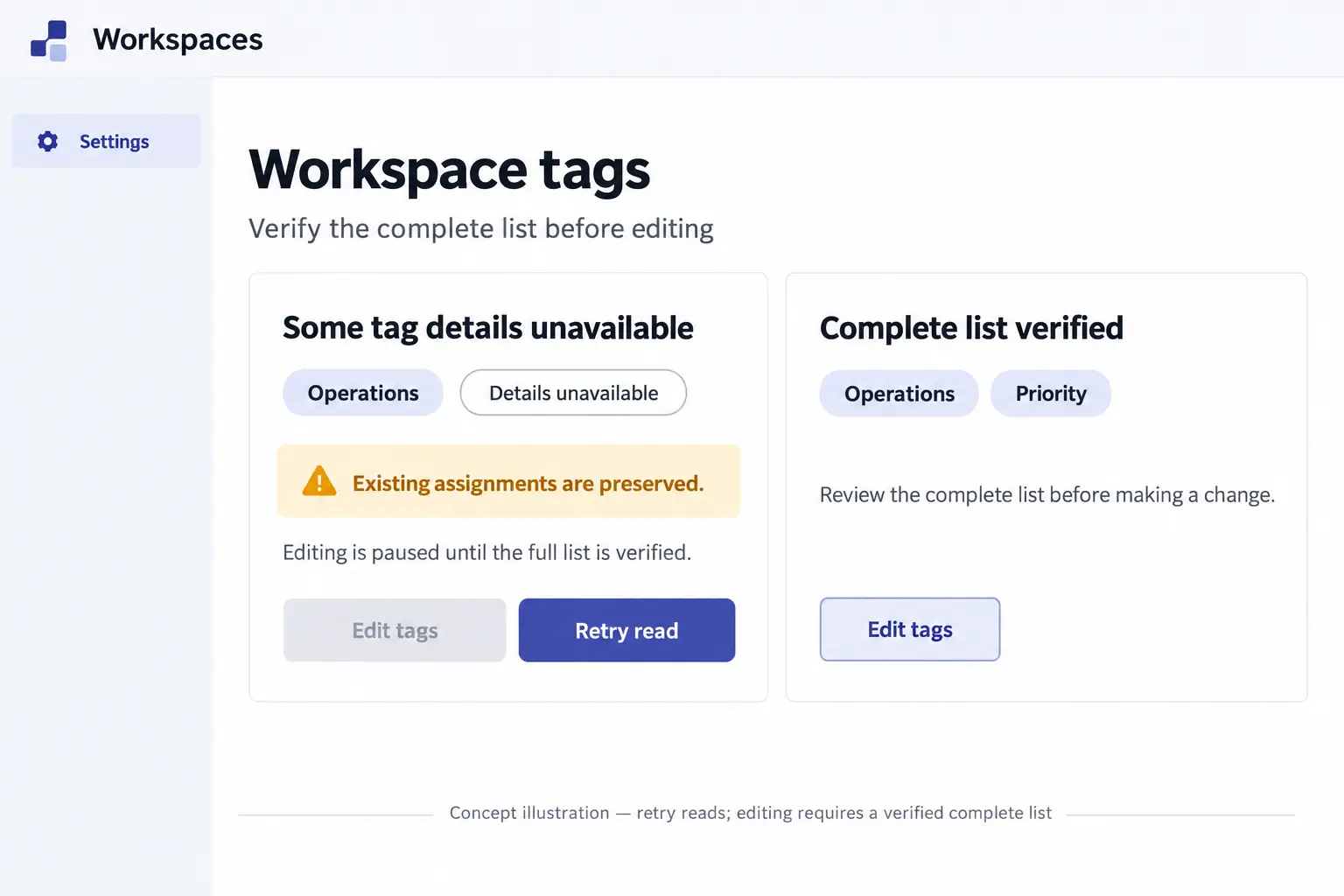
The illustration shows two Workspace tags settings cards beneath a Workspaces header and Settings navigation. On the left, Some tag details unavailable appears above an Operations pill and an outlined Details unavailable pill. An amber message says existing assignments are preserved. Supporting text explains that editing is paused, and a disabled Edit tags button sits beside an emphasized Retry read button. On the right, Complete list verified appears above Operations and Priority pills, an instruction to review the complete list and an Edit tags button. The footer explains that retry reads and editing requires a verified complete list. The labels are illustrative; neither card shows a completed write or a real account.
View Workspace Tag Verification conceptThese images are illustrations of the concept, not screenshots of the actual product.