Industry solution

Public Safety & Emergency Services

Know which units are staffed, ready and informed before the next call comes in

Burdenoff products designed to work together on rosters, apparatus readiness, premise flags, incident staging and after-action reviews.

Products
8
Challenges
6
Concepts
15
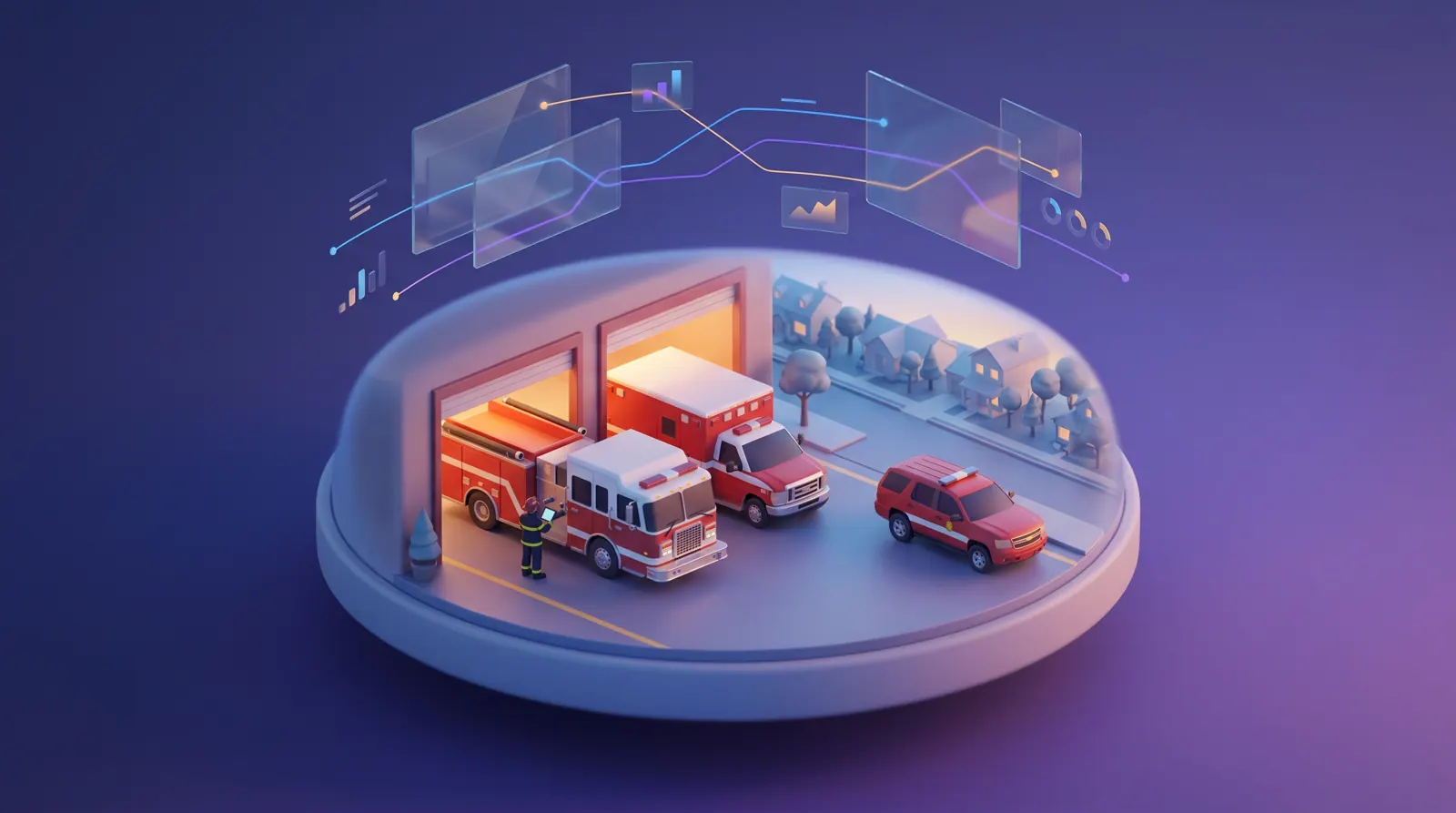
A fire station bay at dawn with an engine and an ambulance, and a firefighter doing the morning apparatus check on a tablet.
IntelWatchtower(opens IntelWatchtower in a new tab)CrewFoundry(opens CrewFoundry in a new tab)BuildMyIQ(opens BuildMyIQ in a new tab)AssetHandler(opens AssetHandler in a new tab)GovCitizenHub(opens GovCitizenHub in a new tab)Botlit(opens Botlit in a new tab)FluidGrids(opens FluidGrids in a new tab)BigConsole(opens BigConsole in a new tab)

The problem

Why readiness is hard to see before the call comes in

Whether a unit is staffed, in service and warned about the building it is heading to is known somewhere in the department, rarely where dispatch and command need it.

A fire and emergency medical services (EMS) department runs on systems that each do one job well: the computer-aided dispatch (CAD) system the communications center works in, a records system for incident reports, electronic patient care reports, a shift schedule, the fleet shop's work orders and the prevention bureau's inspection files. The trouble sits between them. Whether Engine 4 can pump, whether Medic 9 has a paramedic or whether a building's sprinklers are working is usually known somewhere in the department, just not where dispatch and command make decisions.

Staffing is tight across fire, EMS, patrol and emergency communications. Minimum staffing on 24-hour fire shifts and patrol shifts is held together with overtime and hire-backs, and every credential, from paramedic licenses to driver/operator and telecommunicator certifications, runs on its own renewal clock. Routine questions compete with 911 calls for the same people. County boards and accreditation reviews expect response-time figures they can trust and evidence that last year's improvement items were finished.

Then a major incident brings several agencies together at once: mutual aid companies, deputies closing roads, EMS setting up rehab. Mutual aid crews check in at staging on a clipboard, the communications center cannot see who is waiting, and the after-action review is assembled weeks later from fragments. The solution described here does not replace dispatch, radio or patient records. It connects the readiness information around them.
Who this is for

  • Fire chief or deputy chief of operations

    Every apparatus staffed and in service, mutual aid placed where it is needed, and reviews whose improvement items are actually completed.

  • Emergency communications center director

    Telecommunicators focused on emergencies, unit capabilities that match reality, and a view of who is in staging at a major incident.

  • Battalion chief or shift commander

    A roster that shows open and unqualified seats before roll call, and overtime offered in a fair, recorded order.

  • Fleet and support services manager

    Morning checks that open repair work on their own, reserves placed with equipment accounted for, and periodic tests on schedule.

  • Fire marshal

    Impairment notices and inspection results that reach the crews who respond to the building, and a clear list of systems still down.

  • Law enforcement operations commander

    Patrol shifts held at minimum staffing, patrol cars checked before the road, and closures shared with fire and EMS at major incidents.

A day in the life

The story behind the solution

A week at Kestrel County Fire-Rescue: from shift change to a second alarm

Teresa Villanueva is deputy chief of operations at Kestrel County Fire-Rescue, a department that staffs 14 stations on 24-hour shifts and runs its own medic units. It shares the county emergency communications center with the sheriff's office. This is one week in October: a shift change that starts two seats short, a pump fault, a red-flag day, a warehouse fire before dawn, and the review that follows.

  1. Monday, 6:45 a.m.

    Two sick calls before roll call

    Battalion Chief Marcus Holloway builds B-shift's riding assignments from a spreadsheet, two voicemails and a paper hire-back list. Medic 9 has lost its paramedic. The first paramedic in the overtime rotation has a state license that lapses Thursday because her continuing-education hours were never posted, and the next two do not answer. Ladder 2's aerial operator is on a Kelly day. At 8:20 Medic 9's crew radios that they are running at basic life support level; the communications center had been treating them as an advanced unit since seven.

    How this is solved: Minimum staffing with a qualified person in every seat
  2. Monday, 7:14 a.m.

    A pump fault on a whiteboard

    On Engine 4's morning check, Captain Priya Raman finds the pump will not prime. She writes it on the station whiteboard, emails the fleet shop and calls the battalion chief. No one tells the communications center. At 7:58 the dispatch system recommends Engine 4 for a car fire on Route 9, and the dispatcher waits for an acknowledgement before sending Engine 11 from farther away. The reserve engine is ready at Station 1, but Engine 4's breathing apparatus and radios are still on the broken rig.

    How this is solved: Apparatus out of service while dispatch still sends it
  3. Tuesday, 1:20 p.m.

    A burn ban and a full non-emergency line

    The county declared a burn ban at noon under a red-flag warning. By 1:20 p.m., communications center floor supervisor Ben Adeyemi has a queue on the non-emergency line: can I burn brush this weekend, how do I get last week's crash report, someone took a bicycle from my garage. He moves the telecommunicator on that line to 911 calls for a grass fire along the highway. Some callers on hold give up and dial 911 to ask about the ban.

    How this is solved: Routine questions crowding the lines 911 needs
  4. Wednesday, 3:41 a.m.

    Sprinklers the crew did not know were off

    An automatic alarm at Building C of the Quarry Road distribution center becomes a working fire. Captain Andre Mitchell of Engine 6 learns from the night manager, not the dispatch notes, that sprinkler zones 3 to 5 were shut down two days ago for a renovation. The contractor's impairment notice is sitting in the fire marshal's office inbox, and the hydrant at the north gate has been out of service since Friday, noted on a water utility list the crews never see.

    How this is solved: Premise information that never reaches the responding crew
  5. Wednesday, 4:05 a.m.

    A mutual aid engine at the wrong gate

    The fire goes to a second alarm and Teresa takes operations. Engine 51 arrives on mutual aid from the neighboring district, checks in by radio with the staging officer in Lot B and waits there with no gate assigned. When the assignment comes, the crew heads for the south gate instead of the north. The communications center keeps asking by radio who is in staging and for how long. Lieutenant Craig Whitfield of the sheriff's office has Route 9 and Industrial Parkway closed and wants to know which can reopen for the morning commute, but nobody at the command post has written down what each closure is for.

    How this is solved: Mutual aid, staging and closures at a multi-agency incident
  6. The following Tuesday

    A review assembled from fragments

    Teresa and accreditation manager Omar Haddad start the post-incident review. The timeline has to be pieced together from a dispatch export, radio recordings, three agencies' notes and photos on personal phones. The county board has asked why Station 4's turnout times slipped last quarter, and the only figure is a spreadsheet rebuilt by hand each month. Last year's review of a similar warehouse fire listed six improvement items, and nobody can say which were finished.

    How this is solved: After-action reviews rebuilt from memory weeks later

None of these moments is unusual for a fire and EMS department, and every piece of information existed somewhere: the sick call, the failed pump, the impairment notice, the closed road. The challenges below show how Burdenoff products are designed to work together so that rosters, rig checks, public requests, premise flags and the incident record reach the communications center and command when they matter, without replacing dispatch or radio.

Challenges and how they are solved

6 problems, several products, one connected answer

Each challenge shows the problem as it happens, how the products are designed to hand work to each other, and the concepts that illustrate it. Share any challenge on its own.

Answers are in plain business terms. Choose Technical, or open any technical detail, to see how it works under the hood.

The problem

Fire and EMS departments staff apparatus around the clock, usually on 24-hour shifts, and every seat needs a specific qualification: company officer, driver/operator, aerial operator, firefighter/EMT or paramedic. Police patrol shifts are built the same way against a minimum for each sector. Sick calls, injuries and Kelly days open seats before roll call, and the shift commander fills them from a spreadsheet, voicemails and a paper hire-back list worked in rotation order. Credentials renew on separate clocks, so the next name on the list may not be qualified for the open seat. When a seat stays empty, a unit's capability changes, and the communications center often hears about it from the crew on the radio.

What it costs

Seats go to whoever answers the phone, overtime is offered unevenly and without a record, and dispatch recommends units by a capability that changed an hour earlier.

How the products work together

CrewFoundry shows the shift commander every apparatus seat and patrol sector, flags open seats and missing or lapsing qualifications, and offers overtime down the hire-back list in rotation order, recording every answer. BuildMyIQ is designed to assign refresher training before a certification lapses. When a medic unit loses its paramedic, FluidGrids can tell the communications center supervisor and shift commander, so the supervisor can update the unit in dispatch.

How it works — technical detail

Technical detail

CrewFoundry is designed to hold the shift roster as stations, apparatus and seats, each carrying the qualification it needs, and patrol shifts against each sector's minimum; its riding roster board flags open seats and any seat filled by someone who lacks the qualification or whose credential lapses before the shift ends, and works the hire-back list in rotation order, recording each offer, decline and acceptance. BuildMyIQ runs the continuing-education courses and skills sessions and issues completion certificates, and is designed to track their expiry and assign refreshers before a credential lapses; each member's certificate status is designed to feed CrewFoundry's qualification check. The license itself stays with the state EMS office. When a unit's capability changes, such as a medic unit dropping to basic life support staffing, FluidGrids can pass that change to the communications center supervisor and the shift commander, so the supervisor can update the unit in dispatch.

The outcome it is designed for

Shift change starts from a roster that shows which seats are open or unqualified, overtime is offered in a recorded order, and dispatch hears about capability changes when they happen.

The concepts behind it

CrewFoundry

Fire-EMS Riding Roster and Qualification Board

The shift's stations, apparatus and seats checked against each seat's qualification, with open seats flagged and the hire-back list worked in rotation order.

Works with BuildMyIQ, AssetHandler, FluidGrids

The problem

Fire and EMS crews check every apparatus at shift change, and patrol officers check their cars before they go on the road, usually on paper check sheets or a station whiteboard. A failed item, such as a pump that will not prime, travels by email to the fleet shop and by phone to the battalion chief, but rarely to the communications center, so the dispatch system keeps recommending a unit that cannot respond. When a reserve goes in service, breathing apparatus, portable radios and thermal imagers have to move with the crew, and nobody records where each one went. Annual pump, aerial, ladder and hose tests sit in a separate calendar and slip until someone notices.

What it costs

Responses are delayed while dispatch works around a unit that cannot respond, equipment goes missing between rigs, and periodic tests slip until someone notices.

How the products work together

Crews do the morning check on a phone in AssetHandler. A failed item opens a work order and marks the unit out of service, and each breathing apparatus, radio and thermal imager moved to the reserve is recorded. FluidGrids is designed to tell the communications center supervisor and battalion chief when a unit goes out of or back in service, and IntelWatchtower shows the flag on the incident map.

How it works — technical detail

Technical detail

AssetHandler holds every apparatus, patrol car and piece of equipment in one register. Crews complete the daily check on a phone; a failed item is designed to raise a work order against that unit, mark it out of service with a reason and an estimated return, and list it on an out-of-service board shared with dispatch. When a reserve goes in service, the breathing apparatus, radios and thermal imager moved to it are recorded as custody transfers, and annual pump, aerial, ladder, hose and breathing-apparatus flow tests run as preventive maintenance schedules. Each out-of-service and back-in-service change is designed to start a FluidGrids workflow that notifies the communications center supervisor and the battalion chief or patrol sergeant, with every notice run recorded, and IntelWatchtower is designed to show the flag on the incident picture. The dispatch system stays the record of unit status; the notice reaches the people who update it.

The outcome it is designed for

Dispatch hears about an out-of-service apparatus from the check that found it, the reserve goes in service with its equipment accounted for, and periodic tests stay on a visible schedule.

The concepts behind it

Challenge 3 of 6

Routine questions crowding the lines 911 needs

The problem

Emergency communications centers usually answer the non-emergency line with the same telecommunicators who take 911 calls. Routine questions arrive in waves: when a burn ban is declared, after a storm, when residents want a copy of a crash report or need to report a theft with no suspect. On a busy day the floor supervisor moves the telecommunicator on the non-emergency line to 911, the queue grows, and some residents give up and dial 911 to ask a routine question. Burn-ban status can change during the day, and what a resident hears depends on who answers.

What it costs

Telecommunicators spend scarce time on routine questions in the hours 911 lines need them most, and residents who wait on hold learn to use the emergency number instead.

How the products work together

Botlit is designed to answer routine questions on the department's website chat, in residents' own languages, only from approved notices such as the current burn ban. Anyone describing an emergency is told to call 911 and handed to the floor supervisor. Theft reports with no suspect, burn permits and report copies go into GovCitizenHub with a reference number residents can track, queued for the records unit or fire marshal's office.

How it works — technical detail

Technical detail

This is the communications center's view of non-emergency contact, not the city's general front door. Botlit is designed to answer on the department's website chat and messaging channels, in residents' own languages, only from approved content, citing it. Three rules shape it here. Any message that describes an emergency gets a fixed instruction to call 911 and is handed at once to the on-duty floor supervisor. Burn-ban status comes only from the current notice the fire marshal's office approves, so each change reaches residents once it is approved. A resident reporting a past theft with no suspect is linked to an online report in GovCitizenHub, which the records unit reviews; burn permits and report copies follow the same path. GovCitizenHub gives each request a reference and a status timeline and places it in the queue of the records unit or the fire marshal's office. Botlit does not answer phone calls.

The outcome it is designed for

Routine questions are answered without holding a line, residents can see where their request stands, and telecommunicators keep their attention on emergencies.

The concepts behind it

The problem

Fire marshal's offices learn about sprinkler, fire alarm and fire pump shutdowns from impairment notices that owners' contractors send by email or phone. The notice sits in an inbox while the premise notes crews see at dispatch stay unchanged. Water utilities keep their own list of out-of-service hydrants, and the building's last inspection, with its key box and fire department connection notes, is a document on a prevention bureau drive. So a first-due officer can reach a working fire in a building whose sprinklers are partly shut down and hear it first from a night manager rather than from the department's own records.

What it costs

Crews arrive without information the department already had, and the fire marshal's office cannot see which impairments are still open or past their promised restoration date.

How the products work together

Building owners and contractors report a sprinkler, alarm or fire pump shutdown online in GovCitizenHub, and the fire marshal's office tracks each notice to restoration, with a follow-up inspection. FluidGrids is designed to put each open notice on IntelWatchtower's map as a flag on the building, beside out-of-service hydrants from AssetHandler, and to clear it when the system is back. Crews and command see both before they arrive.

How it works — technical detail

Technical detail

GovCitizenHub is designed to offer a fire protection impairment notice as a public service: an owner or contractor files a planned or emergency impairment with the system, areas affected, fire watch contact and expected restoration. The fire marshal's office works each notice in a queue, books the follow-up on the inspection board it uses for acceptance tests and code inspections, and posts each result, with key box and fire department connection notes, to the premises record. Each active impairment is designed to reach a FluidGrids webhook with address, system and restoration date, and FluidGrids passes it to IntelWatchtower as a premise flag, clearing it when the notice closes. Hydrants the utility reports out of service are recorded against the hydrant in AssetHandler, and each change is designed to reach the same map through FluidGrids. The flag informs crews and command; fireground decisions stay with the officers there.

The outcome it is designed for

Crews and command see open impairments and out-of-service hydrants on the map before they arrive, and the fire marshal's office knows which systems are still down.

The concepts behind it

The problem

When an incident grows to a second alarm or more, the command post pulls in mutual aid companies, law enforcement and EMS rehab. Mutual aid crews arrive unfamiliar with the site, check in with a staging officer by radio or on a clipboard, and wait for an assignment and an entrance. The communications center cannot see who is in staging or how long they have waited, so it asks by radio. The law enforcement liaison keeps closures on paper, with no record of which can reopen and when. Units reach the wrong entrance, and the record of who arrived when, and where each was sent, has to be rebuilt after the incident.

What it costs

Partner agencies act on different versions of the same incident, mutual aid is misdirected or left waiting, and the record of who was where is rebuilt after the fact.

How the products work together

Command, the communications center and the sheriff's liaison share one IntelWatchtower board showing each company checked in at staging, where it was sent, how long it has waited and which road closures can reopen. FluidGrids is designed to add unit status from dispatch, an engine out of service from AssetHandler, a staffing change from CrewFoundry or a sprinkler shutdown from GovCitizenHub. The board does not replace dispatch or radio.

How it works — technical detail

Technical detail

This is the command post's view of one incident, not the city's emergency operations center. IntelWatchtower is designed to run the incident as a mission with an incident commander and an operational period, and to give command, the communications center and the sheriff's liaison one staging and check-in board: each company by agency, when it checked in, the gate or assignment it received and how long it has waited. The liaison records each closure and marks which can reopen. Unit status from the dispatch system is designed to arrive through FluidGrids webhook triggers. AssetHandler out-of-service changes, CrewFoundry staffing changes and GovCitizenHub impairment notices are each designed to pass through FluidGrids, which places them on the picture as flags with their source and time. The board is display and record only: it does not replace dispatch, radio or the incident commander's accountability system, and makes no tactical recommendations.

The outcome it is designed for

Mutual aid checks in and goes where it is needed, the communications center can see staging, closures reopen on a recorded decision, and each operational period starts from a written record.

The concepts behind it

IntelWatchtower

Mutual Aid Staging and Resource Check-in Board

Companies by agency checked in at staging, each with its gate or assignment and time waiting, beside the closures the liaison marks as held or ready to reopen.

Works with FluidGrids, CrewFoundry

The problem

Post-incident reviews usually start weeks after the incident, assembled from a dispatch export, radio recordings, each agency's notes and photos on personal phones. When a county board or an accreditation review asks why a station's turnout times slipped last quarter, the answer comes from a spreadsheet rebuilt by hand each month, with call processing, turnout and travel time defined differently from one report to the next. Improvement items from past reviews sit in a document with no owner or status, so when a similar incident happens, nobody can say which were finished.

What it costs

Lessons are recorded late and incompletely, improvement items drift without an owner, and response-time questions are answered from a spreadsheet nobody can trace.

How the products work together

FluidGrids is designed to bring closed incident times from dispatch into BigConsole, which shows call processing, turnout and travel times by station against the department's own targets. Every working fire and every incident over target gets a review file in IntelWatchtower that starts from the incident's own log and collects each agency's notes and photos. Each improvement item gets a named owner, and training items can be assigned in BuildMyIQ.

How it works — technical detail

Technical detail

FluidGrids is designed to load closed incident times from the dispatch system (call received, dispatched, en route, on scene) into BigConsole data sinks on a schedule. BigConsole's response-time console shows call processing, turnout and travel time at the department's adopted percentile by station, first-due area, shift and incident type, and is designed to offer row-level views for each battalion and the county board and an Explain panel that cites its data. Incidents over target are designed to be flagged in BigConsole, and FluidGrids opens the matching review case in IntelWatchtower, as it does for every working fire. The case journal starts from the incident's timestamped log, and the team adds radio notes, photos and each agency's account with author and time. Each improvement item is recorded as an action entry with a named owner, the after-action report moves through draft, review and release, and training items can be assigned as BuildMyIQ courses.

The outcome it is designed for

Reviews start from a record made during the incident, response-time questions are answered from one traceable set of figures, and improvement items have owners until they are closed.

The concepts behind it

How it fits together

How the products hand off, from a resident's question to an after-action review

Readiness information starts in several places and meets at the command post. Public requests and impairment notices start in Botlit and GovCitizenHub; credentials, rosters and rig checks in BuildMyIQ, CrewFoundry and AssetHandler. FluidGrids carries each change to the communications center and to IntelWatchtower, BigConsole measures response times, and IntelWatchtower holds the review.

  1. To GovCitizenHub: A link to the right online form, such as a burn permit

  2. To FluidGrids: Each open sprinkler or alarm shutdown, with address and planned restoration date

  3. To CrewFoundry: Who holds which current certification, and when each expires

  4. To FluidGrids: Unit staffing changes, such as a medic unit without its paramedic

  5. To FluidGrids: Units out of or back in service, with reserve and expected return

  6. To IntelWatchtower: Unit, apparatus and building flags, each with source and time

  7. To IntelWatchtower: Incidents over target, ready for a review file

Step 1 of 8: Answer the public

How each hand-off works — technical detail

Technical detail

  1. 1. Botlit — Answer the public: Answers non-emergency questions on web chat from approved notices, gives anyone describing an emergency a fixed call-911 instruction and hands them to the floor supervisor.Hands to GovCitizenHub: A link to the right online service, such as a burn permit, an online report or a copy of an incident report.
  2. 2. GovCitizenHub — Take requests and notices: Records online reports, burn permits, record requests and fire protection impairment notices, each with a reference, a status timeline and an owning desk.Hands to FluidGrids: Designed to send each active impairment, with address, system and planned restoration, to a FluidGrids webhook trigger.
  3. 3. BuildMyIQ — Keep credentials current: Runs continuing-education courses and skills sessions, issues certificates and assigns refreshers before a paramedic, EMT or driver/operator credential lapses.Hands to CrewFoundry: Certificate status and expiry dates per member, designed to feed the riding roster's qualification check.
  4. 4. CrewFoundry — Staff every seat: Builds the shift's riding roster by apparatus and seat, flags open or unqualified seats, and works the hire-back list in rotation order.Hands to FluidGrids: Unit capability changes, such as a medic unit staffed at basic life support level until a paramedic is found.
  5. 5. AssetHandler — Check every apparatus: Records daily apparatus checks, raises a work order for any failed item, marks the unit out of service and records the reserve and equipment moved.Hands to FluidGrids: Out-of-service and back-in-service changes, with the work order, the reserve placed and the expected return.
  6. 6. FluidGrids — Pass changes along: Notifies the communications center supervisor and battalion chief of unit, apparatus and premise changes, and loads closed incident times into BigConsole data sinks.Hands to IntelWatchtower: Unit status, apparatus and premise flags, each with its source and time, for the incident board and picture.
  7. 7. BigConsole — Measure response times: Shows call processing, turnout and travel time from FluidGrids data sinks against the department's adopted targets by station and incident type, and flags incidents over target.Hands to IntelWatchtower: Incidents over target, designed to open a review case
  8. 8. IntelWatchtower — Share one picture and review: Runs a major incident as a mission with staging check-in, closures and flags, then holds the review case and after-action report built from its timestamped log.Hands to BuildMyIQ: Training items from the review, designed to be assigned as BuildMyIQ courses.

Products in this solution

What each product brings

  • IntelWatchtower

    Staging board, incident picture and review

    Built for operations centers, it is designed to give everyone at an incident one shared map and staging board, with the source and time on every item, and to hold review files and reports that move through draft, review and release.

    Technical detail

    Technical detail

    Built for operations centers: a common operating picture with source and recency on every item, missions with a commander and a window, timestamped case journals, and reports that move through draft, review and release.

  • CrewFoundry

    Shift rosters and seat qualifications

    Keeps the staff and skills record for shift-based teams, and is designed here to check every apparatus seat against the qualification it needs, count patrol shifts against each sector's minimum and offer overtime down the hire-back list in rotation order.

    Technical detail

    Technical detail

    A people platform for field and shift-based teams with a shared skills graph, designed here to check every apparatus seat and patrol sector against its qualification and to work the hire-back list in rotation order.

  • BuildMyIQ

    Continuing education and certificates

    Runs courses, assessments and compliance training and issues certificates that can be checked, and is designed to assign refresher training before a paramedic, emergency medical technician or driver/operator certification lapses. The license itself stays with the state.

    Technical detail

    Technical detail

    Runs courses, assessments, compliance training and verifiable certificates, designed here to track certificate expiry and assign recertification training before a paramedic, EMT or driver/operator credential lapses.

  • AssetHandler

    Apparatus, equipment and hydrant readiness

    Keeps every apparatus, patrol car, piece of equipment and hydrant on one register showing who holds what, open work orders and test schedules, and is designed here to run daily checks, mark units out of service and record reserve changeovers.

    Technical detail

    Technical detail

    An asset register with custody, preventive maintenance schedules and work orders, designed here for daily apparatus and patrol car checks, out-of-service status, reserve changeovers, equipment transfers and periodic tests.

  • GovCitizenHub

    Public requests and impairment notices

    Lets residents and building owners file online reports, burn permits, records requests and sprinkler or alarm shutdown notices, each with a reference number and status history, and gives staff a work queue and an inspection board.

    Technical detail

    Technical detail

    An agency services platform with guided applications, status timelines, casework queues and an inspection board, used here for online reports, burn permits, record requests and fire protection impairment notices.

  • Botlit

    Non-emergency answers for residents

    Designed to answer residents' routine questions on the department's website chat, in their own language, only from pages the department approves and with sources shown, and to tell anyone describing an emergency to call 911.

    Technical detail

    Technical detail

    Agents designed to answer only from approved knowledge bases with cited sources under content policies, routed to the right channel, and set up here to answer routine questions and direct anyone describing an emergency to call 911.

    Visit BotlitAll concepts
  • FluidGrids

    Routing status changes and incident data

    Passes the news along: it is designed to tell the communications center and battalion chief when a unit's staffing changes, an apparatus goes out of service or a building's sprinklers are shut down, flag it on the shared map and keep BigConsole's response-time figures current.

    Technical detail

    Technical detail

    Visual workflows with webhook and schedule triggers, versioned rules and run history; its datasinks feed BigConsole, and here it carries unit, apparatus and premise changes to the people and the picture that need them.

  • BigConsole

    Response-time and readiness reporting

    Shows call processing, turnout and travel times by station against the department's own targets, and is designed to explain what changed, pointing to the records behind it, and to give each battalion and the county board only the view meant for them.

    Technical detail

    Technical detail

    Governed consoles fed by FluidGrids datasinks from closed incident records, designed to offer row-level views for each audience and to add threshold alerts and an Explain panel that cites its sources.

One platform underneath: Burdenoff Workspaces

All eight products run on Burdenoff Workspaces: one sign-on for firefighters, telecommunicators, inspectors and command staff, role-based access so each agency and battalion sees only what it should, one audit trail of who did what and when, and one bill across the products.

Concept gallery

Every concept in this solution

15 concepts from 8 products. Each one links to its own page on the product's website, and every view has a link you can share.

Pitch kit

The Public Safety solution in one minute

Fire, EMS and police agencies usually hold the facts that matter before a call, such as a sick call, a failed pump check or a sprinkler shutdown, in places dispatch and command never see. Burdenoff brings together CrewFoundry and BuildMyIQ for rosters and credentials, AssetHandler for apparatus readiness, GovCitizenHub and Botlit for public requests and impairment notices, FluidGrids to pass changes along, IntelWatchtower for staging and reviews, and BigConsole for response times.

  • Every seat on every apparatus checked against its qualification, with the hire-back list worked in a recorded order
  • Morning rig checks that open repair work, mark the unit out of service and tell the communications center
  • Routine public questions answered from approved notices, with anyone describing an emergency told to call 911
  • Sprinkler and alarm impairments and out-of-service hydrants shown as flags on the incident map
  • A staging and check-in board for fire, EMS and law enforcement, and reviews that start from the incident's own log
Email it

Questions

Frequently asked

Does this replace our computer-aided dispatch system or radio?

No. Your dispatch system and radio stay as they are; the products are designed to receive unit status and incident times from dispatch and to tell the communications center when staffing or an apparatus changes, so the people who run dispatch can update it. The shared incident view only shows and records; it makes no dispatch or tactical recommendations.

Technical detail

Technical detail

No. The dispatch system remains the record for incidents and unit status, and radio remains how crews and command communicate. FluidGrids is designed to receive unit status changes and closed incident times from the dispatch system, and to notify the people who own unit status in dispatch when a roster or apparatus changes. IntelWatchtower's staging board and picture are display and record only; they make no dispatch or tactical recommendations.

Can the assistant take emergency calls or texts?

No. Botlit is designed only for routine questions on the department's website chat and messaging channels, answered from pages the department approves, and it does not answer phone calls or emergency texts. Anyone describing an emergency is told to call 911 and passed to the on-duty floor supervisor, and anything it cannot answer goes to a person.

Technical detail

Technical detail

No. Botlit is designed for routine, non-emergency questions on web chat and messaging channels, answered only from pages and notices the department approves, with the sources shown. It does not answer phone calls or emergency texts. A message that describes an emergency receives a fixed instruction to call 911 and is handed to the on-duty floor supervisor, and anything it cannot answer from approved content goes to a person.

Where do patient care records and criminal justice information live?

They stay in the systems you already use for them: your electronic patient care report system and law enforcement records system. The products here are designed around readiness information, such as staffing levels, apparatus status, building flags, road closures and response times. Burdenoff does not claim any certification or compliance status for handling health or criminal justice information.

Technical detail

Technical detail

In the systems the department already uses and approves for them. The electronic patient care report system and the law enforcement records system remain the records for clinical and case information. The products described here are designed around operational readiness: unit staffing levels, apparatus status, premise flags, closures and response times. Burdenoff does not claim any certification or compliance status for handling health or criminal justice information.

Can we start with one battalion or one process?

Yes. Each product is designed to work on its own, and the hand-offs can be added one at a time: a department could start with morning apparatus checks for one battalion, or sprinkler impairment notices, and add FluidGrids alerts and the staging board later. You set up your own stations, apparatus, seats and checklists; nothing is custom-built.

Technical detail

Technical detail

Yes. Each product is designed to be adopted on its own, and the hand-offs can be added one at a time. A department could start with daily apparatus checks in AssetHandler for one battalion, or impairment notices in GovCitizenHub, and add FluidGrids notifications and the IntelWatchtower staging board later. Stations, apparatus, seats and checklists are configured in the products; nothing is custom-built.

How do partner agencies such as the sheriff's office or a mutual aid district get access?

Through Burdenoff Workspaces. Partner staff sign in with their own accounts and get a role that limits what they see: the staging board and closures, for example, but not your rosters. Every entry carries their name and time, and BigConsole is designed so each battalion, partner or county board sees only the figures meant for them.

Technical detail

Technical detail

Through Burdenoff Workspaces. Partner staff sign in with their own identity and receive a role that limits what they see, such as the staging board and closures but not the department's rosters. Every entry they make carries their name and time in the shared record, and BigConsole's row-level views are designed so a battalion, a partner or the county board sees only the figures meant for them.

Are these products available today?

No. The products are early and pre-launch, and this page describes how they are designed to work together. Apart from FluidGrids keeping BigConsole's figures current and Botlit looking up dashboards and starting workflows, the hand-offs described here are planned designs, not finished features.

Technical detail

Technical detail

No. The products are early and pre-launch, and this page describes a solution concept: how they are designed to work together for fire, EMS and law enforcement agencies. Apart from FluidGrids datasinks feeding BigConsole and Botlit agents querying dashboards and triggering workflows, the hand-offs described here are designed behavior rather than finished integrations.

Related domains

All domains

Want to explore this for your organization?

Tell us about your setup. We will walk you through the products involved and scope a pilot around the challenge that hurts most.

This is a solution concept: it shows how Burdenoff products are designed to work together in this industry. The images are illustrations of the concepts, not screenshots of the actual products, and every name and figure in them is sample data.