Industry solution

Maritime, Ports & Shipping

Keep berths, cranes, boxes and crews moving on one shared port picture

Berth plans, cranes, container release, crew certificates, port emissions and security, designed to flag trouble before a ship waits.

Products
8
Challenges
6
Concepts
16
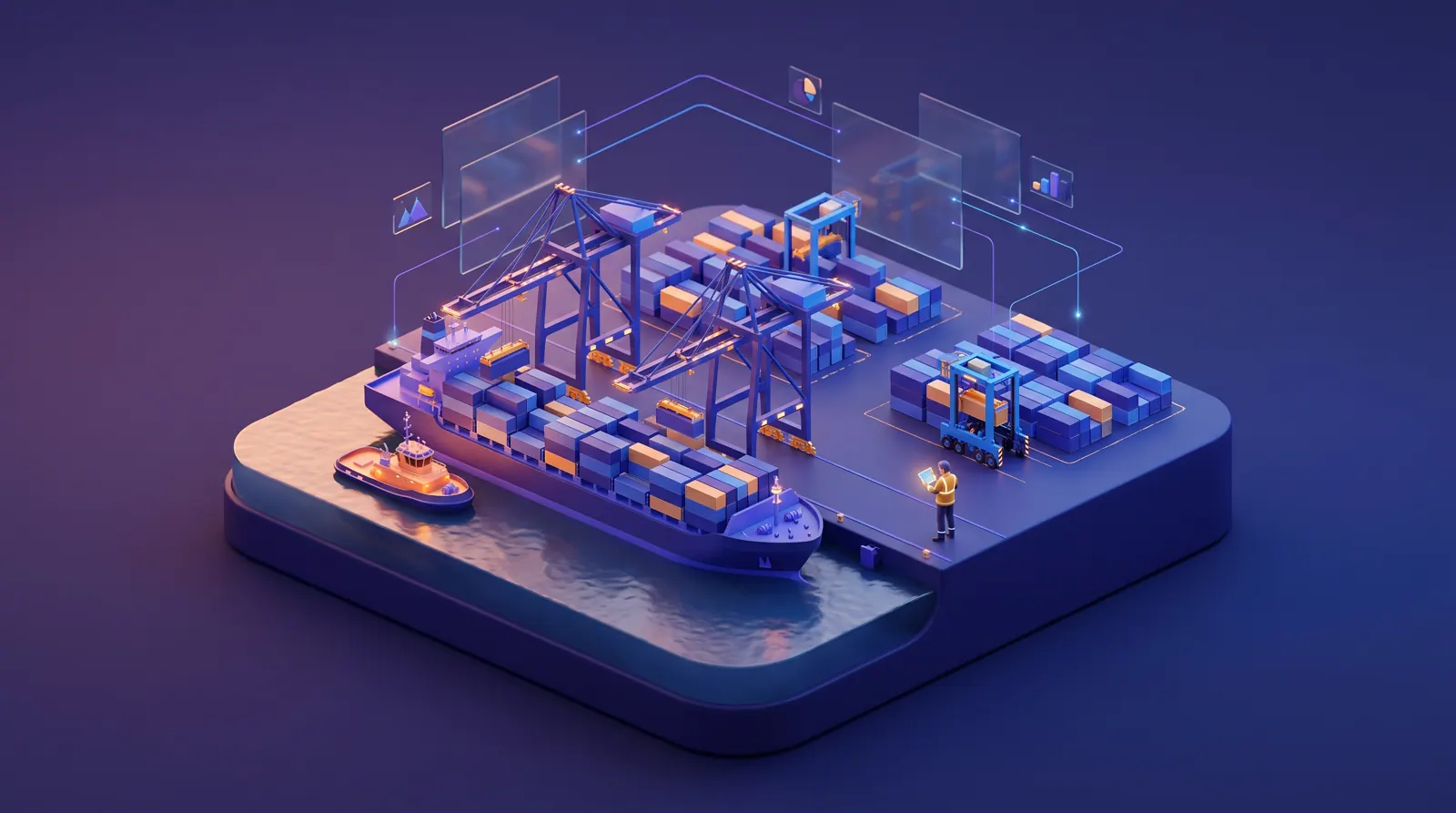
Ship-to-shore cranes working a container vessel at dawn, with a tug alongside and a supervisor holding a tablet on the quay.
MoveTheWheels(opens MoveTheWheels in a new tab)AssetHandler(opens AssetHandler in a new tab)CrewFoundry(opens CrewFoundry in a new tab)FluidGrids(opens FluidGrids in a new tab)BigConsole(opens BigConsole in a new tab)Botlit(opens Botlit in a new tab)EcoImpactHub(opens EcoImpactHub in a new tab)IntelWatchtower(opens IntelWatchtower in a new tab)

The problem

Why a port still runs on radio calls, inboxes and whiteboards

Arrival changes come by email, crane faults surface mid-discharge, truckers call to ask whether a box is released, crew certificates sit in binders, and emissions and security live in separate logs. One late ship pushes into the next ship's window.

A port is a meeting point for organizations that do not share a system. Shipping lines and their agents send berth requests and arrival updates through the port community system, by email and by message, pilots and tug masters work from the harbor master's schedule, the terminal plans cranes and gangs in its own operating system, customs and lines release boxes in theirs, and truckers find out at the gate. When a ship runs late at its previous port, the change reaches the berth planner, the gangs, the tugs and the gate at different times, or not at all.

The equipment is heavy, costly and shared. One ship-to-shore crane fault can stretch a vessel's stay, push the next ship to wait at anchor and leave a lashing gang paid to stand by. Operating hours, fault histories and service plans often sit in a separate maintenance tool or a spreadsheet the engineering office updates at shift end, so the berth plan is built on cranes that may not be working.

Pressure also comes from outside the fence. Lines want berth productivity and dwell figures they can check, neighbors and authorities ask what the port puts into the air while ships sit at berth, inspectors check crew certificates on board, and the port facility security plan expects every alarm and access event to be followed up and recorded. Answering each of these from a different spreadsheet takes the same people away from running the port.
Who this is for

  • Terminal operations manager or port COO

    A berth plan that follows the latest arrival times, cranes and gangs matched to each window, and a morning meeting that starts from one set of numbers.

  • Harbor master or marine services manager

    Tugs, pilot launches and mooring crews that are fit, manned and certified before the vessel is on the approach.

  • Engineering and maintenance manager

    Crane and straddle-carrier service driven by hours and moves, faults turned into work orders, and no surprise breakdown with a ship half worked.

  • Commercial and customer service lead

    Fewer calls asking whether a box is released, dwell and productivity figures each line can check, and free-time evidence when charges are disputed.

  • Port facility security officer

    One picture of gates, fences, cameras and vessels at anchor, with every alarm followed up and handed over between shifts.

  • Environment and sustainability manager

    At-berth emissions per vessel call, a record of shore power use, and fence-line air readings a neighbor or regulator can trace.

A day in the life

The story behind the solution

One week at a regional container port

It is late October at Carrow Sound Port. Nadia Oyelaran runs operations across the container terminal, the marine services team with five tugs and two pilot launches, and the gate. Her people are experienced. Her tools are a terminal operating system, a maintenance spreadsheet, a crew binder, an environment log, a security control room and several shared inboxes. This is one week of that, and how the same week is designed to run when the products work together.

  1. Monday, 5:30 a.m.

    The Maren Solace will be fourteen hours late

    An email from the Maren Solace's agent arrived at 3:12: weather at her previous port has pushed her arrival from 06:00 to 20:00. The berth planner reads it at 5:30 and starts moving pieces by hand. Berth 2 is now wanted by two ships on Monday night, the morning crane gangs and lashing crew have been called in for a vessel that is still at sea, and the pilot and two tugs are booked for 06:00. The harbor master hears about the change from the pilot on the radio.

    How this is solved: Vessel arrival changes that never reach the berth plan
  2. Monday, 11:10 p.m.

    Crane 4 stops with 600 moves to go

    Halfway through discharging the Maren Solace, ship-to-shore crane 4 trips on a hoist motor overtemperature fault. The crane's own control system logged rising temperatures on the last three shifts; nobody was watching that screen. The on-call electrician then finds that the hoist brake inspection is overdue, because the maintenance plan counts calendar days while crane 4 has been working double shifts. With three cranes instead of four, the ship will sail late, and the Coral Tern, arriving at 06:00 for the same berth, will wait longer at anchor.

    How this is solved: Crane faults that stop a vessel mid-operation
  3. Tuesday, 9:00 a.m.

    Forty phone calls about one customs release

    Customs lifted a hold on part of the Maren Solace's import boxes at 7:40, but the terminal shows the change only after a clerk re-keys the message. Truckers with morning pickup slots arrive at a gate that still reads "hold", the queue backs onto the port road, and customer service takes call after call asking whether a box is released and when free storage ends. Next week the terminal has its quarterly review with Halvard Lines, which will bring its own dwell and productivity numbers.

    How this is solved: Released or not: customs and line holds that stall the gate
  4. Wednesday, 4:00 p.m.

    A tug without a certified engineer

    The Aldersgate Star, larger than most callers, needs two tugs for a 04:00 arrival. The marine services coordinator opens the crew binder and finds that the chief engineer rostered on the tug Gannet has a medical fitness certificate that expired on Monday. The first relief on the list holds the right certificate of competency but has never been familiarized on Gannet. The second tug, Skua, is due in for its engine service on Thursday, which nobody has told the harbor master.

    How this is solved: Crew certificates that lapse between checks
  5. Thursday, 10:00 a.m.

    A neighbors' meeting about the air

    Residents on the hill above berth 1 have complained about haze on still evenings, and the community liaison meeting starts at 10:00. The environment manager has fence-line air monitor readings in a vendor portal, shore power meter readings in the electrical team's log and berth hours in the terminal system. She can say which ships plugged in last month only after an afternoon with three spreadsheets, and she cannot yet show the room how the ships at berth compare with the port's own diesel yard machines.

    How this is solved: Port emissions pieced together from separate logs
  6. Friday, 2:40 a.m.

    A fence alarm, a dark camera and a ship at anchor

    A perimeter alarm sounds on the north fence beside the empty-container stack. The camera covering that stretch has been dark since Tuesday; its repair request is in an email thread. Two hours earlier, a small general-cargo vessel at the outer anchorage stopped reporting its position, and only the vessel traffic screen showed it. The alarm, the camera fault, the gate log and the vessel sit in four places, and the morning handover to the port facility security officer is a paragraph in a notebook.

    How this is solved: Alarms, gates and vessels watched in separate places

None of these moments is unusual at a port. What changes, in the design this page describes, is that each one reaches the right people with the evidence attached: an arrival update moves the berth plan, a crane warning becomes a work order before it becomes a delay, a released box shows as released at the gate, and every certificate, emission figure and alarm has a record behind it.

Challenges and how they are solved

6 problems, several products, one connected answer

Each challenge shows the problem as it happens, how the products are designed to hand work to each other, and the concepts that illustrate it. Share any challenge on its own.

Answers are in plain business terms. Choose Technical, or open any technical detail, to see how it works under the hood.

The problem

Berth requests and arrival updates come from lines and agents through the port community system, by email, message and phone, sometimes days ahead and sometimes overnight. The berth planner keeps the plan in the terminal system or on a whiteboard, the harbor master keeps pilot and tug orders in another schedule, and the gang roster is built from yesterday's plan. When a vessel slips, each of those has to be changed by a different person, and a change that lands at 3 a.m. is usually found at the 6 a.m. meeting, after crane gangs, lashing crews, pilots and tugs have been called for a ship that is still at sea.

What it costs

Gangs and tugs are paid to wait, two vessels end up wanting the same berth window, a ship that could have berthed on arrival waits at anchor, and the line hears about the clash before the port has a new plan.

How the products work together

FluidGrids is designed to pick up each arrival update from shipping lines, agents and a ship-tracking service and pass it to MoveTheWheels, whose berth board moves that ship and flags any clash for the planner. FluidGrids can also alert the harbor master, gang supervisor and line agent. CrewFoundry shows which qualified crane drivers and lashers are on shift for the window the planner accepts.

How it works — technical detail

Technical detail

MoveTheWheels is designed to hold each vessel call on a berth timeline: berth, estimated arrival and berthing times, crane split, pilot and tug orders and export cut-off. FluidGrids brings updates in: messages from the port community system or a line's EDI (electronic data interchange) feed, relayed to a webhook trigger; a Gmail new-email step where the shared inbox is on Gmail, with other inboxes forwarding to the webhook; and a scheduled HTTP step that reads AIS (automatic identification system) positions from a vessel-position service the port subscribes to. Each update is matched to its call and handed to MoveTheWheels. When a change pushes a call into another ship's window, the berth board is designed to flag the clash for the planner, and FluidGrids can notify the harbor master, gang supervisor and line agent. The window the planner accepts is passed to CrewFoundry, whose shift skills matrix is designed to show which qualified crane drivers and lashers are on shift for it.

The outcome it is designed for

The berth plan is designed to follow the latest arrival time, clashes to show hours earlier, and gangs, pilots and tugs to be re-booked for the new window while there is still time.

The concepts behind it

The problem

Ship-to-shore cranes, yard cranes and straddle carriers record their own faults, operating hours and temperatures in each machine's control system, but maintenance is planned in a separate tool or spreadsheet, usually by the calendar. A crane working double shifts reaches its hoist brake inspection weeks before the plan says it will. Warnings that build over several shifts sit on a screen in the crane cabin or the engineering office, and the berth planner first hears about a problem when a crane stops with a vessel half worked.

What it costs

A crane out mid-vessel stretches the ship's stay, pushes the next arrival to wait at anchor, and leaves gangs and truckers idle while engineers work out what failed and whether the parts are on hand.

How the products work together

AssetHandler is designed to plan crane and yard machine service by hours and moves, not only the calendar. FluidGrids can pass machine faults, hours and temperatures to AssetHandler, which ranks the machines most likely to fail and turns a warning into a repair job with parts and a technician. A crane under serious repair shows as unavailable on MoveTheWheels' berth board, so the next ship is planned around working cranes.

How it works — technical detail

Technical detail

AssetHandler is designed to hold every ship-to-shore crane, yard crane, straddle carrier and terminal tractor as an asset with preventive maintenance by operating hours and moves as well as by the calendar, with connected-device readings attached. FluidGrids can collect the fault codes, hour meters and temperatures each machine's control system exports and hand them to AssetHandler, where a predictive maintenance card is designed to rank the machines most likely to fail and turn the warning into a work order with parts and a technician. A crane with an open critical work order is designed to show as unavailable on MoveTheWheels' berth board with its expected return time, so the planner builds the next crane split around cranes that will actually be working and the vessel's revised departure follows.

The outcome it is designed for

Maintenance is designed to follow how hard each crane actually works, warnings to reach a technician before the crane trips, and the berth plan to know which cranes are really available.

The concepts behind it

The problem

Whether an import box can leave depends on releases held in other organizations' systems: the customs hold or release, the line's release once freight and charges are paid, and sometimes an inspection or quarantine hold. Those messages reach the terminal through the port community system, electronic data interchange (EDI) or email, and a clerk often re-keys them. Truckers arrive for their pickup slot to find a box still showing a hold that was lifted an hour ago, the gate queue backs onto the port road, and customer service spends the morning answering the same questions: has customs released it, has the line released it, which slot can I book. When a release is disputed later, nobody can say when the terminal received it.

What it costs

Trucks turn slowly, yard stacks fill with boxes that could have left, customer service is tied to the phone, and disputes over when a box was released or free storage ended are settled by whoever has the better spreadsheet.

How the products work together

FluidGrids is designed to pick up customs and line holds and releases as they are sent and pass them to MoveTheWheels, so the gate shows the right status and each box carries its free-storage clock. A Botlit assistant tells truckers whether a box is released and when that changed, and passes other questions to customer service. BigConsole gives each shipping line its own view of dwell and truck turn times.

How it works — technical detail

Technical detail

FluidGrids is designed to receive customs and line release and hold messages, from the port community system or EDI relayed to a webhook trigger or from a Gmail inbox, match each to its container and pass the status to MoveTheWheels, where each import box carries its holds, release times and a free-time clock. MoveTheWheels' appointment board, set up with gate lanes and truck slots instead of dock doors, is designed to record each pickup's slot and gate times. FluidGrids also writes each container's release status, hold history and free-time clock to a BigConsole datasink. A Botlit agent on the port's web chat and WhatsApp channel is designed to query that release-status console, cite the status and the time it changed, and hand anything else to customer service. Other datasinks feed per-line BigConsole consoles for dwell, turn time and berth productivity, with threshold alert rules designed to warn the yard planner when a block runs too full.

The outcome it is designed for

A release is designed to show at the gate as soon as it is sent, routine release questions to be answered without a phone call, and each line to see dwell and turn-time figures built from the same records.

The concepts behind it

The problem

Every tug, pilot launch and vessel sails with a minimum safe manning requirement, and each position needs a person with the right certificate of competency, a current medical fitness certificate and familiarization on that vessel. Those documents live in a crew binder, a shared drive and the crewing agent's inbox. Expiry dates are checked when someone remembers, reliefs are found by phone, and the roster does not know that one of the tugs will be in for its engine overhaul. A lapsed certificate is usually found by an inspector on board, or by a coordinator at 4 p.m. before a night job.

What it costs

A vessel or tug can be held until it is properly manned, a job is re-crewed in a rush, and the coordinator cannot show at a glance who was qualified for which watch.

How the products work together

CrewFoundry is designed to set each crew member's certificates and medicals beside the positions every tug and launch must fill each watch. A document nearing expiry becomes a renewal task, FluidGrids can remind the seafarer and crewing agent, and a qualified relief who knows the vessel is offered the watch on their phone. Tug jobs come from MoveTheWheels, and tugs booked for service in AssetHandler drop off the crew plan.

How it works — technical detail

Technical detail

CrewFoundry is designed to hold each seafarer's certificates of competency, endorsements, medical fitness certificate and vessel familiarizations with their expiry dates, and to lay them against each vessel's safe manning positions by watch. Expiring documents are designed to raise renewal tasks and refresher training through CrewFoundry's learning paths and certificates, and a relief who fits a gap by certificate, vessel familiarity and rest worked out from recorded time entries is designed to be offered the watch on a phone. Tug and launch jobs are designed to come from MoveTheWheels' vessel calls, and AssetHandler's preventive maintenance calendar to decide which tugs are in for running-hours services, so the manning board plans crews only for vessels that will sail. FluidGrids can send expiry reminders to the seafarer and the crewing agent before a date passes.

The outcome it is designed for

Expiring certificates are designed to surface weeks ahead, every watch to show who is qualified for it, and reliefs to be found from the right pool instead of by phone the afternoon before.

The concepts behind it

The problem

A port's air picture has several sources: ships' auxiliary engines and boilers while at berth, the port's own diesel cranes, straddle carriers and terminal tractors, and the harbor craft. Berth hours sit in the terminal system, shore power meter readings in the electrical team's log, yard machine fuel in the maintenance tool and fence-line air monitor readings in a vendor portal. When neighbors, the port authority or a line asks which vessels plugged in, what the port burned last quarter or why the air was poor on a still evening, the environment manager assembles the answer by hand.

What it costs

Community questions wait weeks for an answer, shore power investment is hard to argue for without a clear record of use, and emissions figures lose credibility when nobody can show where they came from.

How the products work together

EcoImpactHub is designed to give every ship's stay at berth its own emissions line from hours alongside, shore power and hours on its own engines, with the method shown. The port's cranes, yard machines and tugs get lines too, ranked by machine in AssetHandler. Fence-line air readings are checked against limits and can be set beside the ships at berth at the time, so a neighbor gets a traceable answer.

How it works — technical detail

Technical detail

EcoImpactHub is designed to turn each vessel call into an at-berth ledger entry: berth hours from MoveTheWheels, shore power supplied from the connection meter and the hours the ship ran its auxiliary engines instead, each with its emission factor and method shown. Fuel and electricity used by the port's cranes, straddle carriers and tugs are designed to be recorded in EcoImpactHub as Scope 1 and Scope 2 entries per machine, with FluidGrids carrying berth hours and readings in on a schedule, and AssetHandler reads those metrics to rank emissions by machine. Fence-line air monitors are registered as EcoImpactHub sensors, where readings are checked against thresholds and a triage view helps separate a real event from a faulty sensor. FluidGrids can also copy checked per-call figures to a BigConsole datasink, so each line's console shows its own calls' at-berth emissions.

The outcome it is designed for

Shore power use is designed to be recorded per call, the port's machines and visiting ships to sit on one traceable ledger, and a community question to be answered from records rather than an afternoon of spreadsheets.

The concepts behind it

The problem

The port facility security plan expects alarms, access events and suspicious activity to be followed up and recorded at the security level in force, but they live in different places: the perimeter alarm panel, the camera system, the gate and access-control log, the vessel traffic service (VTS) screen and the guards' patrol notes. A camera that has been dark for days is a repair request in someone's inbox. A vessel that stops reporting its position at the anchorage is noticed only if someone is looking at that screen. Handovers happen in a notebook, and rebuilding one night for an incident report takes a morning.

What it costs

Blind spots stay open longer than anyone intends, related events are not connected until after the fact, and the security officer spends the morning reconstructing what the night shift already knew.

How the products work together

FluidGrids can bring fence alarms, refused gate entries and positions of ships at anchor into IntelWatchtower. It is designed to show them on one map and one alert list with patrol reports, and to link the ones that belong together. A dark camera becomes an AssetHandler repair job, marked on the map as a known blind spot until fixed, and each shift hands over a clear list of what changed.

How it works — technical detail

Technical detail

IntelWatchtower is designed to put the port's security picture on one map and one alert queue: perimeter alarms, access-control denials at gates and restricted areas, patrol reports and vessels at anchor as tracked entities, each with its source and reliability. FluidGrids can route alarm-panel, access-control and vessel-position events into IntelWatchtower as observations, where related events are designed to be linked, triaged and escalated to a case, and a handover sweep to show the next shift what changed. Cameras, fences, lighting and gate readers are assets in AssetHandler: a fault is designed to open a work order, requested from the alert itself, whose status shows on the map as a known blind spot. The security level in force stays on the case record, so an incident report is designed to start from the timeline rather than be rebuilt.

The outcome it is designed for

Related events are designed to be linked while the shift is still on, blind spots to stay visible until they are repaired, and every handover and incident report to start from one timeline.

The concepts behind it

How it fits together

How one vessel call moves through the products

A single vessel call touches the berth plan, the cranes, the crews, the gate, the line's figures and the port's emissions, while the security watch runs alongside it. Each step below is one product doing one job and passing the result to the next, so nobody re-types what another team already knows.

  1. To MoveTheWheels: Each ship's new arrival time, who sent it and when

  2. To MoveTheWheels: Which cranes and tugs will be working, and when others return

  3. To MoveTheWheels: Confirmed gangs and tug crews for each berth window

  4. To FluidGrids: Crane moves, gate times, releases and hours at berth

  5. To EcoImpactHub: Hours at berth and shore power readings for each ship

  6. To BigConsole: Checked emissions per ship visit, which FluidGrids can copy to BigConsole

  7. To Botlit: Release status the Botlit assistant can quote with its source

Step 1 of 8: Take in arrival updates

How each hand-off works — technical detail

Technical detail

  1. 1. FluidGrids — Take in arrival updates: Receives arrival updates from the port community system, lines and agents through a webhook trigger and a Gmail step, and reads a vessel-position service on a schedule, matching each to its call.Hands to MoveTheWheels: Designed to pass each revised arrival time with its source and received time.
  2. 2. AssetHandler — Clear cranes and tugs: Is designed to flag quay cranes, yard machines and tugs with open critical work orders, overdue hours-based service or live faults for the planning window.Hands to MoveTheWheels: Designed to pass availability and expected return times per machine and tug.
  3. 3. CrewFoundry — Crew the window: Is designed to match crane driver, lashing gang and tug watch positions to people with current certificates, medicals and familiarizations, and rest worked out from time entries.Hands to MoveTheWheels: Designed to pass confirmed gangs and tug crews for each berth window.
  4. 4. MoveTheWheels — Work the vessel and the gate: Is designed to run the berth plan, crane split, box releases and truck slots, recording berthing, moves, gate-in and gate-out times on each call and container.Hands to FluidGrids: Designed to pass completed moves, gate transactions, releases and berth hours.
  5. 5. FluidGrids — Carry the records onward: Carries berth hours and shore power readings to EcoImpactHub on a schedule, and writes release status, dwell and truck turn times to BigConsole datasinks.Hands to EcoImpactHub: Each call's berth hours and shore power meter readings, on a schedule.
  6. 6. EcoImpactHub — Account for at-berth emissions: Turns berth hours, shore power and auxiliary engine hours into per-call ledger entries, beside the port's own equipment entries that AssetHandler reads back.Hands to BigConsole: Checked per-call figures, which FluidGrids can copy into a BigConsole datasink for each line.
  7. 7. BigConsole — Share line performance: Renders per-line consoles for berth productivity, dwell, turn time and at-berth emissions, and a release-status console, all from FluidGrids datasinks.Hands to Botlit: Designed to expose the release-status console for a Botlit agent to query and cite.
  8. 8. Botlit — Answer release questions: A Botlit agent on web chat and WhatsApp is designed to query the release-status console and answer with the figure and time it cites, handing the rest to customer service.

Products in this solution

What each product brings

  • MoveTheWheels

    Berth plan, vessel calls and gate flow

    Its shipment tracking and dwell alerts are designed to extend to ship visits on a berth timeline, pilot and tug orders, import boxes with holds and free-storage clocks, and truck slots. Berth planning, yard management and customs holds are plans, not features today.

    Technical detail

    Technical detail

    Shipment records, tracking events and dwell alerts designed to extend to the waterside: vessel calls on a berth timeline, pilot and tug orders, boxes with holds and free-time clocks, and timed gate slots. Berth planning, yard management and customs holds are design direction, not features today.

  • AssetHandler

    Cranes, yard machines, tugs and security hardware

    It keeps every crane, yard machine, tug, camera and gate reader on one list, schedules service by hours and moves, and runs repair jobs. Machine readings and a ranking of likely failures are designed to show what is fit to work the next ship.

    Technical detail

    Technical detail

    Quay cranes, yard machines, tugs, cameras and gate readers as assets, with preventive maintenance by operating hours and moves, work orders, and connected-device readings and failure-risk ranking designed to show what is fit for the next window.

  • CrewFoundry

    Gangs, tug crews and certificates

    It is designed to show which crane drivers, lashers and tug crew are qualified for each shift and watch, whose certificates or medicals are about to lapse and who can cover a gap. It also tracks renewals and refresher training.

    Technical detail

    Technical detail

    Crane drivers, lashing gangs and seafarers with their certificates, medical dates and vessel familiarizations, designed to be matched to shifts and safe manning positions, with renewals and refreshers tracked through learning paths.

  • FluidGrids

    Updates in from lines, agents and machines

    It can bring in arrival updates, customs and line releases, machine readings and alarms from the port community system, lines, agents and vendors, pass each to the right product, and keep BigConsole's performance views up to date.

    Technical detail

    Technical detail

    Webhook and schedule triggers, Gmail new-email steps and HTTP steps that bring arrival updates, releases, machine readings and alarms in from the port community system, lines, agents and vendors, plus datasinks that feed BigConsole.

  • BigConsole

    Line and terminal performance views

    It turns the port's records into views of berth productivity, yard dwell, truck turn times and release status. It is designed to give each shipping line its own view and to warn when the yard or gate nears its limit.

    Technical detail

    Technical detail

    Consoles built on FluidGrids datasinks for berth productivity, yard dwell, truck turn time and release status, designed to be shared with each line as its own view, with threshold alert rules designed for yard and gate limits.

  • Botlit

    Answers for truckers, forwarders and lines

    On web chat and WhatsApp, it is designed to answer truckers' and forwarders' questions, such as whether a box is released, which slot to book or when free storage ends. It shows where each answer came from and passes the rest to customer service.

    Technical detail

    Technical detail

    Agents on web chat and WhatsApp designed to query the release-status console and published port rules, answer release, slot and free-time questions, cite what they used and hand anything else to customer service.

    Visit BotlitAll concepts
  • EcoImpactHub

    At-berth emissions and air quality

    It is designed to record emissions for every ship's stay at berth and for the port's own machines, log shore power use, and check fence-line air readings against limits, with the source and method behind each figure.

    Technical detail

    Technical detail

    A carbon ledger designed to carry per-call at-berth entries, shore power records and the port's own equipment emissions, with fence-line air monitors checked against thresholds, each figure traceable to its source and method.

  • IntelWatchtower

    Port facility security picture

    It puts fence alarms, refused gate entries, patrol reports and ships at anchor on one map and one alert list, shows how reliable each source is, and is designed to link related alerts into one case and give each shift a clear handover.

    Technical detail

    Technical detail

    Perimeter alarms, access events, patrol reports and vessels at anchor fused on one map and alert queue, with source reliability, linked events, cases and a shift handover designed to show what changed.

One platform underneath: Burdenoff Workspaces

All eight products are built on Burdenoff Workspaces: one sign-on for planners, engineers, crews, security and environment staff, role-based access designed to keep each line to its own boxes and figures, one audit trail across berth, maintenance and security, and one bill.

Concept gallery

Every concept in this solution

16 concepts from 8 products. Each one links to its own page on the product's website, and every view has a link you can share.

Pitch kit

The Ports & Shipping solution in one minute

Ports and terminals run on a terminal system, a maintenance spreadsheet, a crew binder, an environment log, a security room and many inboxes. Burdenoff brings MoveTheWheels, AssetHandler, CrewFoundry, FluidGrids, BigConsole, Botlit, EcoImpactHub and IntelWatchtower together in a solution concept designed to pass each change to the team that acts on it: planners, engineers, crews, gate staff, environment and security.

  • Arrival updates from lines and agents are designed to move the berth plan and re-book gangs, pilots and tugs while there is still time.
  • Cranes and yard machines are designed to be serviced by hours and moves, with warnings turned into work orders before a vessel is left half worked.
  • Customs and line releases are designed to reach the gate as they happen, and routine release questions to be answered without a phone call.
  • Tug and launch watches are designed to show who holds a current certificate and medical, with reliefs matched before a night job.
  • At-berth emissions, shore power use and security events are designed to sit on records the port can trace and hand over.
Email it

Questions

Frequently asked

Do we have to replace our terminal operating system to start?

No. It is designed to sit beside the terminal operating system you already run. FluidGrids can bring in ship visits, crane moves and gate records from what that system already shares, and MoveTheWheels can start as the shared berth board, gate appointment record and release status that other teams and lines read. You decide, step by step, what stays where.

Technical detail

Technical detail

No. The solution is designed to sit beside the terminal operating system you already run. FluidGrids can bring vessel calls, moves and gate transactions in through the exports or interfaces that system offers, and MoveTheWheels can begin as the shared berth board, gate appointment record and release status that other teams and lines read. What stays in your terminal system and what moves is your decision, taken step by step.

Can each shipping line see only its own boxes and figures?

Yes, that is the design. Every product follows the same access roles set in Burdenoff Workspaces, and BigConsole is designed to show each line only its own ship visits and containers, though that per-line limit is still being built. The Botlit assistant answers only from records and sources its role allows.

Technical detail

Technical detail

That is the design. Every product inherits role-based access from Burdenoff Workspaces, and BigConsole consoles are designed to be shared per line with row-level security, which is still being built, so a line's productivity and dwell console shows its own calls and containers only. Botlit agents answer only from the records and sources their role allows.

Does this make us compliant with the ISPS Code or our crewing rules?

No. IntelWatchtower is designed to keep alarms, gate entries, patrols and handovers on one record, and CrewFoundry to track certificates, medicals and familiarizations against each vessel's crewing positions. Its rest times, worked out from recorded hours, are not a formal hours-of-rest record. Your security officer, marine superintendent and the authorities decide whether this meets your security plan and crewing rules.

Technical detail

Technical detail

No product can promise that. IntelWatchtower is designed to keep alarms, access events, patrols and handovers on one record, and CrewFoundry is designed to track certificates, medicals and familiarizations against each vessel's manning positions. Rest shown in CrewFoundry is worked out from recorded time entries and is not a formal hours-of-rest record. Whether any of this meets your port facility security plan, flag state or national requirements remains a decision for your security officer, marine superintendent and the relevant authorities.

Is all of this available today?

No, not all of it: this page describes a solution concept. Most of these products have not launched, and pieces such as the berth board, the crane readiness board, each line's private view and several hand-offs between products are plans, not finished features. We are glad to show what exists today and what is planned.

Technical detail

Technical detail

This page describes a solution concept. The products are early-stage: most of them, including MoveTheWheels, AssetHandler, CrewFoundry, IntelWatchtower and EcoImpactHub, are pre-launch, and some capabilities described here, such as the berth board, the crane readiness board, per-console row-level security and several of the cross-product hand-offs, are design intent rather than shipped features. We are glad to walk through what exists today and what is on each product's roadmap.

Where do vessel positions and arrival times come from?

From sources you already have. FluidGrids can take updates from the port community system, lines and agents, read a shared Gmail inbox, accept updates forwarded from other inboxes, and regularly check a ship-tracking service your port subscribes to. Electronic data interchange (EDI) messages arrive through the port community system or a message service. Burdenoff does not supply ship tracking itself.

Technical detail

Technical detail

From sources you already have. FluidGrids can receive structured updates from the port community system, lines and agents through a webhook trigger, read emailed updates through a Gmail new-email step where the port's shared inbox is on Gmail (other inboxes can forward updates to the webhook), and call a vessel-position service your port already subscribes to for AIS (automatic identification system) positions and predicted arrivals, on a schedule through an HTTP step. FluidGrids has no EDI connector of its own, so EDI messages arrive relayed through the port community system or a message service. Burdenoff does not supply vessel tracking data itself.

We run a bulk or liquid terminal, not containers. Does this still fit?

Yes, much of it. Berth windows, tugs and pilots, crane or loader upkeep, crew certificates, emissions at berth and security work the same way at a bulk or liquid berth. Where the terminal belongs to an energy or minerals producer, Burdenoff's TheGlobalFuel is designed to check stock at port against each cargo's loading window and record its chain of custody.

Technical detail

Technical detail

Much of it does: berth windows, tug and pilot orders, crane or loader maintenance, crew certificates, at-berth emissions and security work the same way at a bulk or liquid berth. Where the terminal belongs to a producer moving energy or minerals against offtake contracts, Burdenoff's TheGlobalFuel, built for energy and minerals producers, is designed to add cargo laycan readiness against stock at port and chain of custody, and it can sit beside MoveTheWheels on the same workspace.

Related domains

All domains

Want to explore this for your organization?

Tell us about your setup. We will walk you through the products involved and scope a pilot around the challenge that hurts most.

This is a solution concept: it shows how Burdenoff products are designed to work together in this industry. The images are illustrations of the concepts, not screenshots of the actual products, and every name and figure in them is sample data.