Industry solution

Game Studios

From milestone plan to live event, run the studio as one team

Milestone planning, nightly builds, outsourced art reviews, live operations, playtests and community cups, connected end to end.

Products
8
Challenges
6
Concepts
15
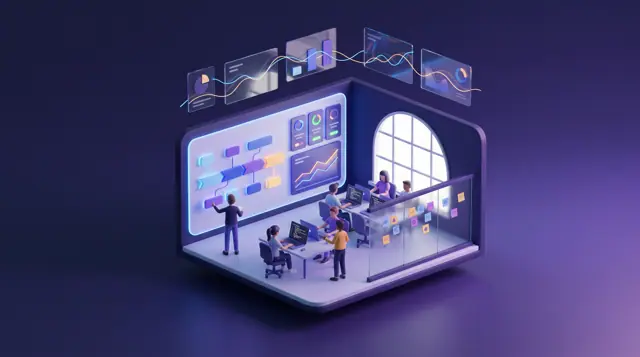
Game developers at work beside a build status board, an art review on a pen display and a tournament bracket on a wall screen.
PlanMagnet(opens PlanMagnet in a new tab)VibeControls(opens VibeControls in a new tab)ArtistryBase(opens ArtistryBase in a new tab)CrewFoundry(opens CrewFoundry in a new tab)BigConsole(opens BigConsole in a new tab)Botlit(opens Botlit in a new tab)ComradeCircle(opens ComradeCircle in a new tab)AthleteBridge(opens AthleteBridge in a new tab)

The problem

Why running a live game studio is harder than it looks

In a game studio the milestone plan, the build machines, outsource feedback, live event health, player support and the community live in separate tools, so a broken build, a crunch-bound plan or a live incident is noticed late.

A game studio today is often two businesses at once. The live game ships a season every few months, with patches, events and store updates in between, while the same people build the next season or expansion against publisher or internal milestones. Builds come in nightly for several platforms, every console patch has to pass the platform holder's certification, and mobile builds go through store review, on a schedule that rarely moves for anyone.

Much of the work happens outside the building. Outsource partners deliver art in batches, co-development and QA partners work in their own tools, and feedback travels as annotated screenshots in chat. Players are part of the process too: closed playtests, community servers, creators and community tournaments all produce signal that has to reach designers while it still matters.

Behind it all sits the question the industry keeps returning to: how to ship without crunch. Long hours rarely start as a decision. They start as a milestone plan that assumes every discipline at full capacity, a live incident that eats a weekend, or a vendor rework round nobody planned for. Studios that see those signals early can cut scope calmly; studios that see them late pay in burnout and turnover.

Who this is for

  • Executive producer or head of production

    Milestones that hold without crunch, and one honest view of scope, capacity and what was promised to the publisher or the players.

  • Build, release or DevOps engineer

    Knowing before standup which nightly build broke, on which machine, and exactly what still blocks the next certification submission.

  • Art director or outsourcing manager

    Feedback that lands on the exact spot of an asset, vendors building to the current art bible, and invoices checked against what was approved.

  • Live operations lead

    Seeing a live event's health by platform and region, and giving players a straight answer while the fix is being built.

  • Community and esports manager

    Running playtests, patch-day updates and community cups from one place instead of forms, chat threads and spreadsheets.

  • Studio head or chief operating officer

    A pace the team can sustain across seasons, fewer disconnected tools, and one clear record of who approved what.

A day in the life

The story behind the solution

One season-patch week at an independent studio, from nightly build to cup final

Tomás Ilunga is executive producer at Larkfell Studios, a fictional independent studio in its third year of live operations on a four-versus-four arena game for PC, console, handheld and mobile. This week the 6.2 season patch goes to platform certification, an outsource partner delivers props for next season's new map, a closed playtest runs midweek and the Ashen Tide live event starts on Friday. It is an ordinary week.

  1. Monday, 7:50

    A red build nobody saw until standup

    Tomás's first message is from Ingrid, the build engineer: last night's console build failed at 2:40 while packaging game content on one of eight build machines, and nothing told anyone. QA had planned a full regression pass on that build today; now they are testing Friday's. The 6.2 patch is due for certification submission on Thursday, three certification bugs are still open, and the only list of what blocks submission is a spreadsheet Ingrid updates by hand.

    How this is solved: Nightly builds and certification tracked by hand
  2. Monday, 14:30

    Forty props, built to the old sheet

    The outsource partner delivers batch 14: forty harbor props for next season's map. Mei, the art director, finds that half were modeled from version 2 of the prop sheet, not version 3, because her notes on the last batch lived in screenshots in a chat thread. A technical artist flags three props over the triangle budget in a separate spreadsheet. The vendor's invoice for all forty is already in the finance inbox.

    How this is solved: Art feedback lost between the studio and outsource partners
  3. Tuesday, 10:00

    Content complete in seven weeks

    At the season 7 planning review, the milestone plan still shows two boss encounters, a new tutorial and a twelve-piece emote pack landing by content complete, and nobody can say which of them the publisher's milestone actually requires. Level design is booked well past capacity from week three, two designers have approved leave the plan does not know about, and the team has logged long weeks for most of a month. Nobody decided to crunch; the plan simply assumes it.

    How this is solved: Milestone scope that only fits with crunch
  4. Wednesday, 19:00

    Four hundred playtesters, four inboxes

    The closed playtest of the new harbor map opens to four hundred invited players. Invitations went out from a spreadsheet, agreement sign-offs are tracked by hand, and feedback arrives through a survey, a community server, email and social posts. By Thursday morning the same complaint about the tutorial has appeared sixty times in different words, and the design team is waiting on a forty-page export.

    How this is solved: Playtest feedback that never reaches the backlog
  5. Friday, 19:30

    The event goes live, the handheld crashes

    The Ashen Tide event started at 18:00. By 19:30 the handheld crash rate has doubled whenever the new map loads, event bundle purchases are failing in one region, and the community channels fill with players asking whether the servers are down. Samir, the live operations lead, is switching between the crash reporter, the store console, the support inbox and the community, while support agents paste the same reply by hand.

    How this is solved: A live event weekend watched through five tabs
  6. Saturday, 16:00

    A community cup run from a web form

    Sixty-four teams signed up for the monthly Harbor Cup through a web form. Two rosters changed an hour before check-in, one team's accounts do not meet the rank floor, check-in happens by typing in a chat channel, and results arrive as screenshots. A disconnect dispute in round two holds up the bracket while three hundred people wait in the final's watch party, asking who plays next.

    How this is solved: Community cups and watch parties run from forms and chat

Each of these moments is routine for a live studio. What changes with a connected set of products is the hand-off: the milestone has a cut line drawn against real capacity, feedback lands on the asset, the build board knows what blocks submission, and players hear the same answer from support, the community and the cup organizers.

Challenges and how they are solved

6 problems, several products, one connected answer

Each challenge shows the problem as it happens, how the products are designed to hand work to each other, and the concepts that illustrate it. Share any challenge on its own.

Answers are in plain business terms. Choose Technical, or open any technical detail, to see how it works under the hood.

Challenge 1 of 6

Nightly builds and certification tracked by hand

The problem

At 2:40 a.m. the console build fails while packaging game content on one of eight build machines. The failure sits in a log nobody reads until the 9:30 standup, so QA loses a day of regression testing on the build they had planned to use. Meanwhile the season patch is due for platform certification on Thursday. Three certification bugs are still open, a fourth was fixed but never verified on the handheld build, and the only view of what blocks submission is a spreadsheet the build engineer updates when she has time. Producers ask in chat whether the submission is still on, and nobody can answer with confidence.

What it costs

Lost test days, late certification submissions that push a patch past a live event, and build engineers acting as a human status page instead of improving the build farm.

How the products work together

VibeControls watches every build machine and is designed to alert the build engineer when a nightly build fails, not at standup. Its board shows last night's builds for each platform step by step, with the machine used, beside that platform's certification checklist, deadline and the blocking bugs PlanMagnet holds for the patch. It says hold or go, with the reasons, and posts that answer to the patch checklist producers read.

How it works — technical detail

Technical detail

VibeControls runs an agent on each build machine, so machine health, nightly build jobs scheduled on its calendar and their logs sit in one workspace, and a failed build is designed to notify the build engineer when it fails rather than at standup. Its build farm and certification board is designed to show last night's builds as a platform-by-stage matrix, with the machine, duration and free disk for each, so a content cook that failed on a full disk is plain at a glance. The season patch lives in PlanMagnet as a release with its readiness checklist, and bugs marked as certification blockers are designed to appear on the board beside each platform's certification checklist and submission countdown. The board is designed to hold or clear each platform's submission with the reasons stated, and to post that status back to the PlanMagnet release checklist, so producers read it instead of asking for it.

The outcome it is designed for

The build engineer hears about a broken build when it breaks, and everyone can see which platform is ready for submission, which is on hold and exactly which bugs stand in the way.

The concepts behind it

VibeControls

Game Build Farm and Certification Board

Is designed to show last night's builds as a platform-by-stage matrix with machine, duration and free disk, beside each platform's certification checklist, submission countdown and linked PlanMagnet blocking bugs.

Works with PlanMagnet

The problem

An outsource partner delivers batch 14: forty harbor props for next season's new map. The art director's notes on batch 13 were red scribbles on screenshots posted in a chat thread, so half of the new batch was modeled from version 2 of the prop sheet instead of version 3. A technical artist finds three props over the triangle budget but records it in a separate spreadsheet. The producer cannot tell which props block the map's milestone, and the vendor's invoice for all forty arrives before anyone has approved a single one.

What it costs

Rework rounds that eat whole weeks, vendors paid for assets the studio rejected, and a milestone asset list nobody trusts until the final week.

How the products work together

Each partner delivery opens in ArtistryBase as a review batch with every version kept, so the vendor and art director see the same version. Notes are pinned to the exact spot on each prop, beside the art bible version it was built to and the technical artist's budget check. The approved count is designed to reach PlanMagnet's milestone art list and the partner's record in CrewFoundry, for checking the invoice.

How it works — technical detail

Technical detail

CrewFoundry holds the outsource partner as a vendor with its contract value, and each delivery is designed to open in ArtistryBase as an outsourced review batch. ArtistryBase holds each prop as a work with numbered, immutable versions and typed files, so the vendor, the art director and the technical artist always look at the same version. Feedback is pinned to the exact spot on the prop's preview render and grouped into review rounds that end in a recorded approval. The batch review is designed to show every asset against the art bible version it was built to, with the technical artist's check beside it. The approved-asset count is designed to pass to the vendor record in CrewFoundry, so the producer can check the partner's invoice against approved work, and to update the milestone's asset list in PlanMagnet. Approved assets are also designed to notify the build team's asset-import job in VibeControls.

The outcome it is designed for

Vendors build to the current sheet, notes stay attached to the asset they are about, and the producer can check each invoice against what the art director actually approved.

The concepts behind it

ArtistryBase

Outsourced Game Art Batch Review

Is designed to review each vendor delivery asset by asset against the current art bible, with notes pinned on preview renders, technical art checks and approvals, passing approved counts to CrewFoundry and PlanMagnet.

Works with CrewFoundry, PlanMagnet

Challenge 3 of 6

Milestone scope that only fits with crunch

The problem

Seven weeks before the publisher's content-complete milestone for season 7, the plan still promises two boss encounters, a new five-stage tutorial, a twelve-piece emote pack, a reworked ranked mode and the Harbor District map. The milestone's acceptance criteria sit in the publishing agreement, not in the plan, so nobody can say which deliverables the milestone actually requires and which are nice to have. Every item is marked must-have, level design owns three of them, and two designers have approved leave the plan does not know about. There is no ranked list and no cut line, so nothing gets cut. The producer will find out in week six, when the only options left are overtime or a missed milestone payment.

What it costs

Scope cut in a panic in the final week, exhausted teams and people leaving after every launch, milestone payments at risk, and a publisher relationship strained by late surprises.

How the products work together

PlanMagnet is designed to set the publisher's acceptance criteria beside a ranked list of everything promised, and to draw a cut line where the team's real pace runs out before the milestone date. CrewFoundry adds each discipline's availability, including approved leave, and a whole-team overtime trend, never one person. Below the line, the producer cuts, defers or requests a contractor at week one, while it is still a calm decision.

How it works — technical detail

Technical detail

PlanMagnet links each milestone deliverable to the epics that build it and forecasts delivery from the team's real throughput. Its milestone cut-line board is designed to set the milestone's acceptance criteria beside a ranked scope list, with remaining work per discipline, and to draw the cut line where the forecast runs out before the milestone date. Through its CrewFoundry integration, the plan is weighed against the team's capacity, and the board is designed to break that down by discipline and include approved leave. An aggregate overtime trend per team is designed to sit beside it, drawn from hours people already record in CrewFoundry, so it never shows one person and does not cover time that goes unrecorded. For each deliverable below the line, the producer records Cut, Defer or Contractor, and a contractor request is designed to go to CrewFoundry for staffing.

The outcome it is designed for

Scope is cut, deferred or re-staffed at week one instead of week six, the studio commits to the publisher only what it can deliver, and the team keeps a pace it can sustain.

The concepts behind it

The problem

A closed playtest of the new harbor map opens to four hundred invited players across three regions. Invitations go out from a spreadsheet, agreement sign-offs are tracked by hand, and the playtest guide is a document half the testers never open. Feedback arrives through a survey, a community server, email and social posts. By the next morning the same complaint about the tutorial has appeared sixty times in different words, the design team is waiting for a forty-page export, and nobody can say whether the newcomer group played at all.

What it costs

Designers decide from anecdotes, the loudest testers set the priorities, quiet groups go unnoticed, and the real findings reach the backlog after the build has moved on.

How the products work together

Each playtest group gets an invite-only space in ComradeCircle, designed to show who accepted the playtest agreement, played and answered the survey, so a quiet group stands out on day one. Botlit answers testers from the playtest guide and passes the rest to the community manager. Feedback the manager approves goes to PlanMagnet, where repeats merge into one request, weighted by votes and tied to the work that fixes it.

How it works — technical detail

Technical detail

ComradeCircle runs each playtest cohort as an invite-only circle with channels for announcements, feedback, bug reports and help, scheduled sessions and quick polls. Its playtest hub is designed to show invitations, agreement acceptance, participation and survey replies per cohort, so a quiet cohort is visible on day one. Botlit is designed to answer testers in each cohort's help channel from the playtest guide, citing the page it used. Questions the guide cannot answer are designed to be passed back to ComradeCircle as an unanswered list for the community manager, which the hub counts per cohort. Feedback themes that a community manager approves are designed to be sent from ComradeCircle to PlanMagnet's feedback list, where duplicates are merged, weighted by votes and value, and linked to the epic that addresses them.

The outcome it is designed for

Every cohort's participation is visible while the playtest runs, and by Monday the design team has a ranked, de-duplicated list of findings tied to the work that addresses them.

The concepts behind it

ComradeCircle

Closed Playtest Cohort Hub

Is designed to track invitations, agreement acceptance, sessions played and survey replies per playtest cohort, count questions Botlit could not answer, and send approved feedback themes to PlanMagnet.

Works with PlanMagnet, Botlit

The problem

The Ashen Tide event goes live at 18:00 on Friday. By 19:30 the crash rate on the handheld build has doubled whenever the new map loads, event bundle purchases are failing in one region, and the community channels fill with players asking whether the servers are down. The live operations lead switches between the crash reporter, the store console, the support inbox and the community. Support agents paste the same reply by hand, the status post goes out forty minutes after players noticed, and the hotfix waits because nobody has confirmed which build and platform are affected.

What it costs

Players lose trust at the moments that matter most, refund requests and negative reviews pile up, and a small team spends the weekend relaying information instead of fixing the problem.

How the products work together

BigConsole is designed to bring crashes, player numbers and store purchases from existing systems onto one screen, by platform, region and build, and to alert the live operations lead when a set level is crossed. Botlit's support assistant checks that screen to answer players, sends payment problems to a billing assistant and drafts the status post the lead publishes in ComradeCircle. The hotfix then ships through VibeControls' build board.

How it works — technical detail

Technical detail

BigConsole's data sinks are designed to take in crash reports, concurrent players, event participation and store purchase results from the studio's existing systems, tagged with the build number from VibeControls, and its threshold alerts are designed to fire per platform and region when a rule is breached. Botlit agents can query that console, so the player support assistant is designed to answer 'are the servers down?' with the current status, cite the known-issues page and route payment problems to a billing agent. Botlit is designed to draft the status post from confirmed issues for the live operations lead to publish in ComradeCircle's announcement channel, and the hotfix goes through the same VibeControls build board before it ships.

The outcome it is designed for

The live operations lead sees the incident within minutes, players get one consistent answer from support and the community, and the hotfix ships on evidence of which build and platform are affected.

The concepts behind it

Challenge 6 of 6

Community cups and watch parties run from forms and chat

The problem

Sixty-four teams sign up for the monthly Harbor Cup through a web form. Two rosters change an hour before check-in, one team's accounts do not meet the cup's rank floor, check-in happens by typing in a chat channel, and results arrive as screenshots in direct messages. A disconnect dispute in round two holds up the bracket, the broadcast schedule slips, and three hundred people in the final's watch party keep asking the same question: who plays next, and when?

What it costs

Volunteer admins burn out, disputes feel arbitrary, delays push the final past its broadcast slot, and the players the studio most wants to keep have a worse evening than they should.

How the products work together

AthleteBridge keeps the cup's teams, rosters and matches by round in one place, and its cup board is designed to handle sign-ups, eligibility checks, check-in, disputes with evidence and moving winners into the next round. Each recorded result appears in the bracket. In ComradeCircle's cup community, teams form and sign up, players get check-in reminders and bracket updates, and the watch party runs with RSVPs and a capacity limit.

How it works — technical detail

Technical detail

AthleteBridge holds each registered team with its roster and member status, and the cup as tournament fixtures grouped by round. Recording a result completes the fixture and shows it in the bracket view. Its community cup operations board is designed to add registration, eligibility checks, check-in, a disputes queue and moving winners into the next round. ComradeCircle hosts the cup's circle, where teams are designed to register into AthleteBridge; check-in reminders and bracket updates are designed to post back from AthleteBridge to its announcement channel, and the watch party and the meetup at a regional gaming convention run as events with RSVPs and capacity.

The outcome it is designed for

Check-in closes on time, disputes are decided with evidence and a record, the bracket stays current for players and viewers, and volunteer admins run the cup instead of chasing it.

The concepts behind it

AthleteBridge

Esports Community Cup Operations

Is designed to run a community cup's registrations, eligibility checks, check-in, disputes and moving winners into the next round, posting reminders and bracket updates to the cup's ComradeCircle circle.

Works with ComradeCircle

How it fits together

How it fits together: from milestone plan to cup final

A live game studio runs the same loop every season: plan the work against real capacity, make and review the content, build and certify it, watch it live, support players and bring the community together. Each step below is one product doing one job and handing off to the next.

  1. To CrewFoundry: Work below the cut line, as a contractor or outsourcing request

  2. To ArtistryBase: The partner's delivery, opened as a batch to review

  3. To VibeControls: Word to the build team that new art is approved

  4. To BigConsole: The number of each shipped build, to label live figures

  5. To Botlit: The current state of the live game, for player support

  6. To ComradeCircle: A draft status post on confirmed issues, for the live operations lead

  7. To AthleteBridge: Teams from the cup's community, signing up to play

Step 1 of 8: Plan against capacity

How each hand-off works — technical detail

Technical detail

  1. 1. PlanMagnet — Plan against capacity: Deliverables are ranked against acceptance criteria and forecast from throughput, then weighed against capacity through CrewFoundry, designed to be broken down by discipline and leave.Hands to CrewFoundry: Deliverables below the cut line are designed to send a contractor or outsourcing request to CrewFoundry.
  2. 2. CrewFoundry — Fill the gap: Availability, leave and time entries with overtime are checked, and the outsource partner is recorded as a vendor with its contract value.Hands to ArtistryBase: The partner's contracted delivery is designed to open as an outsourced review batch in ArtistryBase.
  3. 3. ArtistryBase — Review every asset: Each delivered asset gets numbered versions, notes pinned on its preview and review rounds that end in recorded approvals against the current art bible.Hands to VibeControls: Approvals are designed to notify the build team's asset-import job in VibeControls over a webhook.
  4. 4. VibeControls — Build and certify: Agents on build machines run scheduled nightly builds, and the certification board is designed to hold or clear each platform's submission against blocking bugs from PlanMagnet.Hands to BigConsole: Each shipped build number is designed to tag live figures in BigConsole's data sinks.
  5. 5. BigConsole — Watch the live game: Keyed data sinks are designed to take in crashes, players and purchases from existing systems, and threshold alerts are designed to fire per platform and region.Hands to Botlit: Botlit agents can query the live console, so support answers reflect the current incident.
  6. 6. Botlit — Answer players: The player support assistant is designed to answer from patch notes and known issues with citations, and to route payment problems to a billing agent.Hands to ComradeCircle: Confirmed issues are designed to become a status post draft for the live operations lead to publish.
  7. 7. ComradeCircle — Keep players close: Announcement channels carry status posts and patch notes, invite-only circles run playtests, and polls and events keep players involved between seasons.Hands to AthleteBridge: Teams forming in the cup's circle are designed to register in AthleteBridge.
  8. 8. AthleteBridge — Run the community cup: Teams, rosters and tournament fixtures by round sit in one place, and eligibility, check-in and disputes are designed to run on the cup board.Hands to ComradeCircle: Check-in reminders and bracket updates are designed to post to the cup's announcement channel.

Products in this solution

What each product brings

  • PlanMagnet

    Milestones, releases and playtest feedback

    PlanMagnet ties milestones, sprints and releases together, forecasts dates from how fast the team really delivers, merges repeated player feedback, and checks plans against the people and skills actually available in CrewFoundry.

    Technical detail

    Technical detail

    Links milestones, epics, sprints and releases on one model, forecasts dates from real throughput, merges duplicate feedback, and through its CrewFoundry integration weighs plans against real capacity and skills.

  • VibeControls

    Build machines, nightly builds and certification

    VibeControls looks after every machine that builds the game, runs builds on a schedule with their logs, and offers one-click actions and release checks. It is designed to say, platform by platform, whether a build is ready to submit.

    Technical detail

    Technical detail

    An internal developer platform with agents on every machine, scheduled jobs with logs, one-click action decks, sandboxes and release gates, suited to a studio's build farm and certification checks.

  • ArtistryBase

    Art and asset reviews with outsource partners

    ArtistryBase keeps every version of every asset, lets reviewers pin notes to a spot on an image, a moment in a video or a page, and closes each review round with a recorded approval.

    Technical detail

    Technical detail

    Holds every asset as a work with immutable versions and typed files, anchors feedback to pins on images, timecodes or pages, and closes review rounds with recorded approvals.

  • CrewFoundry

    People, capacity, contractors and vendors

    CrewFoundry holds the studio's employees and contractors, their leave and recorded hours, including overtime, and a directory of outsource partners with contract values, so PlanMagnet's plans are checked against the people really available.

    Technical detail

    Technical detail

    One people model for employees, contractors, gig workers and field crew, with leave, time entries including overtime, a vendor directory with contract values, and the capacity PlanMagnet plans against.

  • BigConsole

    Live operations screens and alerts

    BigConsole is designed to gather figures from the systems the studio already uses and show the live game's health on one screen, by platform and region, warning the team when something spikes.

    Technical detail

    Technical detail

    Governed consoles over keyed data sinks, shaped by parsers and pipelines, with ingestion designed to fill them from the studio's existing systems and threshold alert rules designed to flag spikes by platform and region.

  • Botlit

    Player support and playtest assistants

    Botlit assistants answer players and playtesters from the studio's patch notes, guides and known issues, and pass tricky cases to specialist assistants. They are designed to work in web chat and community channels, recording every task they handle and its cost.

    Technical detail

    Technical detail

    Governed agents grounded in knowledge bases, designed to be deployed to web chat and channels such as Discord, with routing to specialist agents, embedded workflows and a record of every run and its cost.

    Visit BotlitAll concepts
  • ComradeCircle

    Player community, playtests and events

    ComradeCircle gives the studio its own community spaces, public, private or invite-only, with announcement channels, polls, and events such as watch parties and meetups with sign-ups, plus built-in roles and moderation.

    Technical detail

    Technical detail

    Circles with public, private or invite-only visibility, typed channels including announcements, polls, and events with RSVPs, with roles and moderation built in.

  • AthleteBridge

    Esports teams, cups and brackets

    AthleteBridge keeps esports teams, their rosters and roles, and every cup match and result in one place, with a bracket view by round so organizers see who plays next. It handles esports the same way it handles any team sport.

    Technical detail

    Technical detail

    Esports rosters with member roles and status, tournament fixtures grouped by round, recorded results and a bracket view, on the same model it uses for any team sport.

One platform underneath: Burdenoff Workspaces

All eight products run on Burdenoff Workspaces: one sign-on for studio staff, contractors and partners, role-based access designed so a vendor sees only its own art batches, one audit trail across builds, approvals and player-facing actions, and one bill.

Concept gallery

Every concept in this solution

15 concepts from 8 products. Each one links to its own page on the product's website, and every view has a link you can share.

Pitch kit

The Game Studios solution in one minute

Game studios lose time and goodwill in the gaps between tools: a broken nightly build nobody saw, art built to last month's sheet, a milestone that quietly assumes crunch, playtest feedback stuck in four inboxes, a live event watched through five tabs. Burdenoff brings PlanMagnet, VibeControls, ArtistryBase, CrewFoundry, BigConsole, Botlit, ComradeCircle and AthleteBridge together so those hand-offs are designed to happen on one platform.

  • Milestone scope designed to be ranked against acceptance criteria and real capacity, with the cut line drawn at week one, not week six
  • Nightly builds and certification blockers designed to sit on one board per platform, with hold or go and the reasons
  • Outsourced art reviewed with pinned notes against the current art bible, with the approved count ready to check against the partner's invoice
  • Live event health, player support answers and community status posts designed to tell the same story
  • Playtests and community cups designed to run from invite-only circles and a cup board, not forms and spreadsheets
Email it

Questions

Frequently asked

Do we have to adopt all eight products at once?

No. You can start where it hurts most, such as PlanMagnet with CrewFoundry for milestone planning, or VibeControls for nightly builds and certification. Every product shares the same sign-in, permissions and record of who did what, so each new one builds on what you already have and is set up with its own built-in settings.

Technical detail

Technical detail

No. Most studios start where the pain is sharpest, for example PlanMagnet with CrewFoundry for milestone planning, or VibeControls for nightly builds and certification. Every product runs on the same Workspaces identity, roles and audit trail, so adding the next one starts from shared sign-on and permissions, configured with the settings built into each product.

Which of these connections are documented, and which are designed?

Two are documented in the products' designs: PlanMagnet drawing team availability from CrewFoundry, and Botlit assistants reading dashboards and starting workflows. Like the products, they are early. The rest, such as art approvals reaching CrewFoundry or cup updates reaching ComradeCircle, describe how the products are designed to work together; we can show you what exists today and what is planned.

Technical detail

Technical detail

PlanMagnet's capacity integration with CrewFoundry, and Botlit agents querying dashboards and triggering workflows, are documented in the products' designs. Like the products themselves, they are early. The other hand-offs on this page, such as ArtistryBase approvals reaching CrewFoundry or AthleteBridge posting bracket updates to ComradeCircle, describe how the products are designed to work together, and we can walk you through which parts exist today and which are planned.

Will the overtime view single out individual developers?

No. The milestone plan is designed to show long hours as a trend for a whole team or discipline, never one person. It uses only the hours people already record in CrewFoundry, and who can see an individual's time is controlled by each viewer's role, as for any HR record.

Technical detail

Technical detail

No. The milestone plan is designed to show overtime as a trend per team or discipline, drawn from time entries people already record in CrewFoundry, so producers can see when a plan is leaning on long weeks without turning planning into monitoring of individuals. The trend reflects only recorded time, and who can see an individual's time entries is governed by roles in Workspaces, as for any HR record.

Can outsource partners and external playtesters take part without seeing our other work?

Yes, by design. An outsource partner sees only the art batches it is invited to in ArtistryBase, and playtesters join only the invite-only groups they are invited to in ComradeCircle. You set this up with the permissions built into the products, and every action is recorded.

Technical detail

Technical detail

Yes, by design. Workspaces role-based access is designed so a vendor sees only the batches and productions it is invited to in ArtistryBase, and playtesters join only the invite-only circles they are invited to in ComradeCircle. Access is configured with the permissions built into the products, and every action is recorded in the audit trail.

Do we need to replace our game engine, version control or crash reporter?

No. None of these products is a game engine, a version control system or a crash reporter. VibeControls schedules builds on the build machines you already have, BigConsole is designed to collect figures from the crash, player and store systems you already use, and ArtistryBase holds review versions of art alongside your version control rather than replacing it.

Technical detail

Technical detail

No. None of these products is a game engine, a version control system or a crash reporter. VibeControls runs agents on the build machines you already have and schedules the jobs they run; BigConsole is designed to take in figures from the crash, player and store systems you already use; and ArtistryBase holds review versions of assets alongside your source control rather than replacing it.

Is any of this live today?

No, not as a finished whole. This page describes a solution concept: all eight products are early and pre-launch, some features shown are still planned, and the new game-studio screens, such as the build and certification board, are designs rather than finished screens. We are happy to walk you through what exists today and what is planned.

Technical detail

Technical detail

Not as a finished whole. This page describes a solution concept. All eight products are early and pre-launch, some capabilities shown here are on their roadmaps, and the new game-studio concepts, such as the build farm and certification board or the playtest cohort hub, are designs rather than shipped screens. We are glad to walk through what exists today and what is planned.

Related domains

All domains

Want to explore this for your organization?

Tell us about your setup. We will walk you through the products involved and scope a pilot around the challenge that hurts most.

This is a solution concept: it shows how Burdenoff products are designed to work together in this industry. The images are illustrations of the concepts, not screenshots of the actual products, and every name and figure in them is sample data.