



FluidGrids
Datasinks and Live Dashboards
Collects building management and power monitoring readings and ends each workflow in a BigConsole data sink, so every alarm and reading has one home.
Industry solution
Power, cooling, customers and cross-connects, working from linked records
Plant alarms, planned work, capacity, contracts, emissions and access, working together for colocation operators.
The problem
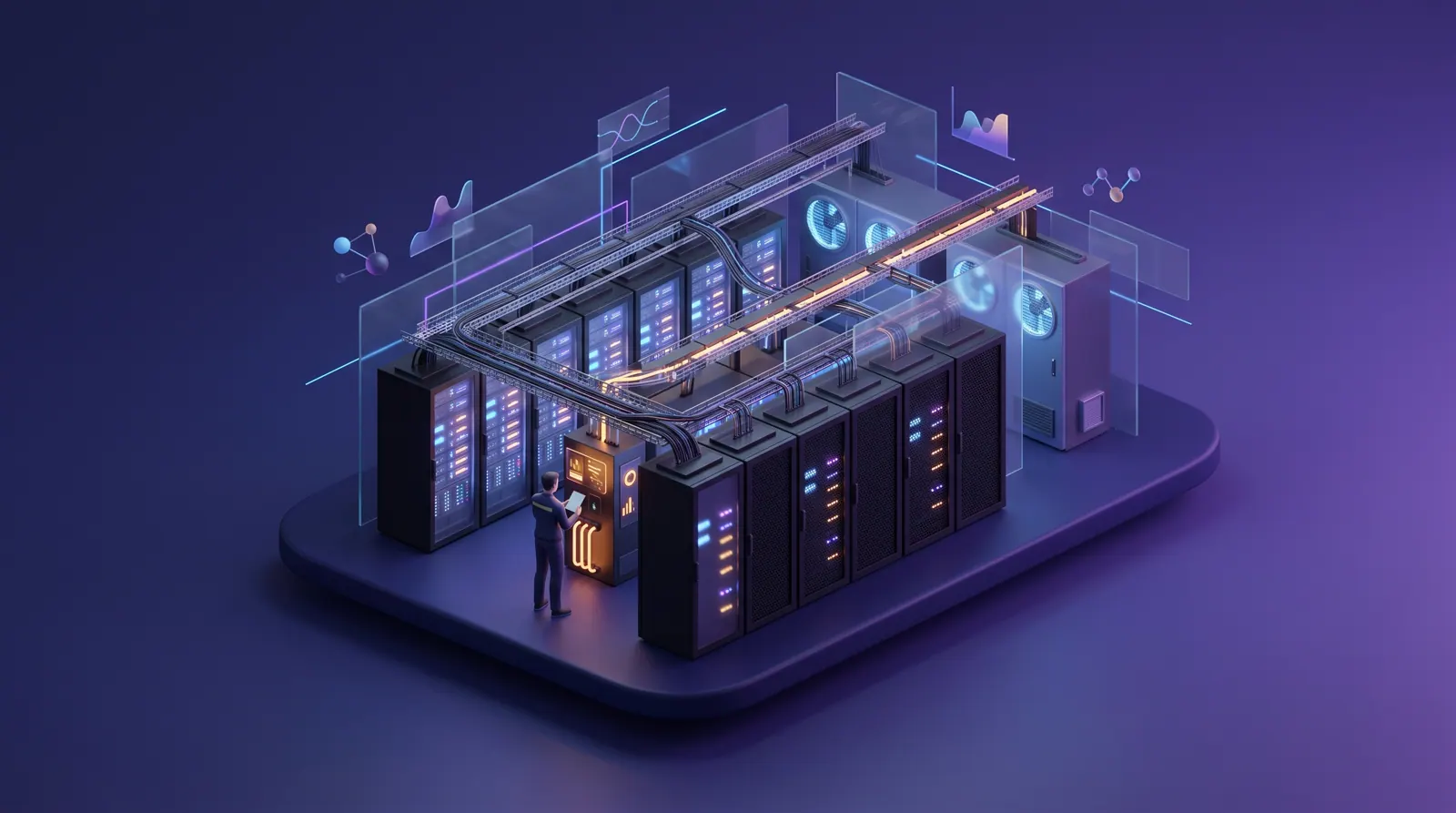
Colocation operators keep their uptime promise across a building management system, power monitoring, maintenance tools, billing, visitor portals and spreadsheets that do not talk, so alarms, notices, capacity and cables slip between them.
A colocation operator sells something that is invisible until it fails: power, cooling, space and connectivity, delivered without interruption to customers who each hold their own contract. The work behind that promise is spread across a building management system, an electrical power monitoring system, branch-circuit meters, a maintenance tool, service contractors' reports, a billing system, a portal for remote-hands and visitor tickets, and a great many spreadsheets.
Each of those tools works on its own. The trouble is at the seams. An alarm is acknowledged but never becomes a work order. A maintenance window is approved, but the list of affected cages is rebuilt by hand. Sold, built and drawn kilowatts live in three places, so one hall is oversold while another holds stranded capacity. Cross-connects in billing drift away from what is actually patched in the meet-me room.
Meanwhile customers ask for more: evidence for their own audits, their share of energy and emissions for their disclosures, and a clear account of who entered their cage and when. Margins depend on selling capacity accurately and keeping the promise of redundancy, and the specialists who do that work are few and on shift around the clock.
VP or Director of Data Center Operations
Every campus running within design limits, planned work that never surprises a customer, and one record of what happened when something did.
Chief Engineer or Critical Facilities Manager
Alarms that become owned work, approved procedures for every change, and a qualified technician on shift for each switching and UPS job.
Capacity Planning and Sales Engineering Lead
Knowing the kilowatts built, sold and drawn in each hall, so deals are neither oversold nor lost to stranded space.
Customer Operations and Account Management
Cross-connect billing that matches the patch panels, maintenance notices sent on time, and renewals at risk spotted early.
Sustainability and Energy Manager
Power usage effectiveness, water and emissions from one ledger, and customer statements built the same way every time.
Security Manager
Knowing who is in each data hall and why, with access changes approved by a named person and a clean handover every shift.
A day in the life
Tomás Ferreira runs site operations for Kestrel Point's East campus: four data halls, a meet-me room, two utility feeds and a generator yard. His team is a chief engineer, a handful of shift technicians, a security desk and a capacity planner, backed by service contractors. This is one ordinary week, and how it would look if the products on this page worked together as designed.
Monday, 02:10
A fan fails on CRAH-3-07 in Data Hall 3. Night technician Kwame Asante resets the unit and writes it on the paper log. By the morning meeting, inlet temperatures in row F have crept up, and nobody knows the same unit tripped twice in the last two months. In the week this page imagines, the alarm would already be an open work order on CRAH-3-07, with the two earlier trips in its history.
How this is solved: Power and cooling alarms that become owned workMonday, 11:00
Chief engineer Grace Otieno reviews the UPS-2B battery replacement booked last month for Saturday at 01:00; customer notices must go out today. The method of procedure exists in three versions, the list of B-side cages is being rebuilt from a diagram, and the one technician qualified on the switchgear has asked for leave. In the imagined week, the change record already lists the affected cages and notice status, and the roster gap is flagged with a qualified colleague proposed.
How this is solved: Maintenance windows and change control without surprisesTuesday, 16:00
Sales needs to know by Friday whether Data Hall 4 can take thirty high-density cabinets. Capacity planner Ada Nwosu opens three spreadsheets that disagree, and on the way finds two customers drawing above their commitment and a cabinet that could not ride through the loss of one feed. In the imagined week, one console answers the question, and those cages were flagged when the draw first crept up.
How this is solved: Sold, built and drawn power in one viewWednesday, 09:30
The quarterly meet-me room audit turns up live circuits that billing thinks were disconnected and a fiber with no order behind it. That afternoon, account manager Rahul Menon prepares a renewal for a customer that is already disputing cross-connect charges. In the imagined week, each mismatch was raised when it appeared, and the renewal was already marked at risk, with the reasons listed.
How this is solved: Cross-connects and customer contracts that matchThursday, 14:00
A customer's sustainability team asks for its share of the campus's energy and emissions for last year, by month, with the method. It is the third such request this quarter, each in a different format, and last year two methods gave one customer figures 12 percent apart. Sustainability lead Mei Lin Zhao starts again from utility invoices and a contractor's refrigerant reports. In the imagined week, every customer's statement comes from the campus ledger by the same method, with every chiller top-up and generator test already recorded.
How this is solved: Energy and emissions figures customers can rely onFriday, 23:15
A customer's contractor badges into Data Hall 3 on a visitor ticket approved for Data Hall 1, and a cage door alarm sounds two rows away. Security supervisor Jonas Brandt juggles three screens and a customer contact list that is two months old. In the imagined week, both events arrive as one alert with the ticket, the camera reference and the cage's current contacts attached, and the morning shift gets a clean handover.
How this is solved: Knowing who is in each data hall, and whyAt 01:00 on Saturday the UPS-2B window opens on an approved procedure, with a qualified technician on shift, every affected customer notified and the visiting engineer expected at the door. Nothing about the week is dramatic, which is the point: alarms, contracts, cables, emissions and doors all end up on records that link to each other and to one audit trail that the next shift, the next customer and the next audit can rely on.
Challenges and how they are solved
Each challenge shows the problem as it happens, how the products are designed to hand work to each other, and the concepts that illustrate it. Share any challenge on its own.
Answers are in plain business terms. Choose Technical, or open any technical detail, to see how it works under the hood.
Challenge 1 of 6
At 02:10 a fan fails on CRAH-3-07 in Data Hall 3. The building management system shows the alarm on the operations center wall screen and sends an email to a shared inbox. The night technician silences it, resets the unit and notes it on a paper log. No work order exists, so the day shift never sees it. By 05:30, rack inlet temperatures in row F are climbing toward the top of the recommended range, and nobody can say the same unit tripped twice in two months, because that history sits in the service contractor's PDF reports.
Plant faults get fixed but not recorded, repeat failures go unnoticed, and a cooling problem can reach customer racks before anyone with authority knows it is happening.
FluidGrids is designed to collect cooling, power and battery alarms and readings. BigConsole shows them on one live board and alerts the on-call team, ranked by severity, instead of a shared inbox. For a serious alarm, FluidGrids opens a repair job in AssetHandler on the exact unit, so the day shift sees it and the unit's earlier failures are already in its history.
Technical detail
FluidGrids is designed to take alarms and readings from the building management system (BMS), electrical power monitoring system (EPMS) and battery monitoring system through their supervisory software's alarm and trend exports, or an existing protocol gateway, received by webhook or read on a schedule, and write them into BigConsole data sinks. BigConsole threshold alerts are designed to watch those sinks (supply-air temperature, rack inlet temperature by row, UPS battery string readings) and route a severity-ranked alert to the on-call channel instead of a shared inbox. For a critical alert, a FluidGrids workflow is designed to open a corrective work order in AssetHandler against the exact unit, carrying the alarm text and the reading. The technician works it from the AssetHandler queue, logs parts and labor, and closes it; the unit's service history already shows the two earlier trips, so a repeat-failure review starts from facts.
Every critical plant alarm is designed to end as an owned, recorded work order, and repeat failures on a cooling or power unit become visible before they turn into an outage.
FluidGrids
Collects building management and power monitoring readings and ends each workflow in a BigConsole data sink, so every alarm and reading has one home.
BigConsole
Rules like these, written for supply-air, rack inlet and battery readings, are designed to rank each alert by severity and route it to the on-call channel with a throttle instead of a shared inbox.
AssetHandler
Ranks the plant units that trip most, with each unit's trip log beside its open corrective work order, so a cooling unit on its third trip stands out.
Challenge 2 of 6
UPS-2B is due for a battery string replacement. The manufacturer's field engineer is booked for Saturday at 01:00, which leaves the B side of Data Hall 2 on reduced redundancy for four hours. The method of procedure (MOP) sits on a shared drive in three versions. Most contracts require notice five business days ahead, so notices must go out on Monday, but the list of affected cages is rebuilt by hand from a single-line diagram and a billing export, and last year two single-corded customers were missed. The one technician authorized on that switchgear has asked for Saturday off.
A missed notice becomes a contract dispute, an unapproved procedure step becomes an incident, and an unqualified night shift turns planned work into unplanned risk.
AssetHandler is designed to keep the whole job in one place: the approved step-by-step procedure, each sign-off and every customer cage on the affected power side. CrewFoundry checks that someone qualified on the switchgear is on shift and proposes qualified cover if not. FluidGrids sends each affected customer its notice within the period its contract sets and records who has confirmed.
Technical detail
AssetHandler holds the job as a change record against UPS-2B, with the approved MOP attached as a runbook, per-reviewer approvals from the chief engineer and customer operations, and the window on a timeline beside other planned work. It is designed to list, from the power-path relationships recorded between assets, the downstream PDUs, cages and single-corded cabinets on the B side. CrewFoundry is designed to check the window against the shift roster and each technician's current switching and UPS qualifications, flag that the only qualified person is on leave, and propose qualified cover. FluidGrids is then designed to send customer maintenance notices on the schedule each contract requires, reading notice periods from the operator's existing billing and contract system, and to write each acknowledgment back to the change record.
Planned work on the power and cooling chain is designed to run on an approved procedure, with qualified people on shift and every affected customer notified inside its contract's notice period.
AssetHandler
Puts the UPS-2B window on a timeline with its procedure version, approvals, affected cages, notice status and confirmed technician, so the whole change is visible on one page.
Works with CrewFoundry, FluidGrids
CrewFoundry
Checks the people booked for the window against current switching and UPS sign-offs by shift, flags sign-offs that expire inside the window and proposes qualified cover for an open slot.
Challenge 3 of 6
At 16:00 on Tuesday, sales asks whether Data Hall 4 can take a new thirty-cabinet, high-density deployment, and needs an answer for the prospect by Friday. The capacity planner opens three spreadsheets: sold kilowatts from the contract system, built capacity from the design documents and measured draw from a monthly branch-circuit export. They disagree. While reconciling them she finds two customers drawing above their committed power for months without overage billing, and one cabinet whose combined A and B feed draw is more than one feed could carry if the other failed.
Capacity is either oversold or stranded, overage revenue is missed, and a cabinet that has quietly lost its redundancy is found only after a feed trips.
BigConsole is designed to show, for each data hall, the power built, sold and actually drawn, plus the spare cooling and free cabinet space. FluidGrids brings in readings from the power meters, and each customer's agreed power from your billing system. Customers drawing more than they agreed, and cabinets drawing more than one feed could carry alone, are flagged as soon as the readings show it.
Technical detail
FluidGrids is designed to collect branch-circuit and PDU readings on a schedule and write them into BigConsole data sinks, and to bring in each customer's commitments from the operator's existing billing and contract system: committed kilowatts, cabinet count, overage terms and renewal date. BigConsole joins them in one capacity console per hall, showing built, sold and drawn power, cooling headroom and free cabinet positions, and its threshold rules are designed to flag cages drawing above commitment and cabinets whose combined A and B draw exceeds what a single feed can carry. The account manager takes the over-commitment list to the customer as an overage conversation, and a read-only view scoped to one customer's cages is designed to be shared so that customer sees its own draw against its commitment.
A capacity question is designed to be answered from one current view, overage is caught when it starts, and lost redundancy at a cabinet is found before a feed fails.
BigConsole
Shows built, sold and drawn kilowatts per hall, cages over their commitment and cabinets at risk on a single feed, with the meter or contract behind each flag.
Works with FluidGrids, Subscriber Bot
FluidGrids
Brings branch-circuit and PDU readings and each customer's committed kW from the billing system into the BigConsole data sinks behind the capacity console.
Challenge 4 of 6
Wednesday is the quarterly meet-me room (MMR) audit. A technician walks the patch panels with a printed list and finds circuits that billing thinks were disconnected still carrying light, a fiber cross-connect with no order behind it, and a carrier's letter of authorization that expired in the spring. That afternoon the account manager prepares a renewal for a customer that has been disputing cross-connect charges and whose power draw has fallen for six months. He learns about the dispute from the customer's email, not from any system.
Unbilled circuits leak revenue, billed-but-removed circuits breed disputes, and a renewal at risk is noticed only when the customer says so.
AdapterCloud is designed to keep a current list of every cross-connect and compare what was ordered and billed with what is actually patched. It flags cables nobody pays for, charges for cables already removed and expired carrier letters of authorization. AssetHandler gets the removal jobs, FluidGrids sends billing fixes to your billing system, and Subscriber Bot warns the account manager which renewals are at risk, and why.
Technical detail
AdapterCloud is designed to model the interconnection fabric: patch-panel ports, customer demarcations and carrier handoffs are resources, and each cross-connect is a topology link between two of them. FluidGrids is designed to bring cross-connect orders and billing lines into AdapterCloud as the desired state, and each customer's monthly draw from BigConsole into Subscriber Bot as a risk driver; install records and the audit scan set the observed state. Where they diverge (patched but not ordered, billed but not patched, disconnected in billing but still live), AdapterCloud raises a drift record with evidence, and a policy flags any carrier cross-connect whose letter of authorization has expired. De-installs and traces are designed to go to AssetHandler as remote-hands work orders, and billing corrections back to the billing system through FluidGrids. Subscriber Bot's renewal view is designed to rank accounts by risk, with drivers such as falling draw or an open dispute.
Cross-connect billing and the physical patch panels are designed to agree, and account managers see a renewal at risk while there is still time to act.
AdapterCloud
Lists every cross-connect with its ordered and observed state, raises mismatches as drift and expired authorizations as policy violations, and hands removals to AssetHandler.
Works with AssetHandler, FluidGrids, Subscriber Bot
AdapterCloud
Follows a circuit through its recorded topology to every downstream service, the kind of trace a technician would use to confirm which customer a live but unbilled cross-connect serves.
Subscriber Bot
Designed to rank customer accounts renewing soon by risk, with the drivers behind each score, such as falling power draw or an open dispute over cross-connect charges.
Challenge 5 of 6
On Thursday, a large enterprise customer's sustainability team asks for its share of the East campus's energy use and emissions for last year, by month, with the method used, for a disclosure due in three weeks. It is the third such request this quarter: three customers, three formats. Last year two allocation methods gave numbers 12 percent apart for the same customer, and one customer's auditor rejected a statement that did not say how it was worked out. Each time, the sustainability lead starts again from utility invoices, generator fuel logs and the cooling contractor's refrigerant reports.
Every customer request becomes a manual rebuild, the method changes from one request to the next, and a statement without a stated method does not survive a customer's audit.
AssetHandler is designed to record each refrigerant top-up and generator run on its work order, and FluidGrids passes each customer's metered power use from BigConsole to EcoImpactHub every month. EcoImpactHub keeps one set of carbon accounts for the campus and works out every customer's share the same way. Each statement shows the method, marks estimated months and says where every figure came from.
Technical detail
EcoImpactHub holds the campus carbon ledger: grid electricity by meter for Scope 2, and generator diesel and refrigerant losses for Scope 1, each line with its emission factor and verification status. AssetHandler supplies the Scope 1 activity it records on work orders, such as refrigerant recharges by gas and weight and generator run hours and fuel, using EcoImpactHub metrics. FluidGrids is designed to pass each customer's metered IT energy from the branch-circuit data sinks behind the BigConsole capacity console to EcoImpactHub each month. EcoImpactHub is designed to allocate energy, water and emissions to every customer by the same method, metered IT energy plus a share of facility overhead based on the period's power usage effectiveness (PUE), and to produce one statement per customer with the method, estimated months marked and the ledger line behind every figure.
Customer energy and emissions statements are designed to come from one ledger, with the same method each time and the evidence attached.
EcoImpactHub
Allocates campus energy, water and emissions to each customer by metered IT energy and overhead share, with the method and the ledger line behind every figure.
Works with AssetHandler, BigConsole, FluidGrids
AssetHandler
Turns every refrigerant recharge on a chiller or cooling unit into a gas-specific Scope 1 entry sent to EcoImpactHub, and flags units with repeat leaks.
Challenge 6 of 6
At 23:15 on Friday, a contractor working for a customer badges through the mantrap into Data Hall 3, but his visitor ticket was approved for Data Hall 1. A minute later a door-held-open alarm sounds on another customer's cage two rows away. The security supervisor has access-control alarms on one screen, camera views on another and visitor tickets in the customer portal. He calls the customer's emergency contact from a spreadsheet that is two months old. At 06:00 the handover to the day shift is a paragraph in a logbook.
An access anomaly takes too long to understand, authorized-access lists drift out of date, and the next shift inherits open questions without context.
FluidGrids is designed to bring badge, door, camera and visitor records together with each cage's current contacts. IntelWatchtower shows the security desk one alert: who went where, whether their ticket allowed it and who to call. Suspending a badge waits for a named approver, a faulty door goes to AssetHandler as a repair job, and the next shift gets a report of the alerts handled.
Technical detail
FluidGrids is designed to bring access-control events, video analytics alerts and approved visitor and remote-hands tickets into IntelWatchtower as sources and feeds, with each cage's authorized-access list and emergency contacts, so the alert shows who to call. IntelWatchtower is designed to fuse them around the people, doors, halls and cages involved: a badge-in to a hall the ticket does not cover, followed by a nearby door-held alarm, becomes one prioritized alert with both events, the ticket and the camera reference, not two unrelated alarms. The supervisor triages it, escalates it to a case if needed, and ends the shift with a report built from the triaged alerts. A response that changes access, such as suspending a badge, is designed to run as a FluidGrids playbook that pauses for a named approver, and a failing door contact is designed to go to AssetHandler as a repair request.
Security events are designed to read as one account of what happened, with access changes approved, door faults repaired and a clean handover to every shift.
IntelWatchtower
Designed to fuse badge events, door alarms, camera alerts and visitor tickets by hall and cage into one prioritized alert, with the related events on a single timeline.
Works with FluidGrids, AssetHandler
FluidGrids
Runs a response such as suspending a badge as a playbook that pauses for a named approver, with every step and decision recorded.
How it fits together
One piece of planned work, followed across the products: a battery reading drifts over several weeks, becomes an alert, a work order and an approved change, gets a qualified technician and on-time customer notices, is watched at the door, and ends as a line in the carbon ledger. The steps show how the products are designed to hand work to each other.
To BigConsole: Battery condition readings and alarms for each backup power unit
To AssetHandler: A high-priority alert naming the weak battery string
To CrewFoundry: The early-Saturday time slot and the qualifications it needs
To FluidGrids: The approved time, confirmed technician and customers to notify
To IntelWatchtower: The manufacturer's engineer expected on site, with hall and time
To AssetHandler: Confirmation that access stayed within the plan
To EcoImpactHub: Generator hours and diesel used during the work
Step 1 of 8: Collect the readings
Technical detail
Products in this solution
Power and cooling assets, work orders and changes
Designed to keep one record for every power and cooling unit, with its service history, repair and servicing jobs, and planned changes with their approved procedures and sign-offs. It also records refrigerant top-ups and generator runs for the campus carbon accounts.
Technical detail
Holds every UPS, generator, switchboard, CRAH and chiller with its service history, runs preventive and corrective work orders and change records with MOPs and approvals, and records refrigerant and generator activity using EcoImpactHub metrics.
Live capacity, power and alarm consoles
Shows built, sold and drawn power, spare cooling and plant alarms for each data hall on one live board. Alerts are designed to reach the on-call team ranked by severity, and each customer can be given a view of only its own use.
Technical detail
Consoles over FluidGrids data sinks show built, sold and drawn power per hall, cooling headroom and plant alarms; threshold alerts are designed to route by severity, and a view scoped to one customer's cages is designed to show only its own use.
Moving readings, notices and approvals between systems
Designed to pass alarms, meter readings and contract terms from the systems you already run to the other products, open repair jobs, send maintenance notices and hold access changes until a named person approves them.
Technical detail
Workflows are designed to take BMS, EPMS and battery monitoring alarms by webhook or read their exports on a schedule, feed BigConsole data sinks, bring in contract terms, open work orders, send maintenance notices and pause access changes for an approver.
Qualified critical-facilities staff on every shift
Designed to show who on each round-the-clock shift is signed off for electrical switching, uninterruptible power supply (UPS) or generator work, and whose sign-off expires before the next planned job.
Technical detail
Skills and certificates for each technician, checked against the round-the-clock roster, are designed to show who can do switching, UPS or generator work tonight and whose sign-off expires before the next window.
Renewal risk for colocation accounts
Designed to warn account managers which customers renewing soon look at risk, and why, such as falling power use or a dispute over cross-connect charges. Contract terms stay in your existing billing system.
Technical detail
Its provider-facing renewal view is designed to rank colocation accounts renewing soon by risk, with the drivers behind each score, such as falling power draw or an open dispute over cross-connect charges. Contract terms stay in your billing system.
Meet-me room and cross-connect inventory
Designed to keep a list of every cross-connect in the meet-me room, and flag where orders, billing and the patch panels disagree and where a carrier's letter of authorization has expired.
Technical detail
Designed to model patch-panel ports, customer demarcations and carrier handoffs as resources and cross-connects as topology links, raising drift records where orders and audited panels disagree and policy violations for expired authorizations.
Energy, emissions and customer statements
Keeps one set of carbon accounts for each campus, covering electricity, generator diesel and refrigerant losses. It is designed to track power usage effectiveness and water by hall and give each customer a statement of its share showing how each figure was worked out.
Technical detail
A campus carbon ledger across Scope 1 and 2 (grid electricity, generator diesel, refrigerant losses), designed to track PUE and water by hall and to produce a per-customer statement with the method and source of every figure.
Physical security picture across campuses
Designed to bring badge, door, camera and visitor records into one picture for the security desk, so an entry that does not fit becomes one clear alert and the next shift gets a report of what happened.
Technical detail
Designed to fuse badge events, door alarms, camera alerts and visitor tickets into prioritized alerts and cases by campus, hall and cage, with an end-of-shift report built from the triaged alerts.

All eight products run on Burdenoff Workspaces: one sign-on for facilities, security, sales and sustainability staff, role-based access so contractors and customers see only what their role allows, one audit trail across work, changes, cross-connects and access, and one bill.
Concept gallery
13 concepts from 8 products. Each one links to its own page on the product's website, and every view has a link you can share.
FluidGrids
Collects building management and power monitoring readings and ends each workflow in a BigConsole data sink, so every alarm and reading has one home.
BigConsole
Rules like these, written for supply-air, rack inlet and battery readings, are designed to rank each alert by severity and route it to the on-call channel with a throttle instead of a shared inbox.
AssetHandler
Ranks the plant units that trip most, with each unit's trip log beside its open corrective work order, so a cooling unit on its third trip stands out.
AssetHandler
Puts the UPS-2B window on a timeline with its procedure version, approvals, affected cages, notice status and confirmed technician, so the whole change is visible on one page.
Works with CrewFoundry, FluidGrids
CrewFoundry
Checks the people booked for the window against current switching and UPS sign-offs by shift, flags sign-offs that expire inside the window and proposes qualified cover for an open slot.
BigConsole
Shows built, sold and drawn kilowatts per hall, cages over their commitment and cabinets at risk on a single feed, with the meter or contract behind each flag.
Works with FluidGrids, Subscriber Bot
AdapterCloud
Lists every cross-connect with its ordered and observed state, raises mismatches as drift and expired authorizations as policy violations, and hands removals to AssetHandler.
Works with AssetHandler, FluidGrids, Subscriber Bot
AdapterCloud
Follows a circuit through its recorded topology to every downstream service, the kind of trace a technician would use to confirm which customer a live but unbilled cross-connect serves.
Subscriber Bot
Designed to rank customer accounts renewing soon by risk, with the drivers behind each score, such as falling power draw or an open dispute over cross-connect charges.
EcoImpactHub
Allocates campus energy, water and emissions to each customer by metered IT energy and overhead share, with the method and the ledger line behind every figure.
Works with AssetHandler, BigConsole, FluidGrids
AssetHandler
Turns every refrigerant recharge on a chiller or cooling unit into a gas-specific Scope 1 entry sent to EcoImpactHub, and flags units with repeat leaks.
IntelWatchtower
Designed to fuse badge events, door alarms, camera alerts and visitor tickets by hall and cage into one prioritized alert, with the related events on a single timeline.
Works with FluidGrids, AssetHandler
FluidGrids
Runs a response such as suspending a badge as a playbook that pauses for a named approver, with every step and decision recorded.
Pitch kit
Colocation operators keep their uptime promise with power, cooling, contracts, cross-connects, security and sustainability spread across tools that rarely talk to each other. Burdenoff brings together plant assets and work orders, live capacity consoles, qualified-shift rosters, renewal risk, cross-connect inventory, access monitoring and a carbon ledger on one sign-in and one record of who did what. The products are designed to:
Questions
No. The products are designed to work alongside the systems you already run, taking in the alarms, meter readings and billing records those systems can already export. Which systems to connect, and in what order, is worked out during scoping.
Technical detail
No. The design is to work alongside them. FluidGrids workflows are designed to receive alarm webhooks and read building management, power monitoring, branch-circuit and billing exports through its HTTP, database and code nodes, then feed BigConsole data sinks and the other products. Most building and power systems speak BACnet, Modbus or SNMP; the design assumes their supervisory software or an existing gateway can export alarms and readings. Which systems to connect, and in what order, is worked out during scoping.
Yes, that is the design. You can share a read-only view that shows a customer only its own power use against its committed power, and send it an emissions statement that explains the method. You choose which customers see what, and shared views appear under the product's own name.
Technical detail
That is the intent. BigConsole consoles can be shared view-only with named people or groups, and a view scoped to one customer's cages is designed to show its draw against its commitment. EcoImpactHub is designed to produce a statement per customer with the allocation method and the ledger lines behind it. Which customers get access, and to what, is configured per workspace, and shared views are offered under the product's own name.
No. Your engineers and change board still write, review and approve every procedure, while AssetHandler keeps the procedure, sign-offs and schedule in one place and CrewFoundry is designed to confirm who on shift is qualified. The products do not judge whether work is electrically safe or replace your site's safety rules.
Technical detail
No. It gives them one place to work. AssetHandler holds the change record, the MOP as a runbook and per-reviewer approvals, and CrewFoundry is designed to confirm who on shift holds the right qualifications. Your engineers and change board still write, review and approve every procedure. The products do not judge whether a procedure is electrically safe and are not a substitute for your site's safety rules.
EcoImpactHub is designed to take the power each customer's equipment used, add its share of the building's cooling and other overhead, and convert the total to emissions. Every customer's share is worked out the same way, and the statement shows the method, marks estimated months and says where each figure came from. It supports reporting; it does not certify it.
Technical detail
EcoImpactHub is designed to allocate campus energy by each customer's metered IT energy plus a share of facility overhead based on the period's PUE, then apply the emission factors in its library and any renewable purchases recorded once renewable-energy tracking is in place. The same method is used for every customer, it is shown on each statement, estimated months are marked, and every figure links to its ledger line. It supports your reporting and your customers'; it does not certify it.
Yes, by design. Records are organized by campus, building and data hall, and each live view can be narrowed to one campus or hall. A regional director can see every site while each site team sees only its own, all with one sign-in.
Technical detail
Yes, by design. AssetHandler, EcoImpactHub and IntelWatchtower organize records by site, building and hall, and BigConsole consoles filter by campus and hall. Workspaces provides one sign-on, role-based access and one audit trail across them, so a regional director can see every campus while each site team sees its own.
Not as a finished package. The products are early and pre-launch, this page describes how they are designed to work together, and several screens shown, such as the maintenance window board, are new concepts. A pilot would start with one campus and one or two of the challenges above.
Technical detail
Not as a finished package. The products are early and pre-launch, and this page describes a solution concept for how they are designed to work together for a colocation operator. Several screens shown, such as the maintenance window board and the cross-connect reconciliation, are new concepts. A pilot would be scoped around one campus and one or two of the challenges above.
Related domains
 Technology
Challenges solved
A solution concept for infrastructure teams and managed service providers: eight Burdenoff products working from one shared, access-controlled picture of all the systems in their care, from the first scan to the client review.
 Industry & Operations
Challenges solved
A cross-product solution concept for oil and gas, mining, renewables and utilities: equipment reliability, cargo readiness, methane and water compliance, site security and turnaround crews.
 Industry & Operations
Challenges solved
A solution concept for carriers, ISPs and network operators: trace outages, keep sites powered, send qualified crews, catch network-driven churn and contain compromised routers.
Tell us about your setup. We will walk you through the products involved and scope a pilot around the challenge that hurts most.
This is a solution concept: it shows how Burdenoff products are designed to work together in this industry. The images are illustrations of the concepts, not screenshots of the actual products, and every name and figure in them is sample data.

