Industry solution

Senior Living & Home Care

Rosters, families, activities and vans working as one senior care operation

Connect caregiver rosters, credentials, visit records, family updates, resident programs and rides across communities and home care.

Products
8
Challenges
6
Concepts
15
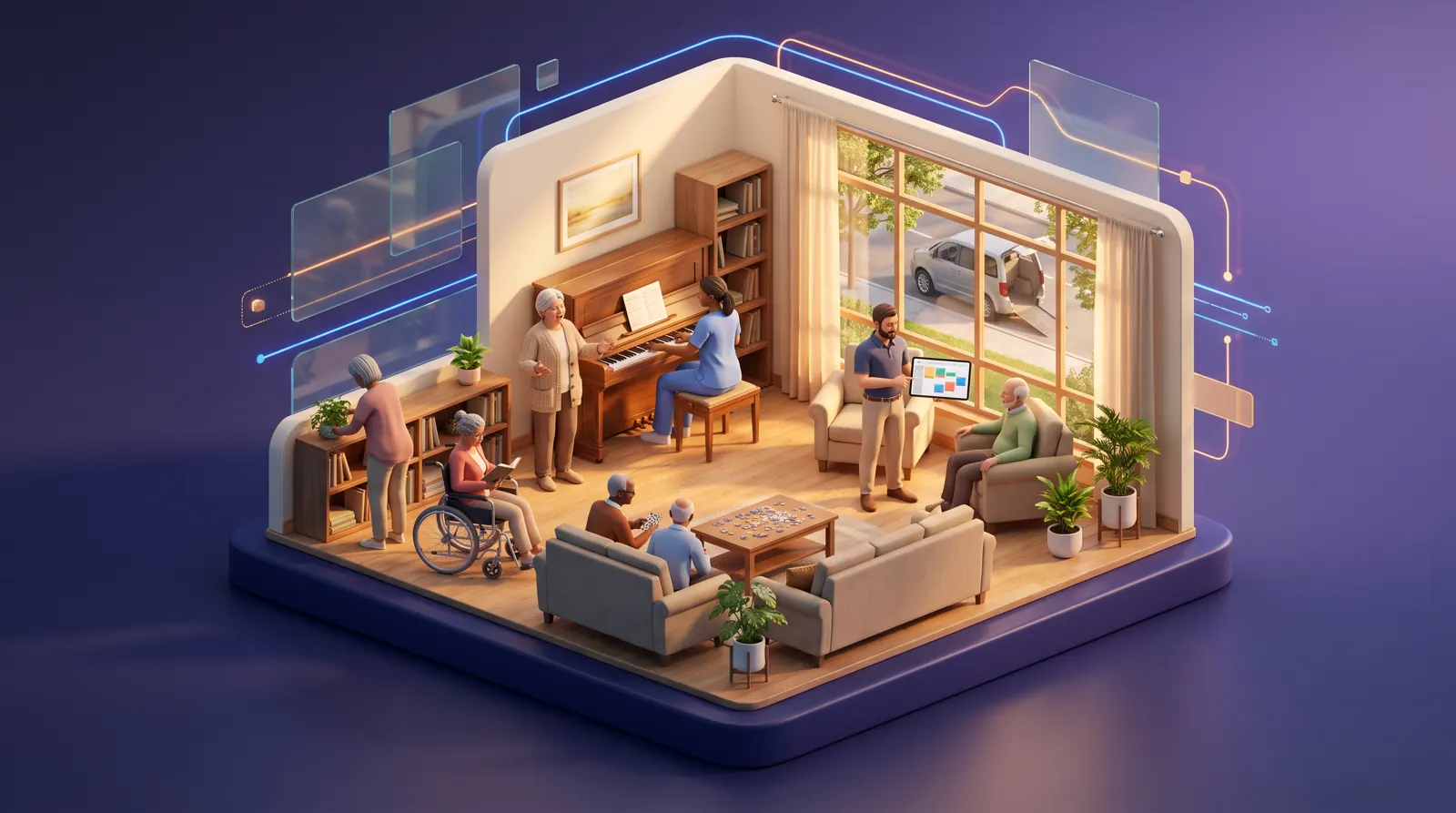
A caregiver and an older resident singing together in a senior living common room, with an accessible van outside the window.
CrewFoundry(opens CrewFoundry in a new tab)FluidGrids(opens FluidGrids in a new tab)Botlit(opens Botlit in a new tab)CollabKin(opens CollabKin in a new tab)EventfullyManaged(opens EventfullyManaged in a new tab)AssetHandler(opens AssetHandler in a new tab)MoveTheWheels(opens MoveTheWheels in a new tab)BigConsole(opens BigConsole in a new tab)

The problem

Why senior care operations are hard to hold together

Senior care pressures are linked: a dawn call-out uncovers visits, a lapsed card sidelines a caregiver, families phone for news and a failed van lift strands appointments, yet each is handled by phone and paper.

A senior living community runs a small hotel, a restaurant, a care team and a transport service under one roof, and a home-care agency runs dozens of one-person shifts inside other people's homes. Both depend on frontline caregivers who are hard to hire and harder to keep, and both are judged by people who notice every missed visit: residents, adult children who often live far away, and state licensing surveyors.

The records that hold this together are scattered. Schedules live in one tool and a group chat, credentials in binders, visit notes on paper in a client's kitchen, activity attendance on clipboards, inspection dates on stickers and van bookings on a whiteboard. When a caregiver calls out at dawn or a surveyor asks for a training file, someone rebuilds the answer by hand while residents wait.

The work on this page is about daily living, not medicine: getting up, meals, company, activities, rides and equipment that works. The products stay on that operational side. Assessments, medication records and care decisions stay with licensed staff and the clinical systems they already use, and state electronic visit verification (EVV), service authorizations and billing stay in the systems that handle them today.
Who this is for

  • Executive Director, Assisted Living and Memory Care

    Every shift covered by qualified staff, families who feel informed, and survey-day files that are current rather than rebuilt from binders.

  • Home Care Agency Owner or Branch Manager

    Visits covered by caregivers the client already knows, fewer dawn scrambles, and visit records that answer families' questions.

  • Health and Wellness Director

    Care staff whose training, check-offs and cards are current, and health questions from families reaching a person on the care team, not a bot.

  • Life Enrichment Director

    Knowing each new resident's story from the first week, and seeing who has stopped joining in before they drift away.

  • Regional Director of Operations

    Occupancy, open shifts, agency hours, missed visits and overdue training compared across sites from one current view.

  • Maintenance and Transportation Coordinator

    Lifts, slings and vans kept inspected, loaners traced to the home they sit in, and rides re-planned the moment a van fails.

A day in the life

The story behind the solution

One week at Fernhollow Senior Living

Nadia Farouk runs operations for Fernhollow's three communities, which offer independent living, assisted living and memory care, and for Fernhollow at Home, its home-care agency. Her calendar says planning; her phone says otherwise. This is one ordinary week told as it goes today, with each problem pointing to how the same hours are designed to go when the operator's systems share what they know. The people and the organization are fictional.

  1. Monday 5:42 a.m. · Home care

    A call-out and three uncovered visits

    Tomás Reyes, the on-call scheduler, wakes to a text: caregiver Lina Haddad has a fever. Her 7:00 a.m. visit is Frank Delgado, 84, who gets up with a sit-to-stand lift that only checked-off caregivers may use, and two more visits follow by midday. Tomás posts in the caregiver group chat and takes the first reply, from someone who has never met Mr. Delgado, lives 40 minutes away and will pass 40 hours by Thursday. At 7:25 Mr. Delgado's daughter calls to ask where everyone is.

    How this is solved: Early call-outs leave home visits uncovered
  2. Tuesday 9:10 a.m. · Millbrook

    A surveyor asks for eight personnel files

    A state licensing surveyor arrives unannounced at the Millbrook community and asks for the files of the eight care staff on shift. Hannah Kowalczyk, the business office manager, pulls binders while the executive director walks the building. Background checks and tuberculosis screenings are there; one CPR card expired eleven days ago, and its owner is on the floor serving breakfast. Nobody had told her, and nobody can say whether last week's two new hires were checked off before their first solo shift.

    How this is solved: Credentials and in-service hours live in binders
  3. Wednesday 7:30 p.m. · After-hours line

    A daughter three states away

    Dana Whitfield calls the after-hours line: her mother, Ruth, said on a video call that nobody came today. The on-call coordinator cannot see the visit notes, which sit in a paper binder in Ruth's kitchen, so she promises a callback. The visit did happen at 1:05 p.m., with lunch made and a short walk, but Dana only hears that on Thursday morning after a restless night. All week the community front desks answer the same questions about menus, visiting hours and appointment rides.

    How this is solved: Families phone the office to learn what happened
  4. Thursday 4:15 p.m. · Memory care

    A new resident nobody knows yet

    Evelyn Park moved into memory care at Millbrook on Monday. Every afternoon around four she grows restless and asks for 'the choir.' The evening staff do not know she directed a community choir for thirty years; her son Daniel has the photos and a recording at home. Keisha Morgan, the life enrichment director, plans the month's calendar from memory and paper sign-in sheets, and has not noticed that four residents on one hallway have joined nothing in two weeks.

    How this is solved: New residents arrive as strangers to the staff
  5. Friday 7:05 a.m. · Transportation

    The van lift fails its morning check

    Driver Gus Oyelaran finds that the wheelchair lift on Van 2 will not deploy during his pre-trip check. Van 2 was booked for three residents' appointments this morning, two of them in wheelchairs. The rides are on a whiteboard, the lift's last service date is on a sticker, and nobody can say whether the spare shower chair promised to a home-care client is in the storeroom or still at a home that returned it last month. The transportation coordinator starts phoning families to cancel.

    How this is solved: A failed van lift strands the morning's appointments
  6. Monday 8:00 a.m. · Operations call

    Three spreadsheets, three versions of the week

    Nadia's weekly call opens with each executive director reading from their own spreadsheet: occupancy by care level, pending move-ins, open shifts, agency hours and overtime. Home care reports missed visits from a different tool. Agency hours are counted three ways, the staffing agency's invoice is two weeks out, and nobody can say whether last week's call-outs or the van problem cost more. By the time the figures agree, it is Wednesday.

    How this is solved: Each community reports a different version of the week

None of this week needs a new kind of caregiver or a bigger office. It needs the call-out, the expired card, the visit note, the life story, the failed lift and the weekly numbers to reach the right person while there is still time to act. That is what eight Burdenoff products are designed to do together on one platform, while clinical decisions stay with licensed staff.

Challenges and how they are solved

6 problems, several products, one connected answer

Each challenge shows the problem as it happens, how the products are designed to hand work to each other, and the concepts that illustrate it. Share any challenge on its own.

Answers are in plain business terms. Choose Technical, or open any technical detail, to see how it works under the hood.

Challenge 1 of 6

Early call-outs leave home visits uncovered

The problem

Home-care call-outs tend to land before dawn, when the only person awake is an on-call scheduler with a phone. The usual fix is a message to a caregiver group chat, and the first reply gets the visit. That caregiver may never have met the client, may live across the county, may already be close to overtime, and may not be checked off on the client's lift or transfer routine, because nobody can see those facts at a quarter to six. Clients who rely on a familiar face open the door to a stranger, or to nobody, and the family's first call of the day is to ask what went wrong.

What it costs

Late or missed visits, clients who do not recognize the person at the door, overtime nobody planned, and a scheduler who spends every early morning on the phone instead of planning.

How the products work together

After a call-out, CrewFoundry is designed to show which visits are uncovered and who could take each. Only caregivers currently checked off on the client's equipment qualify, ranked by past visits with the client, hours toward overtime and travel time. FluidGrids offers each visit in that order, alerts the on-call scheduler if it is still open an hour before it starts, and emails the family that another caregiver is coming.

How it works — technical detail

Technical detail

CrewFoundry is designed to hold each client visit on the roster beside each caregiver's skills, certificates, hours this week and past visits with that client, with equipment check-offs recorded against the person. When the scheduler records a call-out as leave, the board flags the visits left uncovered. For each one it is designed to filter to caregivers with a current check-off for the client's equipment, then rank them by previous visits with the client, hours against the overtime line and travel time. Pressing Send offers in order is designed to start a FluidGrids workflow with that ranked list: it messages the first caregiver by email or chat, waits a set number of minutes, moves to the next, and escalates to the on-call scheduler if the visit is still open an hour before it starts. FluidGrids is designed to write the accepted assignment back to CrewFoundry and email the approved family contact that a different caregiver is coming.

The outcome it is designed for

Uncovered visits are designed to reach the right caregivers within minutes of a call-out, with the scheduler stepping in only when the list runs out.

The concepts behind it

Challenge 2 of 6

Credentials and in-service hours live in binders

The problem

Licensing surveys are unannounced, and the first request is usually the personnel files of the staff on shift: background check, tuberculosis screening, CPR card, dementia care training and the year's in-service hours. In most buildings those live in binders and a spreadsheet the business office updates when it can. Cards lapse quietly while their owners keep working, new hires can reach a solo shift before their skills check-offs are signed, and a survey morning turns into a search while the surveyor waits.

What it costs

Survey findings that could have been avoided, staff working past an expiry nobody noticed, new hires on the floor before orientation is finished, and days lost rebuilding files.

How the products work together

CrewFoundry is designed to keep each caregiver's cards, screenings, new-hire steps and in-service training in one profile, with check-offs signed before solo work. FluidGrids reminds caregivers and supervisors 60, 30 and 7 days before a card or screening lapses; if it lapses, the caregiver is not scheduled for work needing it until a new card is uploaded. On survey day, the office pulls current files for staff on shift.

How it works — technical detail

Technical detail

CrewFoundry is designed to keep each caregiver's certificates, onboarding checklist and in-service learning in one profile. The new-hire checklist is designed to carry every step from offer to first solo shift, including background check, tuberculosis screening, orientation and observed check-offs, each with an owner and a due date, so the check-off is signed before the first solo shift. Annual in-service topics such as dementia care, infection control and resident rights run as learning paths, with certificates recorded against the person. FluidGrids is designed to run a nightly scheduled workflow over the expiry dates held in CrewFoundry: it reminds the caregiver and supervisor 60, 30 and 7 days before a card or screening lapses, and on the day it lapses marks the person in CrewFoundry as not schedulable for roles that need it, until a new card is uploaded. On survey day the office filters to the staff on shift and exports each person's current file.

The outcome it is designed for

Expiring cards and missing check-offs are designed to surface weeks ahead, and survey-day files come from the current record rather than a binder search.

The concepts behind it

The problem

Adult children often live hours away, and what they hear comes in fragments: a parent on a video call saying nobody came, a missed voicemail, a front desk that closes at five. In home care the proof that a visit happened usually sits in a paper log in the client's kitchen, out of reach of the after-hours coordinator. Community front desks answer the same questions about menus, visiting hours, activity times and appointment rides every day, and a health question can get a well-meant guess from whoever picks up instead of reaching the care team.

What it costs

Anxious families, staff time spent relaying information that already exists, and health questions answered by the wrong person instead of reaching a nurse or care coordinator.

How the products work together

CrewFoundry's planned phone check-in is designed to let caregivers record each visit: arrival, departure, tasks done or declined and a short note. Botlit's family desk answers signed-in, approved family members about their own relative only, from those notes, ride times and approved content like menus, naming the record behind each answer. Questions about health, falls or care changes go to the care coordinator, and FluidGrids alerts whoever is on duty.

How it works — technical detail

Technical detail

CrewFoundry's planned mobile field check-in is designed to extend time entries into visit records: clock-in and clock-out at the client's home, the plan tasks done or declined and a short note. Botlit is designed to run a family question desk on web chat and messaging for contacts the client or their authorized representative has approved. Approved contacts sign in with their own account before the desk answers anything about their relative; unverified chats get only general community information. The desk is designed to answer from approved content, such as menus, and through read-only tools over CrewFoundry visit records and the MoveTheWheels trip schedule, limited to that contact's relative and citing each record. It is designed to route questions about health, falls or changes in care to the care coordinator's queue, where a Botlit agent starts a FluidGrids workflow that alerts the coordinator on duty, and staff review any conversation the desk could not answer.

The outcome it is designed for

The desk is designed to give approved family members a sourced answer in minutes, and to route health and care questions to the care coordinator's queue for a person to answer.

The concepts behind it

The problem

A memory care move-in usually arrives with an intake form that has one line for hobbies, while the details that settle a new resident, the name she prefers, the music she knows, the person she keeps asking for, sit with a son or daughter at home. Evening staff meet a stranger and guess. Activity calendars are planned from memory and paper sign-in sheets, so the same regulars fill each session, and a resident who quietly stops joining in can go weeks before anyone notices.

What it costs

Harder first weeks for new residents and their families, programs planned around habit instead of interest, and quiet residents who drift out of community life unnoticed.

How the products work together

CollabKin is designed to let a family keep a relative's private life story, with photos, music, routines and the people she asks about, and invite named staff to read chosen parts, with her or her representative's agreement. EventfullyManaged records activity attendance and lists residents with no check-in for 14 days. The activities director reads that story, where shared, and invites her to a matching session, recorded as her sign-up.

How it works — technical detail

Technical detail

CollabKin is designed to let a family keep their relative's life story in their private space: preferred name, career, music, the people she asks about, routines, comforts and topics to avoid, with photos and recorded stories. With the resident's agreement, or her authorized representative's, the family invites named staff as viewers of the family space and marks anything not meant for staff as stewards-only or private; sharing with a care organization is a designed extension on CollabKin's roadmap. EventfullyManaged is designed to run the activity calendar as sessions, from choir and crafts to chair movement and outings, with staff checking each resident in at a tablet station. In order: EventfullyManaged lists residents with no check-in for 14 days; the director opens that resident's CollabKin life story where the family has shared one; its suggestions card lists matching sessions from the published calendar; and the invitation is recorded as a session sign-up in EventfullyManaged.

The outcome it is designed for

The life story is designed to help staff know a new resident's story in her first week, and quiet residents get a personal invitation before they drift away from community life.

The concepts behind it

Challenge 5 of 6

A failed van lift strands the morning's appointments

The problem

Community transport runs on a whiteboard and a van that has to pass its morning check, and the wheelchair lift is the part that fails. When a van comes off the road, the day's appointments, often dental, eye and hearing visits that took weeks to book, are canceled one phone call at a time. Inspection dates for mechanical lifts, slings and van lifts live on stickers and clipboards, and loaner equipment for home-care clients moves between homes with nobody sure which home has it now.

What it costs

Canceled appointments that took weeks to book, families pulled from work to drive, equipment used past its inspection date, and loaners lost between homes.

How the products work together

AssetHandler is designed to keep every van, lift, sling and loaner on a service and inspection schedule and record which client home holds each loaner. A failed morning check, scanned on the driver's phone, opens a work order and takes the van off the road. MoveTheWheels flags that van's rides, noting wheelchair and escort needs, and suggests another van or an approved transport provider for the coordinator to accept.

How it works — technical detail

Technical detail

AssetHandler is designed to hold every van, wheelchair lift, mechanical lift, sling, bed and loaner item with a QR tag, a preventive maintenance schedule and a custody trail. A failed pre-trip check scanned on the driver's phone opens a work order and marks the van off road; lifts and slings come due for inspection on a calendar; each loaner is checked out against the client home it went to and checked back in on return. MoveTheWheels, built for moving goods, is designed to carry resident appointment trips as scheduled runs on its vehicle, driver and route records, with mobility needs and escorts noted on each trip. When AssetHandler marks Van 2 off road, the trip board is designed to flag its trips and propose moving them onto Van 1's gaps or an approved transport provider listed in its marketplace, for the coordinator to accept. Loaner deliveries to home-care clients are designed to run as stops on the same routes.

The outcome it is designed for

A failed lift is designed to become a work order and a re-planned trip list within minutes, and every loaner has a known location.

The concepts behind it

The problem

Multi-site operators usually run the week from spreadsheets that each community keeps its own way: occupancy by care level, pending move-ins, open shifts, agency hours and overtime. Home care reports missed and late visits from a separate tool. Agency hours are counted differently at each site, the staffing agency's invoice arrives weeks later, and leaders spend the first days of the week reconciling numbers instead of deciding what to do about them.

What it costs

Staffing and move-in decisions made on stale or inconsistent numbers, agency spend noticed only when the invoice lands, and leaders who spend their mornings reconciling instead of acting.

How the products work together

Nightly, FluidGrids is designed to gather staffing, visit, training, van and ride figures, plus occupancy and pending move-ins from the community's resident system. BigConsole shows one board with a row for each community and the home-care branch, counted the same way, and each executive director sees their own. A regional director can ask Botlit which community used the most agency hours last week and get the figure with its source.

How it works — technical detail

Technical detail

FluidGrids is designed to run nightly workflows that load each product's operational figures into BigConsole datasinks: shifts, call-outs, open and missed visits, overtime, agency hours and overdue credentials from CrewFoundry; vans off road and overdue lift and sling inspections from AssetHandler; completed and canceled trips from MoveTheWheels; and occupancy and pending move-ins from an export of the community's existing resident system. BigConsole is designed to turn those datasinks into one operations console with a row per community and one for the home-care branch, using the same definitions at every site, with row-level access so each executive director sees their own. Its planned Explain panel is designed to give short findings, each cited to the datasink and field behind it, and Botlit agents can query the console, so the regional director can ask which community used the most agency hours last week and get the cited figure.

The outcome it is designed for

The Monday call is designed to start from one set of numbers every site shares, so the time goes to decisions instead of reconciliation.

The concepts behind it

BigConsole

Senior Living and Home Care Operations Console

The operations console: occupancy, open shifts, agency hours, missed visits, overdue training and vans off road, one row per community and one for home care.

Works with FluidGrids, CrewFoundry, AssetHandler

How it fits together

How a senior care week moves across eight products

Each step is one product doing one job and handing a concrete record to the next, in the order of the week in the story: a call-out, an expiring card, a family question, a new resident, a failed van lift and the Monday numbers.

  1. To FluidGrids: Uncovered visits, ranked caregivers for each, and card expiry dates

  2. To CrewFoundry: Accepted visits, and staff who cannot be scheduled until renewed

  3. To Botlit: Visit notes the family desk answers from, for approved family only

  4. To FluidGrids: Health and care questions, so the coordinator on duty is alerted

  5. To EventfullyManaged: A personal invitation, recorded as her activity sign-up

  6. To MoveTheWheels: Vans off the road, their work orders and expected return dates

  7. To BigConsole: Completed, moved and canceled rides, gathered nightly by FluidGrids

Step 1 of 8: Flag uncovered visits

How each hand-off works — technical detail

Technical detail

  1. 1. CrewFoundry — Flag uncovered visits: Is designed to hold visits beside caregiver certificates, check-offs and hours, and after a call-out to flag uncovered visits with eligible caregivers ranked.Hands to FluidGrids: Uncovered visits with eligible caregivers in ranked order, plus credential expiry dates for the nightly check.
  2. 2. FluidGrids — Offer visits and chase expiries: Is designed to message offers in rank order with a wait on each, escalate unfilled visits, and send expiry reminders on a nightly schedule.Hands to CrewFoundry: Accepted assignments, and lapsed staff marked not schedulable for roles that need the credential.
  3. 3. CrewFoundry — Record each home visit: Its planned mobile field check-in is designed to turn time entries into visit records: arrival, departure, plan tasks done or declined and a short note.Hands to Botlit: Visit records the family desk is designed to cite, limited to each client's approved contacts.
  4. 4. Botlit — Answer approved families: Is designed to answer signed-in family contacts from approved content, CrewFoundry visit records and MoveTheWheels trip times, citing the record behind each answer.Hands to FluidGrids: Health and care questions with the conversation, starting the workflow that alerts the care coordinator on duty.
  5. 5. CollabKin — Share the life story: Is designed to show the director the family-shared life story of a resident EventfullyManaged lists as joining nothing for 14 days, with matching sessions suggested.Hands to EventfullyManaged: A personal invitation, recorded as a session sign-up on the community's activity calendar.
  6. 6. AssetHandler — Keep vans and lifts ready: Is designed to run inspections and work orders for vans, lifts, slings and loaners, and to mark a van off road when its pre-trip check fails.Hands to MoveTheWheels: Vans marked off road, with the open work order and expected return to service.
  7. 7. MoveTheWheels — Re-plan resident trips: Is designed to hold resident appointment trips on its vehicle and route records, flag trips on an off-road van and propose moves for the coordinator.Hands to BigConsole: Completed, moved and canceled trips, carried each night into BigConsole by a FluidGrids workflow.
  8. 8. BigConsole — Show one operations view: Is designed to show one console per community and the home-care branch from FluidGrids datasinks, with cited findings Botlit agents can query.Hands to Botlit: Cited figures that Botlit agents can look up when a leader asks a question.

Products in this solution

What each product brings

  • CrewFoundry

    Caregiver roster, credentials and visit records

    Today it keeps each person's profile, skills, clocked hours, leave, training and certificates. Rosters for field staff, phone check-in and new-hire checklists are planned, and home-care visit coverage is designed to build on them.

    Technical detail

    Technical detail

    Holds people profiles, skills, time entries with clock-in and clock-out, leave, learning paths and certificates today; field-crew rosters, mobile field check-in and onboarding workflows are planned, and home-care visit coverage is designed to build on them.

  • FluidGrids

    Visit offers, expiry reminders and nightly figures

    It runs step-by-step routines that start on a schedule or at another product's request, wait, and send email or chat messages. Here it is designed to offer open visits in order, send card reminders, alert the care coordinator and gather nightly figures for BigConsole.

    Technical detail

    Technical detail

    Schedule-, webhook- and API-started workflows with wait steps and messaging nodes such as email and chat are designed to run the offer sequence, credential reminders, the care-coordinator alert and nightly datasink loads for BigConsole.

  • Botlit

    Family question desk

    Today it builds chat assistants with approved content and content rules, on web chat and messaging. Answers that name their source, live record look-ups, enforcing those rules and hand-off to a person are planned; the family desk is designed to build on them.

    Technical detail

    Technical detail

    Bot apps with approved knowledge bases, channel connectors and content policies today; grounded, cited answers, live tool calls, policy enforcement and human hand-off are on its roadmap, and the family desk is designed to build on them.

    Visit BotlitAll concepts
  • CollabKin

    Resident life stories shared by families

    It gives a family a private space for a relative's memories, photos and recorded stories, where they choose who sees each item and can invite named staff or take their access back. Sharing with care organizations is planned.

    Technical detail

    Technical detail

    A private family space with person records, memories, recorded stories, member roles and per-item visibility, so a family can invite named staff as viewers and revoke them; sharing with care organizations is on its roadmap.

  • EventfullyManaged

    Activity calendar and attendance

    It runs repeating activities as sessions with sign-up and check-in at a tablet or kiosk, designed to give the activities team an attendance record for every resident.

    Technical detail

    Technical detail

    Recurring events with sessions, session sign-up and session-level check-in at tablet or kiosk stations are designed to give every activity a per-resident attendance record the enrichment team can review.

  • AssetHandler

    Vans, lifts and loaner equipment

    It tags each item with a QR code and keeps its maintenance schedule, work orders and a record of who has it, designed to cover van lifts, mechanical lifts, slings and loaners that move between client homes.

    Technical detail

    Technical detail

    QR-tagged assets with preventive maintenance schedules, work orders and a custody trail are designed to cover van lifts, mechanical lifts, slings and loaners that move between client homes.

  • MoveTheWheels

    Resident trips and loaner deliveries

    Built for moving goods, it keeps vehicle, driver, route and dispatch records that are designed to carry residents' appointment rides and loaner drop-offs. A driver phone app and electronic proof of delivery are planned.

    Technical detail

    Technical detail

    Built for moving goods, its vehicle, driver, route and dispatch records are designed to carry resident appointment trips and loaner drop-offs; its driver mobile app and electronic proof of delivery are on the roadmap.

  • BigConsole

    Operations console across sites

    It builds leadership boards from the figures FluidGrids gathers, counted the same way at every site. Limiting each site's leaders to their own figures is in progress, and short explanations that name the source of each finding are planned.

    Technical detail

    Technical detail

    Consoles built on FluidGrids datasinks with shared definitions across sites; row-level access by site is in progress, and an Explain panel that cites the data behind each finding is planned.

One platform underneath: Burdenoff Workspaces

All eight products run on Burdenoff Workspaces: one sign-on for office staff, caregivers and approved family contacts, role-based access designed to keep each community, branch and family to its own view, one audit trail across rosters, workflows and assistants, and one bill for the operator.

Concept gallery

Every concept in this solution

15 concepts from 8 products. Each one links to its own page on the product's website, and every view has a link you can share.

Pitch kit

The Senior care solution in one minute

Senior care operators lose hours in the gaps between systems: dawn call-outs worked by group text, credentials in binders, visit notes in a client's kitchen and rides on a whiteboard. Eight Burdenoff products, from CrewFoundry and FluidGrids to Botlit and BigConsole, are designed to carry each hand-off to the person who owns it, from call-out to covered visit, expiring card to reminder and failed van lift to re-planned ride, while clinical decisions stay with licensed staff.

  • Call-outs turned into ranked offers to caregivers trained on the client's equipment, familiar faces first
  • Credentials, check-offs and in-service hours tracked per caregiver, with reminders before anything lapses
  • A family question desk designed to answer from visit records and pass health questions to the care team
  • Life stories shared by families with named staff, and activity attendance that shows who has stopped joining in
  • Vans, lifts and loaners on a service schedule, with rides re-planned when a van goes off the road
Email it

Questions

Frequently asked

Does this replace our electronic health record or medication system?

No. The products are designed to sit beside your electronic health record and medication system and handle day-to-day operations: scheduling, training, family questions, activities, equipment and rides. Assessments, medication records and care decisions stay where they are, as do state electronic visit verification (EVV), service authorizations and billing. Figures like occupancy come from reports those systems already produce.

Technical detail

Technical detail

No. The products are designed to sit beside the clinical and resident systems you already run, including any electronic health record or electronic medication administration record. They handle operational work, such as scheduling, training, family questions, activities, equipment and rides, and read figures like occupancy from exports those systems already produce. Assessments, medication records and care decisions stay where they are today, as do state electronic visit verification (EVV) systems, service authorizations and billing.

Will the family assistant give medical advice?

No. The family desk is designed to answer only signed-in family members, from content the community has approved and records such as visit and ride times, with content rules blocking medication and dosage terms. Questions about health, a fall or a change in care go to the care coordinator with the conversation attached, so someone on the care team replies.

Technical detail

Technical detail

No. Botlit is designed to answer only after a family contact signs in, from content the operator has approved and from operational records such as visit times and ride schedules. A workspace content policy is designed to block keywords and patterns such as dosage and medication terms, and questions about health, a fall or a change in care are designed to go to the care coordinator's queue with the conversation attached, so a person on the care team replies. The desk runs as Botlit, configured with the community's own approved content.

Who decides what families and staff can see?

The client or their authorized representative approves each family contact. Each signs in with their own account, and access is designed to limit them to their own relative. Life stories work the other way: the family owns the space, invites named staff with the resident's or representative's agreement, keeps chosen items private and can remove access at any time.

Technical detail

Technical detail

The client or their authorized representative decides which family contacts are approved, each contact signs in with their own account, and role-based access on Burdenoff Workspaces is designed to limit each contact to their own relative's records. For life stories the direction is reversed: the family owns the CollabKin space and, with the resident's or representative's agreement, invites named staff as viewers, marks items stewards-only or private, and can revoke access at any time.

Does this work for a home-care agency without communities, or a community without home care?

Yes. Each part works on its own. An agency might start with visit coverage, credentials and the family desk; a community with credentials, life stories, activities and rides. Each product is set up for your own roles, care levels and services, and more can be added later on the same platform.

Technical detail

Technical detail

Yes. The challenges are independent. A home-care agency might start with visit coverage, credentials and the family desk; a community might start with credentials, life stories, activities and transport. Each product is configured to the operator's own roles, care levels and service lines, and more products can be added later on the same platform.

Are these products available today?

Not as a finished solution. The products are pre-launch, and several pieces are in design or planned: field-staff rosters, new-hire checklists, phone check-in; the driver app and proof of delivery; loaner check-out; record look-ups, rule enforcement, sourced answers and hand-off at the family desk; board explanations and per-site access; sharing with care organizations; the new boards and links between products.

Technical detail

Technical detail

Not as a finished solution. The products are pre-launch, and this page describes a solution concept. Several capabilities shown are in design or on the roadmap, including CrewFoundry field rosters, onboarding workflows and mobile visit check-in; the MoveTheWheels driver app and proof of delivery; AssetHandler check-in and check-out; Botlit cited answers, tool use, policy enforcement and human hand-off; BigConsole explanations and row-level access; CollabKin sharing with care organizations; the new boards on this page and the hand-offs between products. We are glad to walk through what exists now.

Related domains

All domains

Want to explore this for your organization?

Tell us about your setup. We will walk you through the products involved and scope a pilot around the challenge that hurts most.

This is a solution concept: it shows how Burdenoff products are designed to work together in this industry. The images are illustrations of the concepts, not screenshots of the actual products, and every name and figure in them is sample data.